Field Sampler — interface walkthrough
Listen through 47 clips · 1:16
Every sound the walkthrough played, in order, in one file: a soft tick before each clip. Tap a row to jump to it; the row playing is highlighted. Download to listen anywhere.
1Measuring instruments0.3 s
Before measuring the app, the walkthrough's own pitch estimator (analyze.mjs: FFT peaks of the first 8 harmonics; no code shared with the app's pitch detection) is checked on synthetic tones of known pitch: plucks and decaying harmonic tones, 130–880 Hz, with noise, each searched from a hint 100¢ off.
- ✓Estimator error far below the ±2¢ the key checks allow
worst 0.0007¢ over 10 tones: pluck 223.78 Hz +0.000¢, pluck 220.69 Hz +0.000¢, pluck 130.97 Hz +0.000¢, pluck 261.58 Hz -0.000¢, pluck 438.36 Hz -0.000¢, harmonic tone 130.81 Hz +0.001¢, harmonic tone 220 Hz +0.000¢, harmonic tone 261.63 Hz -0.000¢, harmonic tone 440 Hz -0.000¢, harmonic tone 880 Hz -0.000¢
2First launch0.8 s
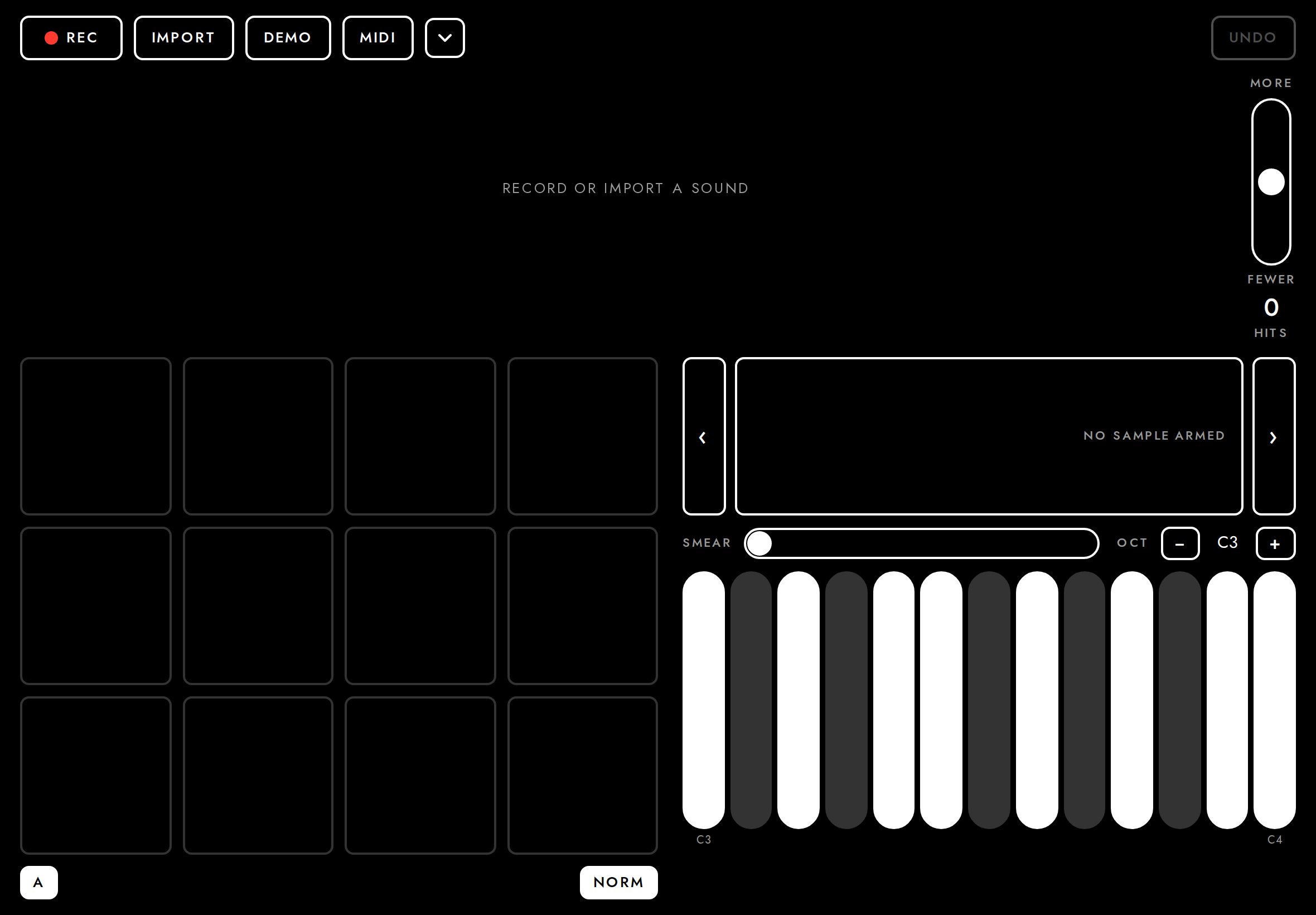
With nothing to restore (no take in the address), the app opens on a blank session with the takes menu open (the demo take under Examples), a prompt in the waveform, and every control in place.
- ✓Cold start opens the takes menu
- ✓The demo take is listed under Examples
Demo take 0:08 · thuds, knocks and plucked notes over wind - ✓No Demo button in the header
- ✓Empty-state prompt shown
- ✓Fits the screen without scrolling
overflow 0 px wide, 0 px tall - ✓Pads and keys rendered
12 pad slots, 13 keys
3Demo take0.6 s
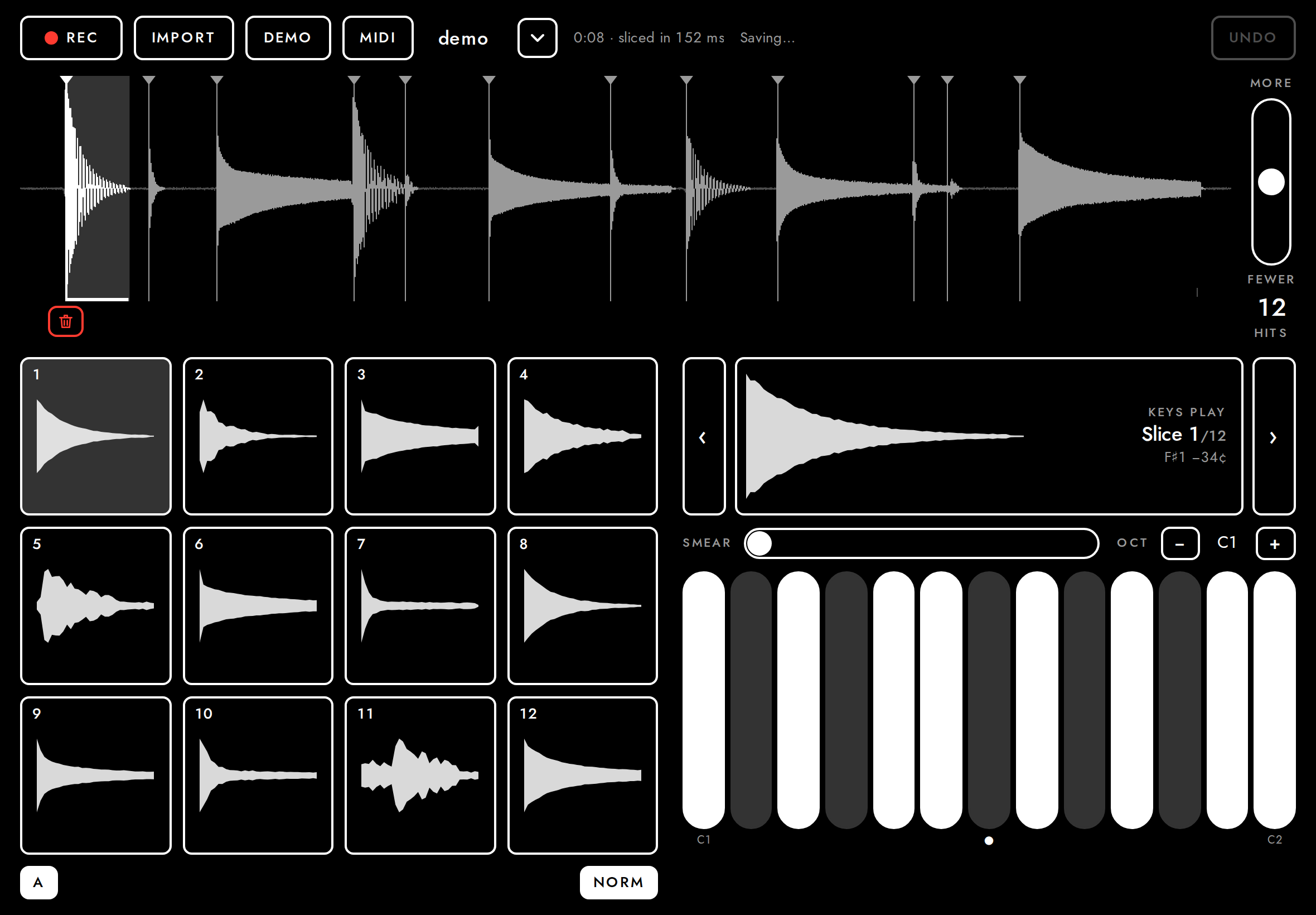
The demo take (takes menu → Examples) loads a built-in synthetic recording (knocks, thuds, plucked notes) so the app is playable without a microphone.
- ✓Demo take sliced into hits
12 hits
4Record from the microphone3.9 s
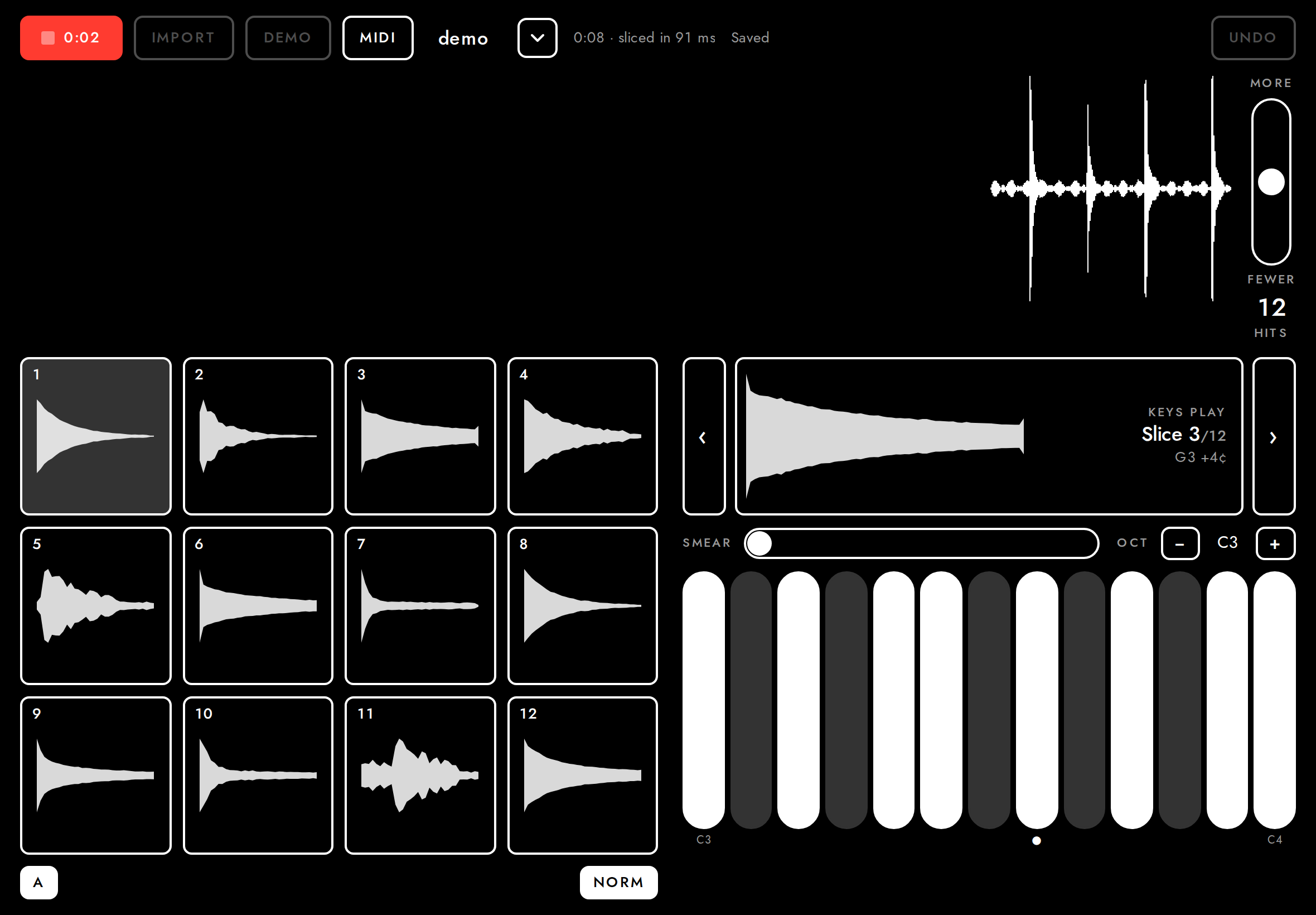
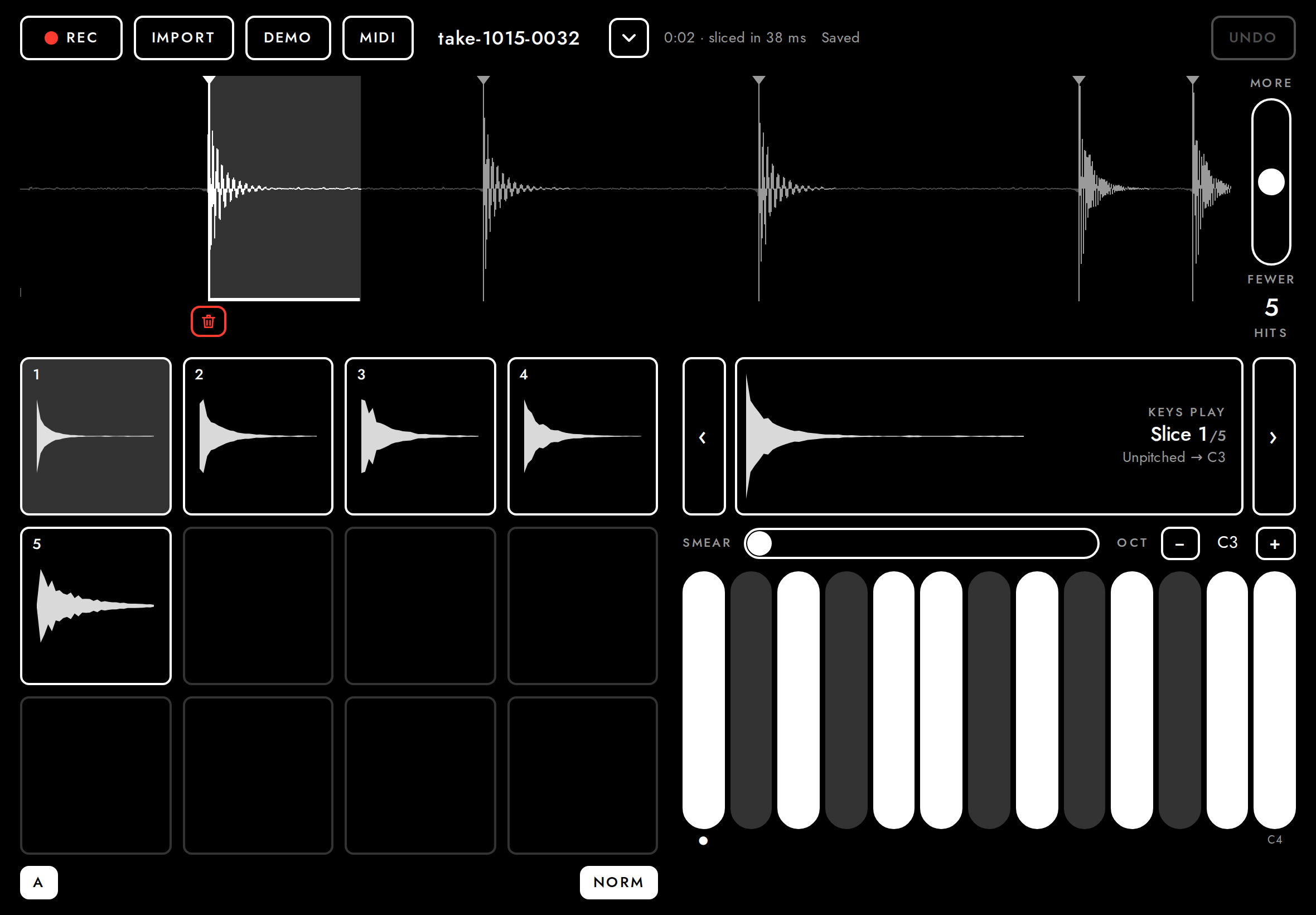
New starts a new take and records at once (with the demo take open, Rec would record onto its end: see the next step); the waveform scrolls in live. The Rec button turns into a red outline with a stop square, the time and the time left, at the same width, and nothing else on screen moves; Import and New wait. Rec stops, analyses and saves the take. (The microphone here is a fake device playing the demo file.)
- ✓Recording moves and resizes nothing (Rec keeps its width)
Rec 156 px wide, "0:02 4:58 LEFT" - ✓Recording shows as a red outline, not a filled block
background rgba(0, 0, 0, 0), border rgb(255, 59, 48), text rgb(255, 59, 48) - ✓Import waits while recording
- ✓Rec is back to its width after stopping
156 → 156 px - ✓Recording sliced into hits
5 hits in 4:58 - ✓Saved as a take with its own link
http://localhost:8788/t/oB8mW0eeR0FD
5Record into the take12.8 s
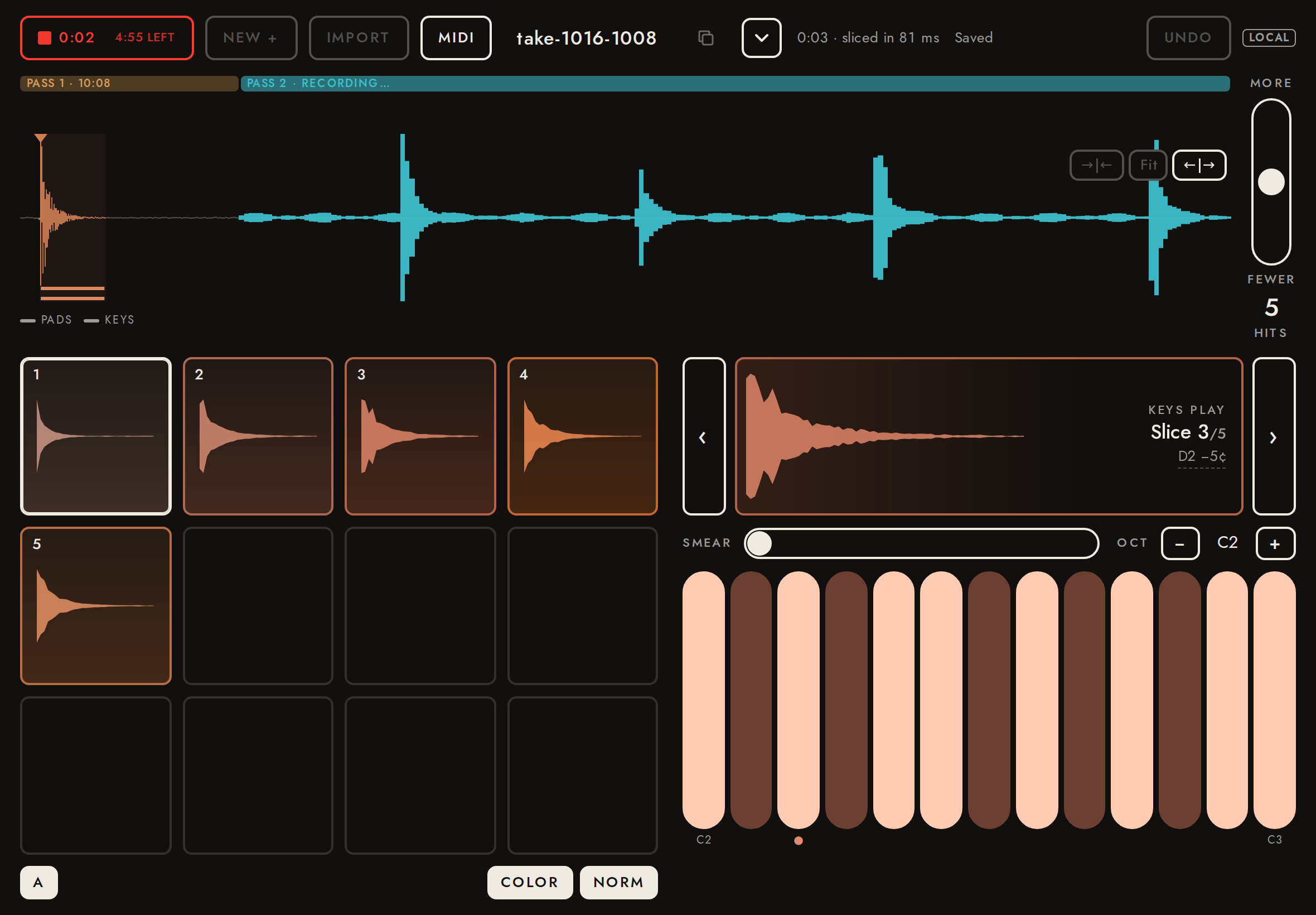
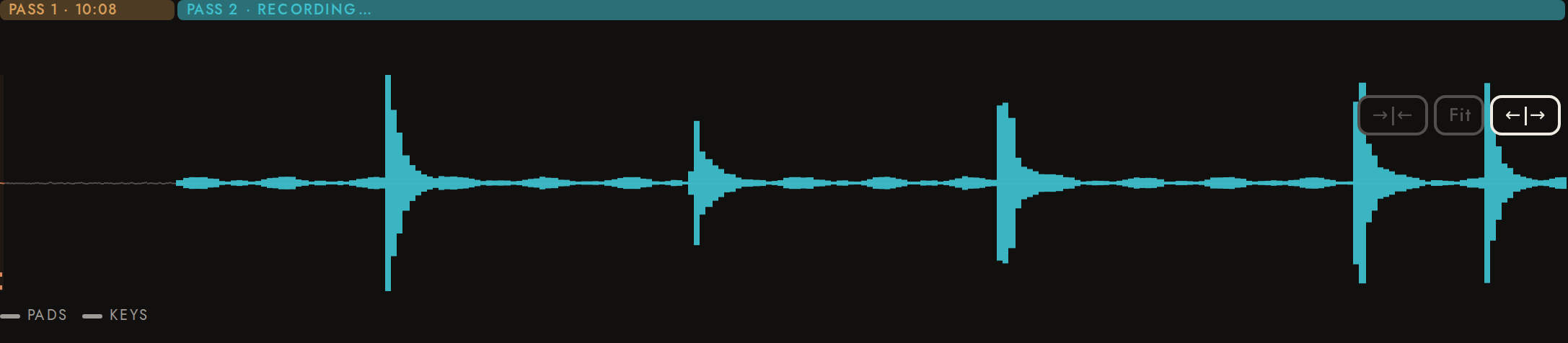
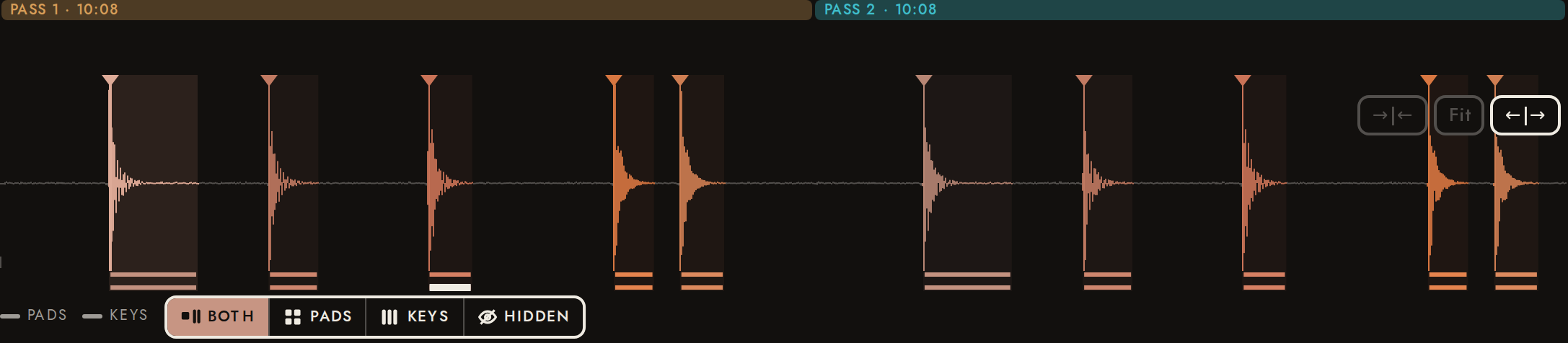
Rec records onto the end of the open take, like tape; New starts a new take and records at once (Import, like New, makes a new take). The recording appears after the take at the scale the take was shown at, and once it reaches the right edge the view follows it; nothing else on screen moves. Each pass gets a band along the top with its time, and Rec shows the time the take has left (5:00 in all). Each pass is a file of its own, analysed alone, so every earlier hit stays exactly as it was: its start, end and id, its edits. Here a take is made with New, two passes are recorded onto it with Rec (the fake microphone plays the walkthrough file), the take is reopened, and each pass stored in its own time.
- ✓New is a flat outlined button beside Rec, without the red dot
- ✓New starts recording at once
- ✓Import and New wait while recording
- ✓New made a take of one pass
3.06 s - ✓Rec shows the time the take has left
REC 4:57 LEFT (296.94 s) - ✓Recording onto the take moves and resizes nothing
Rec 156 px wide - ✓The take stays on screen while recording onto it, at the same scale
span 3.059 → 3.059, 3.059 s - ✓Past the right edge the view follows the recording (newest at the right)
start 0.00 → 1.16 → 2.46 s - ✓The pass being recorded has its band
["Pass 1 · 04:02","Pass 2 · Recording…"] - ✓Import and New wait while recording onto the take
- ✓The recording was added to the same take, as its second pass
zhA3tmXssHYP: 1 pass(es) after the first, 3.19 s, 17 candidates - ✓Every pass-1 slice is bit-identical before and after the append
5 slices before, 5 of pass 1 after; 5 new - ✓The take’s own analysis is stored as it was
- ✓The new pass’s hits are sliced, their ids after the take’s
ids 18, 22, 24, 29, 30 - ✓No slice runs past the seam
- ✓Each pass gets a band with its time ("Pass 2 · 16:10")
["Pass 1 · 04:02","Pass 2 · 04:03"] - ✓On stop the view glides back to the whole take (it was at Fit)
0.000 + 6.249 s - ✓Rec’s time left counts the take’s passes
293.75 s - ✓A second recording onto the take: the passes before it are bit-identical
2 passes after the first; bounds 0.000, 3.059, 6.249 - ✓Reopened, the take has every pass and the same slices
13 slices - ✓Each pass is stored in its own time, from its start
17 hits in 3.19 s; 20 hits in 2.05 s
6Import a file1.5 s
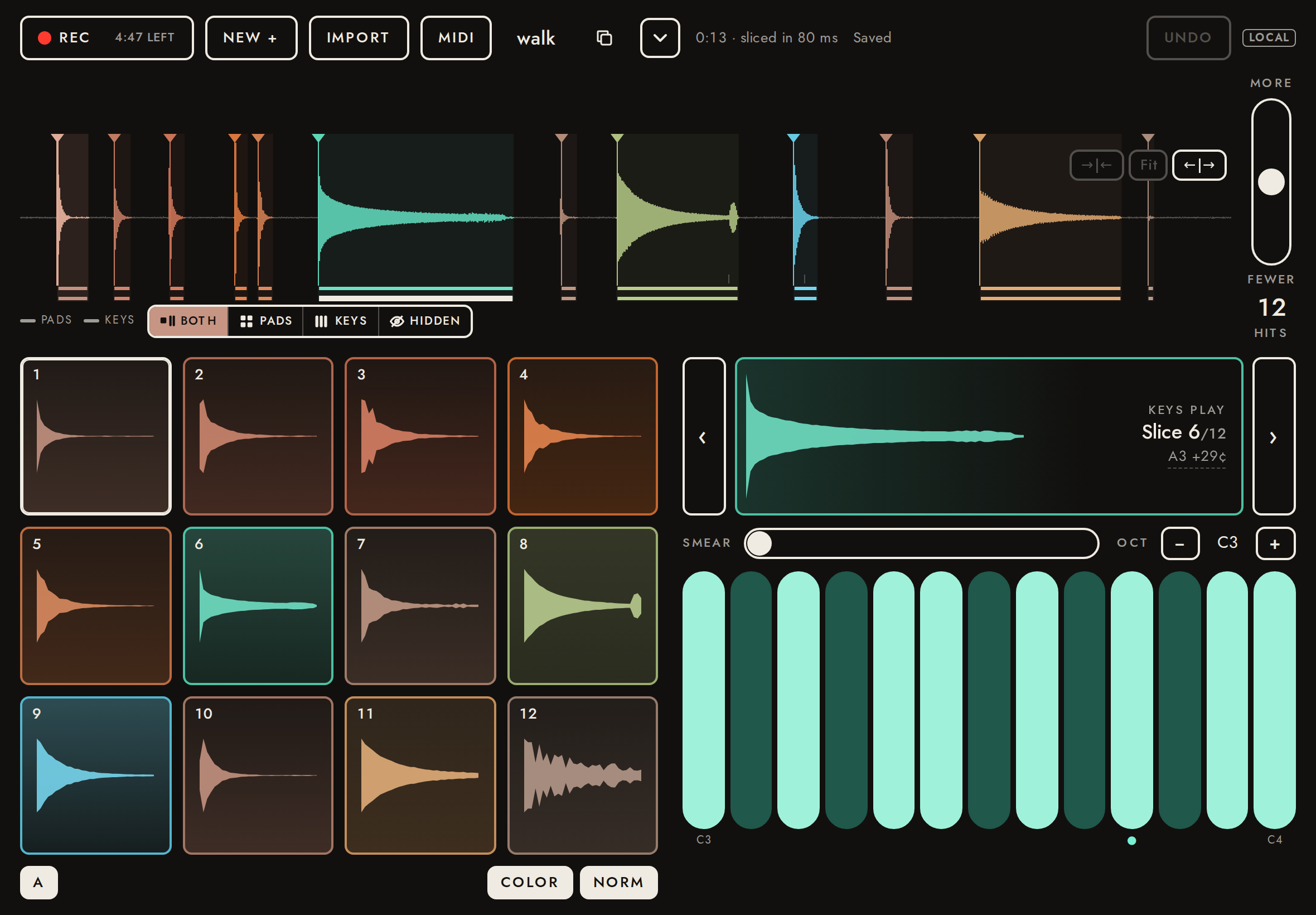
Import opens a file (here the walkthrough take: footsteps, knocks, a plucked A3 29 cents sharp, a quiet knock, a wind gust, glass, bird chirps, dropped keys, a bell and a faint knock). Analysis runs off the main thread and the take is saved.
- ✓Analysis under 1 s for 10 s of audio
sliced in 119 ms - ✓Every broadband hit found (±40 ms)
12/12 - iBird chirp at 7.6 s (narrowband, a known weak spot)
not sliced at the default sensitivity: candidate strength 0.14 vs threshold 0.25; raise sensitivity to get it - ✓No false hit in the wind gust
4.5–5.4 s clean
Ground truth: footstep 0.4s · footstep 1s · footstep 1.6s · knock 2.3s · knock 2.55s · pluck 3.2s · quiet knock 5.8s · glass 6.4s · bird chirp 7.6s · keys 8.3s · footstep 9.3s · bell 10.3s · faint knock 12.1s
7Keys arm the most tonal slice0.7 s
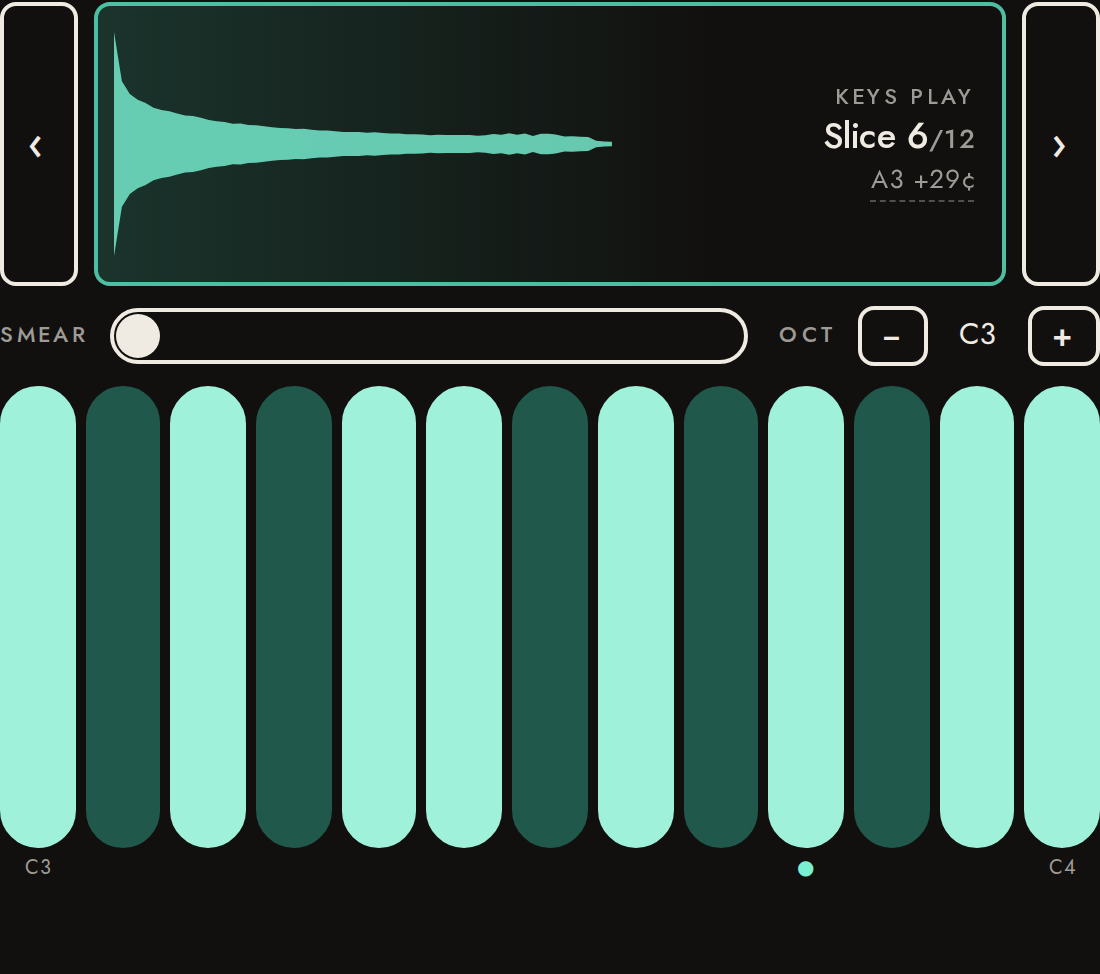
After analysis the keys arm the slice that makes the best instrument (pitch confidence × ring length), not slice 1. Its detected root labels the keys.
- ✓Plucked A3 is armed
KEYS PLAY Slice 6/12 A3 +29¢ - ✓Root label within 2¢ of the true pitch (A3 +29.5¢)
label 223.72 Hz vs true 223.78 Hz (-0.5¢) - ✓A clear pitch is not marked approximate (no ≈)
KEYS PLAY Slice 6/12 A3 +29¢
8Pads play trimmed slices3.7 s
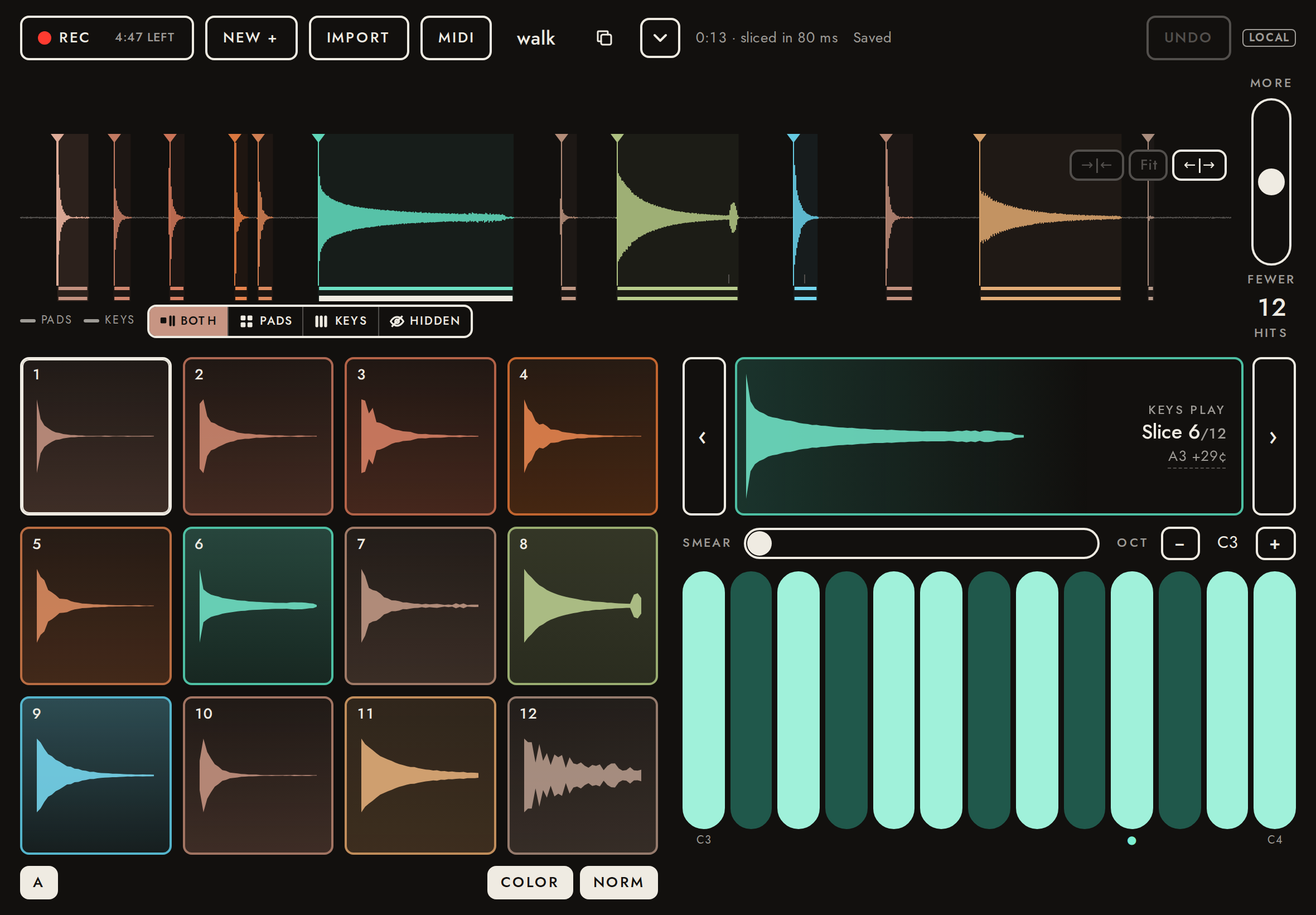
A pad plays its slice from just before the attack to where the sound dies into the background, not to the next hit. Faint regions on the waveform are what gets trimmed.
- ✓Pad 1 plays its own slice (the first footstep)
sounds like slice 1 (r 0.992; next best slice 4, r 0.163) - ✓Plays the hit, then stops well before the next one
played 0.34 s; next hit is 0.60 s after this one - ✓No DC offset in playback (removed at import)
mean 0.0005 (the file has +0.010 offset and 6 Hz rumble)
Listen for: A short footstep thump that stops cleanly: no room hiss trailing after it.
9Normalization2.7 s
Every slice plays at the same peak level, so a distant knock is as playable as a close one, up to a +18 dB lift: a near-silent slice is not turned into loud hiss. (Always on: there is no Norm switch.)
- ✓The faint knock pad plays the faint knock
sounds like slice 12 (r 0.931; next best slice 4, r 0.422) - ✓Both knocks peak near -1 dBFS
knock -1.0 dBFS, quiet knock -1.0 dBFS - ✓The faint knock is lifted by 18 dB and no more (peaks ~10 dB under the knocks)
knock -1.0 dBFS, faint knock -12.3 dBFS (11.3 dB under)
Listen for: A knock at full level.
Listen for: Another knock, as loud as the previous one (it is 10 dB softer in the file).
Listen for: A faint knock (24 dB down in the file): lifted, but clearly softer than the knocks before it (the lift stops at +18 dB).
10Waveform: tap, double-tap, arrows4.0 s
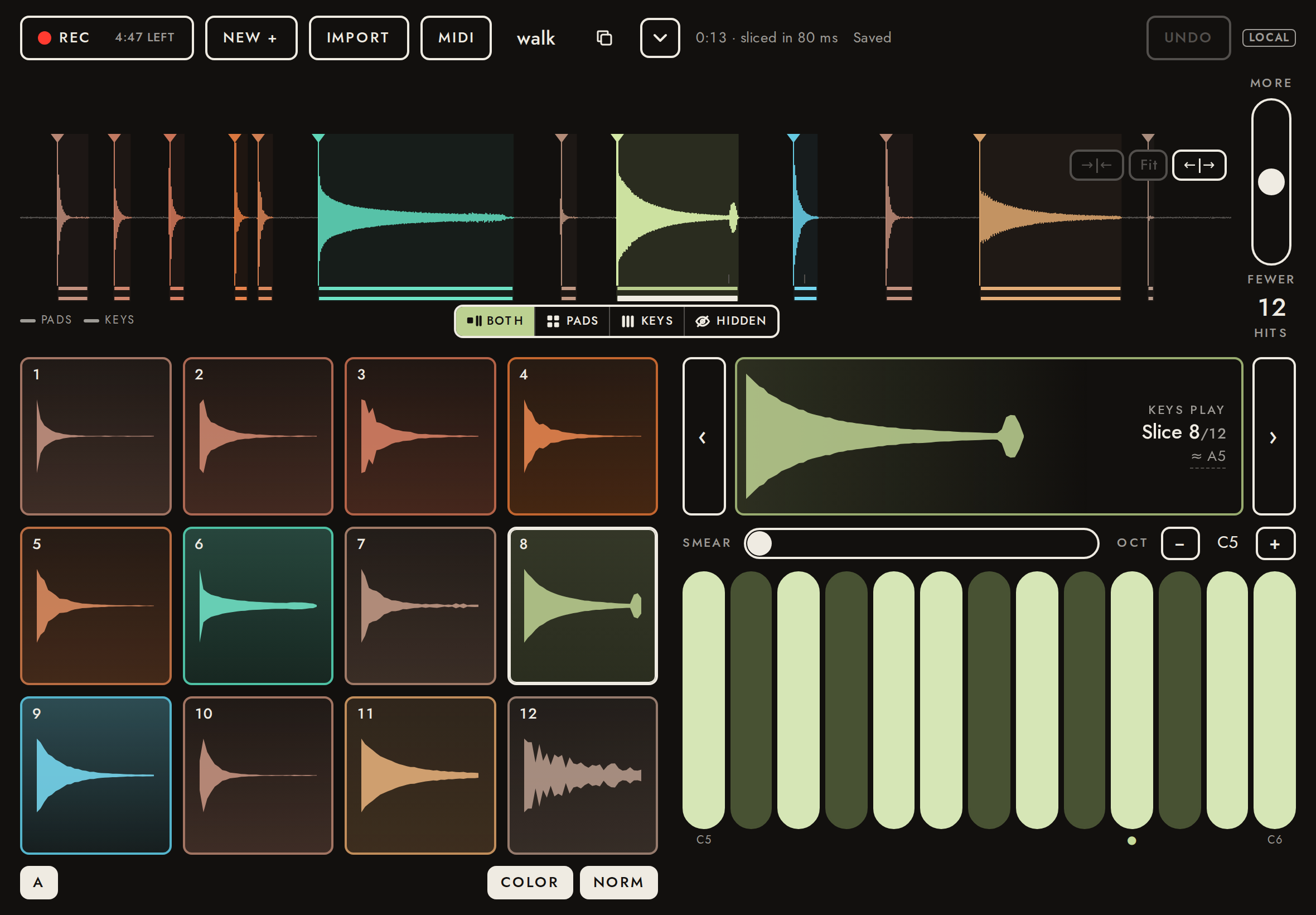
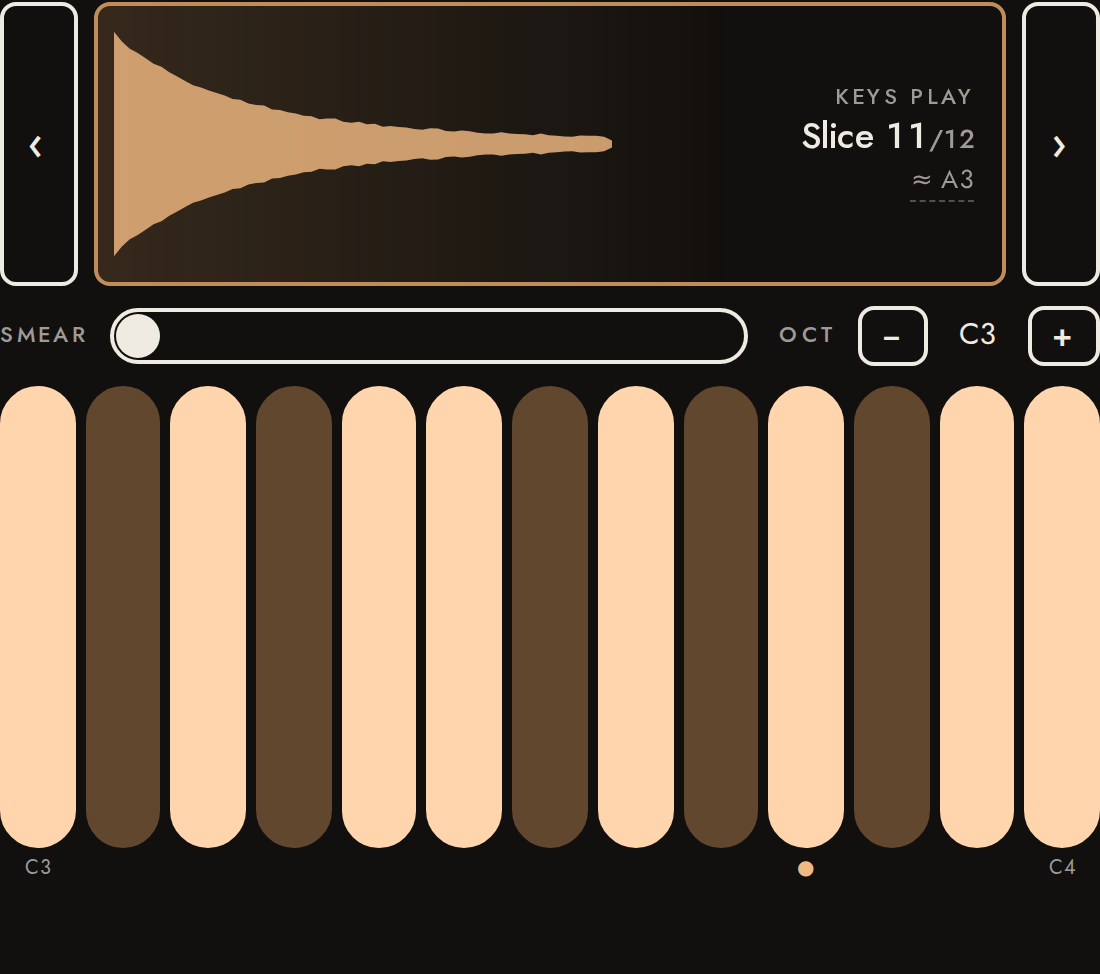
Tapping a slice selects and auditions it (Delete acts on the selection). Double-tapping arms it on the keys. The ‹ › arrows step the armed slice. A glass and a bell have no clean harmonic series, so their roots are best guesses, marked ≈ with no cents: the glass by its lowest partial, the bell by its hum (the right note, an octave below the strike).
- ✓Tap auditions the slice
peak -1.0 dBFS - ✓The route control (Both / Pads / Keys / Hidden) appears under the selected marker
under 2.55 s; the knock is at 2.55 s - ✓Double-tap arms the slice
KEYS PLAY Slice 8/12 ≈ A5 - ✓Glass root: ≈ and its lowest partial (A5)
KEYS PLAY Slice 8/12 ≈ A5 - ✓Bell root: ≈ and the prime's note name (A, any octave)
KEYS PLAY Slice 11/12 ≈ A3 (a period detector alone finds 44 Hz, the common divisor) - ✓‹ steps back to the pluck
KEYS PLAY Slice 6/12 A3 +29¢
Listen for: The second knock, auditioned by tapping its slice on the waveform.
11Keys: pitch matches the label8.1 s
Each key plays the armed slice at that key's pitch, tuned against the detected root, cents included: the pluck is 29 cents sharp, and its A3 key plays A3, not A3 +29¢. Touching low on a key plays it dry (no smear). Measured: the pitch of what comes out of the speakers, by the walkthrough's own estimator (step 1), to ±2¢.
- ✓Root key (MIDI 57) sounds its label (±2¢)
heard 220.00 Hz, want 220.00 Hz (-0.01¢; 8 partials) - ✓Lowest key (MIDI 48) sounds its label (±2¢)
heard 130.81 Hz, want 130.81 Hz (-0.02¢; 8 partials) - ✓Highest key (MIDI 60) sounds its label (±2¢)
heard 261.63 Hz, want 261.63 Hz (-0.00¢; 8 partials)
Listen for: The plucked string at A3, in tune (the recording is 29 cents sharp; the key corrects it), steady, no warble.
Listen for: The same pluck lower (C3), same character, no warble.
Listen for: The same pluck higher (C4), same character, no warble.
12Keys: a held note sustains9.7 s
Held past the end of its slice, a pitched note that rings plays its natural decay, then hovers where it has fallen 12 dB: each grain comes from a random in-tune spot there, so there is no fixed loop to hear repeating. Release fades it out. Fast-decaying and unpitched sounds have nothing to sustain: held, they play once and end (see MIDI).
- ✓Still sounding at 3–4 s (slice is ~2 s)
level -10.2 dB below the peak - ✓Sustain is steady (no re-strike or pulsing)
level varies 0.1 dB over 3–3.9 s - ✓The sustain stays in tune (±2¢)
heard 220.00 Hz at 3–3.9 s, key is 220.00 Hz (+0.00¢) - ✓The sustain is a clean tone (≥ 97 % of its power on its harmonics)
99.6 % on the harmonics of 220.00 Hz (±8 Hz) over 3–3.9 s - ✓No fixed loop (the held sound never replays itself)
best 20–500 ms self-match (at whole periods of the 220.00 Hz heard) stands 0.02 above the typical one (the old fixed loop scored 0.41) - ✓Release fades out within 0.4 s
silent 0.08 s after release (released at 4.28 s on the audio clock)
Listen for: The pluck rings, then settles into a steady, slightly grainy tone: no pulse, no audible loop, no re-strike. It fades at release.
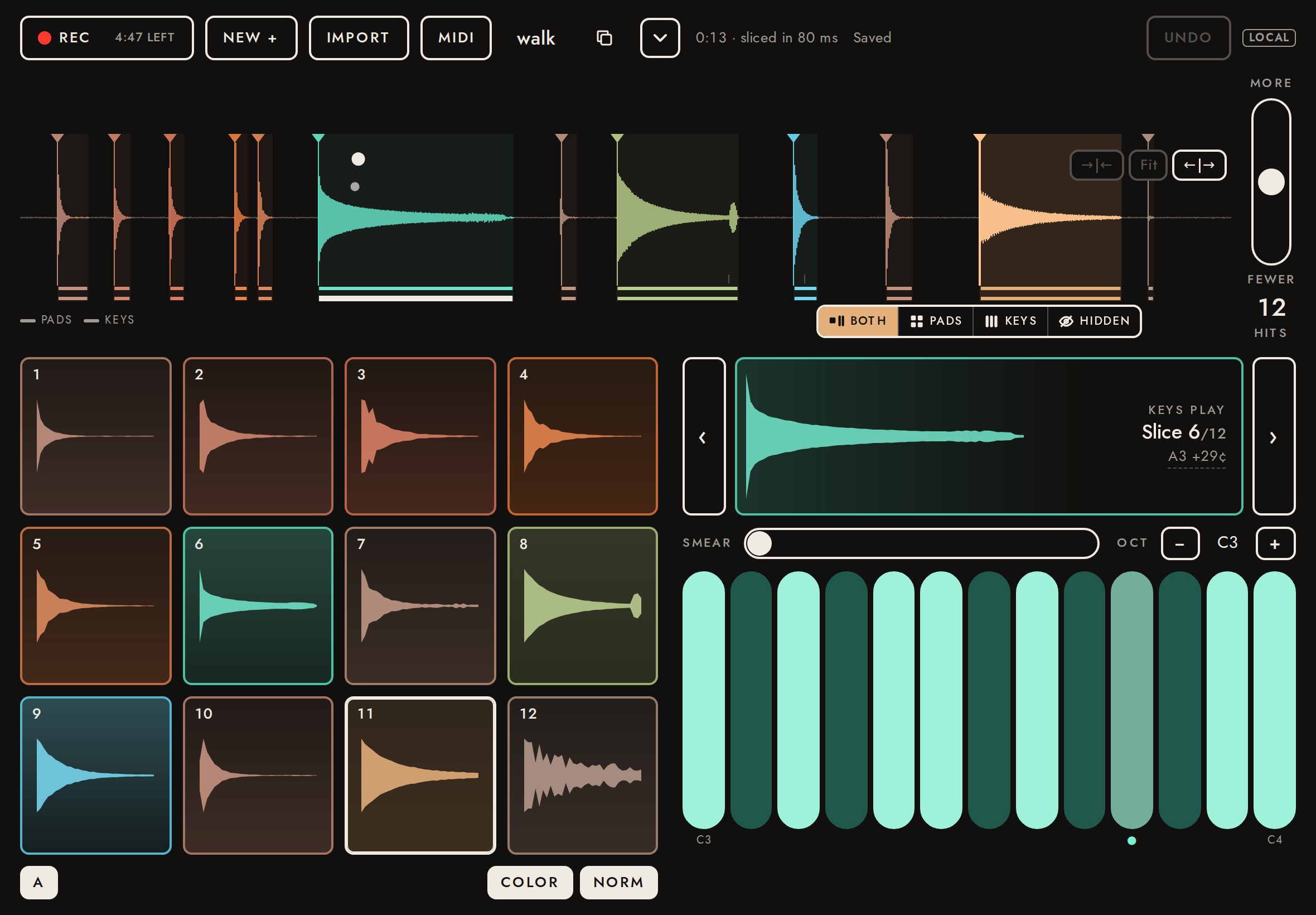
13Keys: slide to bend13.8 s
A touch anywhere on a key plays exactly that key, wherever on it the finger lands. Sliding sideways then bends the note continuously from there (docs/features.md, stage I): one key pitch (a key and the gap to the next) is a semitone, so half a key is a quarter-tone; the key nearest the pitch lights. Measured on the held note after the slide, to ±2¢.
- ✓A touch near the edge of a key plays exactly that key (±2¢)
heard 220.00 Hz, want 220.00 Hz (-0.01¢; 8 partials) - ✓Slid two keys up: two semitones (±2¢)
heard 246.94 Hz at 0.7–1.3 s, want 246.94 Hz (+0.01¢; 8 partials) - ✓Slid two keys up: two semitones: the key nearest the pitch is lit
lit [59] - ✓Slid half a key up: a quarter-tone (±2¢)
heard 226.45 Hz at 0.7–1.3 s, want 226.45 Hz (-0.00¢; 8 partials) - ✓Slid half a key up: a quarter-tone: the key nearest the pitch is lit
lit [58] - ✓Slid one key down: a semitone down (±2¢)
heard 207.65 Hz at 0.7–1.3 s, want 207.65 Hz (+0.01¢; 8 partials) - ✓Slid one key down: a semitone down: the key nearest the pitch is lit
lit [56]
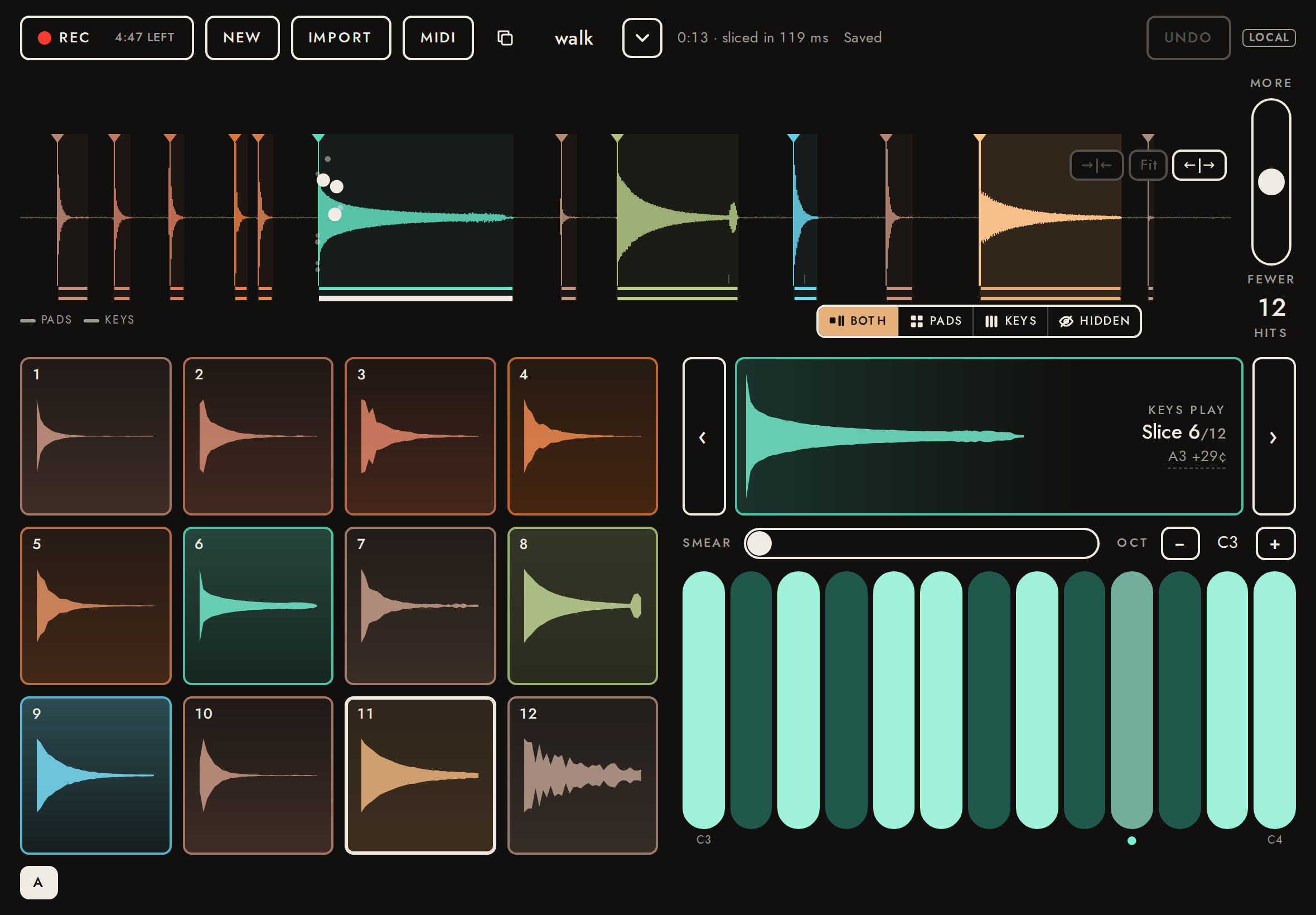
14Smear7.3 s
Finger height on a key is the smear: low is dry, high freezes the sound into a grain cloud (live PaulStretch). Smeared notes release more slowly.
- ✓Smeared release is longer (≥ 0.4 s)
sounds 0.88 s after release (at 2.75 s on the audio clock) - iCloud level variation 1–2.4 s
11.0 dB
Listen for: A frozen, washy cloud made from the pluck, with a slow fade after release.
15Computer keyboard3.7 s
With a hardware keyboard: number row plays pads, A…K plays the keys, ← → step the armed slice, Z X shift octave.
- ✓1 plays pad 1 (slice 1, the first footstep)
sounds like slice 1 (r 0.992; next best slice 4, r 0.163) - ✓→ arms the next slice
KEYS PLAY Slice 6/12 A3 +29¢ → KEYS PLAY Slice 7/12 Unpitched → C3 - ✓X shifts the keys up an octave
C3 → C4 - ✓A plays the lowest key (MIDI 48) (±2¢)
heard 130.81 Hz, want 130.81 Hz (-0.00¢; 8 partials)
Listen for: Pad 1 (a footstep), from the hardware key 1.
Listen for: The lowest key (C3), from the hardware key A.
16MIDI15.5 s
MIDI channel 1 plays pads from C1 (note 36); channels 2–16 play slices 1–15 pitched; velocity sets level; mod wheel sets smear. (Driven through the hook a native iPad wrapper uses: window.fieldSamplerMidi.)
- ✓Ch 1 note 36 plays pad 1 (slice 1)
sounds like slice 1 (r 0.992; next best slice 4, r 0.163) - ✓Velocity 64 is ~12 dB softer than 127 (level = velocity²)
11.9 dB - ✓Two pads at once stay at or under 0 dBFS (master limiter)
peak -0.50 dBFS; one hit alone -1.01 dBFS - ✓Pitched channel plays A4 (±2¢)
heard 440.00 Hz, want 440.00 Hz (-0.00¢; 8 partials) - ✓A three-note chord stays at or under 0 dBFS (master limiter)
peak -2.88 dBFS - ✓A held knock plays once and ends (no sustain)
silent 0.20 s after note on, key still held - ✓Mod wheel smears (long release)
sounds 0.97 s after note off - ✓MIDI pad (ch 1, note 36) flashes pad 1 and selects it
flashing ["Pad 1"], selected Pad 1 - ✓A MIDI note on the armed slice's channel (ch 7) holds its key down until note-off
held [52], re-armed [52], released [] - ✓The keys follow arming: another slice's held note isn't shown on them
next slice armed: []; ch 2: []
Listen for: MIDI pad 1 at full velocity.
Listen for: The same pad, clearly softer (velocity 64).
Listen for: The same pad, louder but clean: two hits summed, held under full scale.
Listen for: The pluck an octave up (A4), from a MIDI channel.
Listen for: A three-note chord on the pluck, clean: no crackle where the notes sum.
Listen for: A knock on a MIDI channel, held: it plays once and stops, no sustain.
Listen for: The same note with the mod wheel up: smeared, with a long tail.
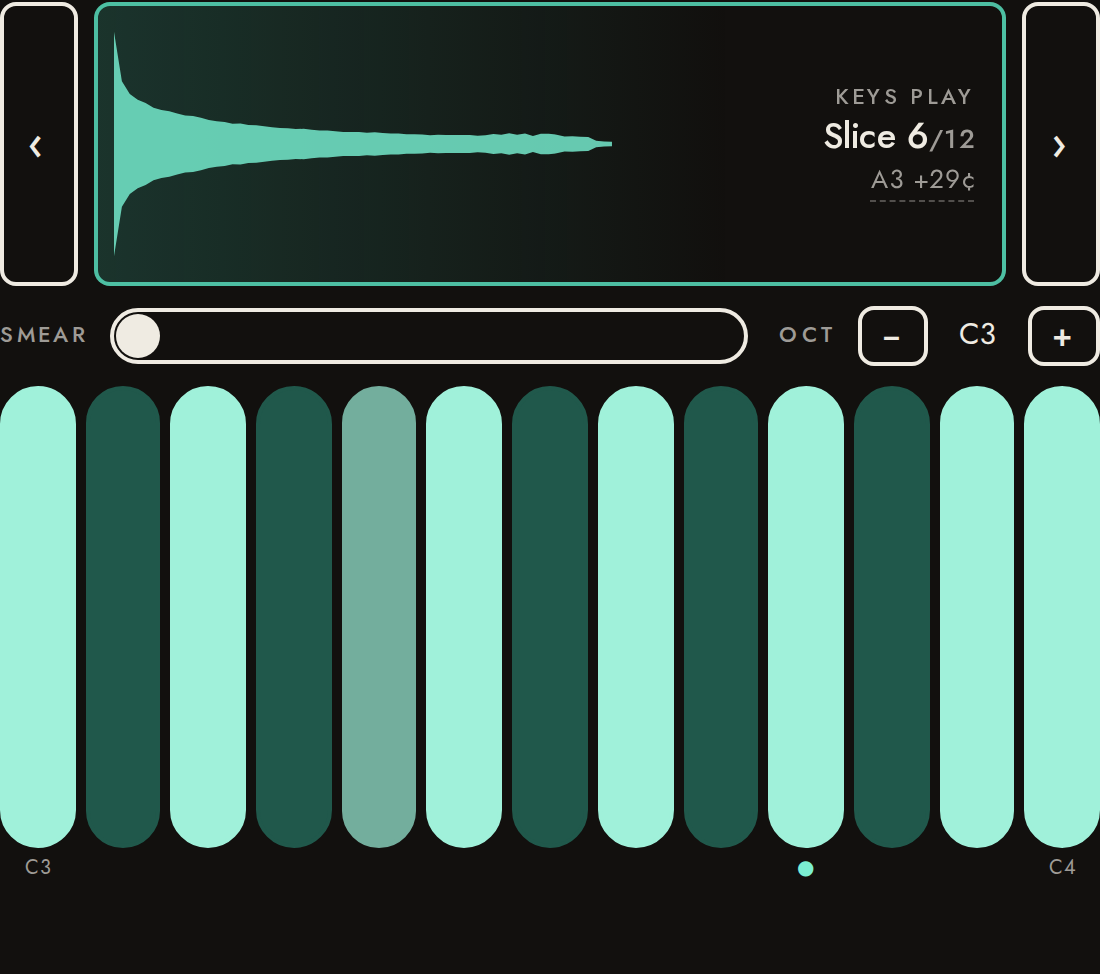
17MPE10.0 s
An MPE controller gives every note a channel of its own (docs/features.md, stage I). With the switch on Auto (the default), its MPE Configuration Message turns MPE on: channel 1 plays the pads, every other channel the armed slice with its own pitch bend (±48 semitones), pressure (level) and CC 74 (smear), plus channel 1's bend (±2) on all of them. What a channel sends before its note-on applies from the note's start. Measured: the pitch (±2¢) and the level of what comes out.
- ✓A member channel bent before its note plays bent from the start (±2¢)
heard 440.00 Hz at 0.15–0.85 s, want 440.00 Hz (-0.00¢; 8 partials) - ✓The master's bend adds to it (+1) (±2¢)
heard 466.16 Hz at 1.15–1.65 s, want 466.16 Hz (-0.00¢; 8 partials) - ✓Full pressure is about 18 dB over none (−12 to +6 dB)
18.0 dB - ✓Ch 1 note 36 still plays pad 1 in MPE
sounds like slice 1 (r 0.992; next best slice 4, r 0.163) - ✓A member note lights the armed slice's key
[57] - ✓An MCM of no members switches Auto back to channels mode (ch 2 is pad 1, not the keys)
lit []
18Which build this is0.1 s
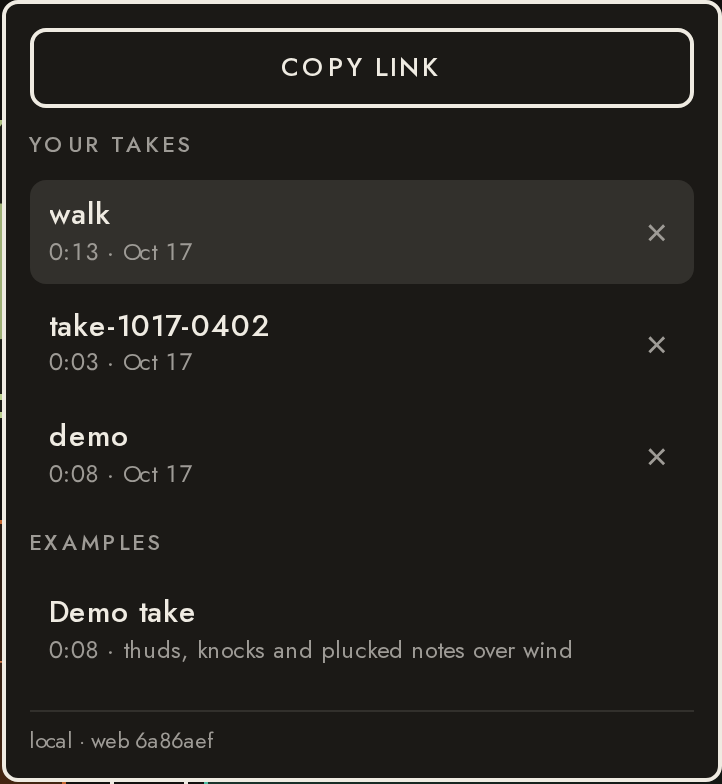
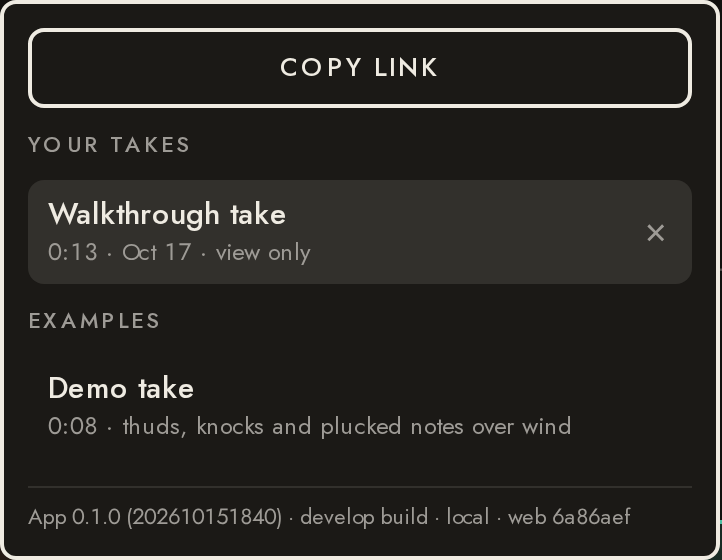
A tester can be on the production site or the develop one, in a browser or in either TestFlight group's app. The takes menu ends with one line naming the build (in the app: its version and build number, which build it is, the site, the web commit), and every page that isn't production carries a small marker in the header (here LOCAL; DEV on the develop site; nothing on production).
- ✓The header marks a page that isn't production
["LOCAL"] - ✓The takes menu ends with the build: site and web commit
local · web 6a86aef
19Delete and undo6.5 s
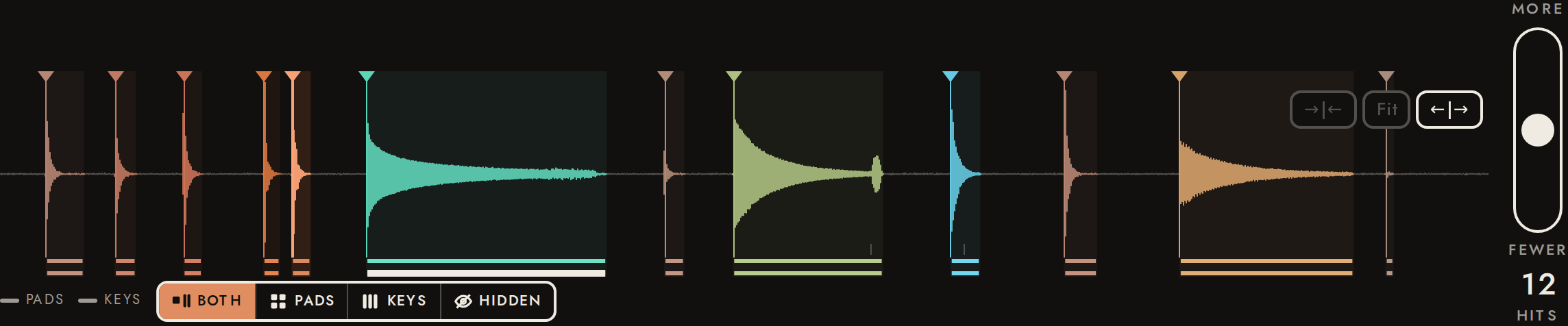
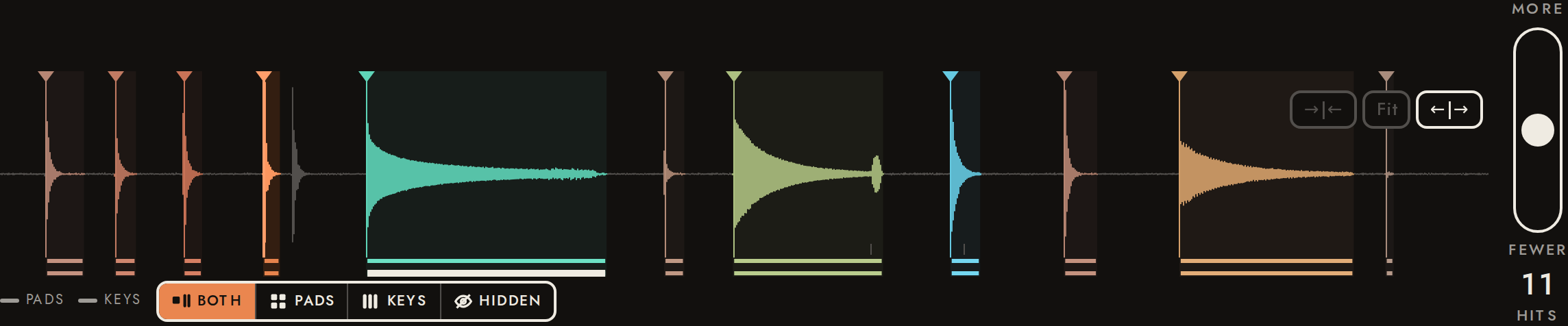
Delete a transient by flicking its marker down (or with the Delete key). Its audio is dropped; Undo brings it back.
- ✓A flick down removes the hit
12 → 11 - ✓Delete key removes the selected hit
11 → 10 - ✓Deletions saved to the take: those two hits
server has 2 deleted (1.00 s, 2.55 s; deleted on screen: 2.55 s, 1.00 s); the stored take gives 10 hits, the screen 10 - ✓Undo twice restores both
12 hits - ✓The undo is saved too
server has 0 deleted; the stored take gives 12 hits (screen 12)
20Add a transient6.2 s
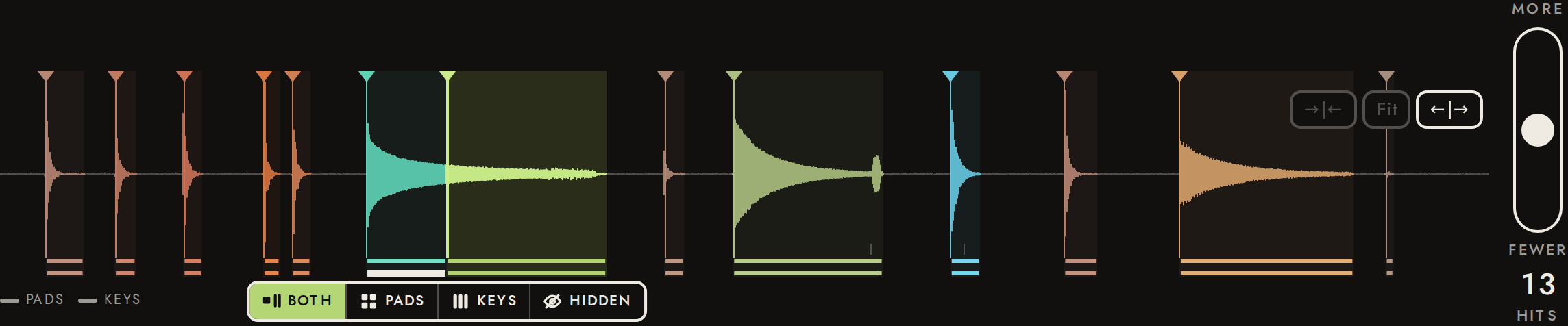
Long-press on the waveform adds a transient at the finger. It gets its own natural end like any other hit, and its own pad. Added here in the middle of the ringing pluck, its pad starts mid-note: a 2 ms fade-in keeps that from clicking.
- ✓Long-press adds a hit
12 → 13 - ✓The added hit is saved to the take, where the finger was
server has 1 added (3.900 s); the stored take gives 13 hits - ✓Starts without a click (the first 0.1 ms is faded in)
first 0.1 ms peaks at 0.03 × the RMS 2–7 ms in (-43.3 vs -13.1 dBFS) - ✓Undo removes it
12 hits - ✓The undo is saved: nothing added on the server
server has 0 added; the stored take gives 12 hits
Listen for: A hit added by hand in the middle of the ringing pluck: it starts mid-note, softly (a 2 ms fade-in), with no click.
21Sensitivity7.1 s
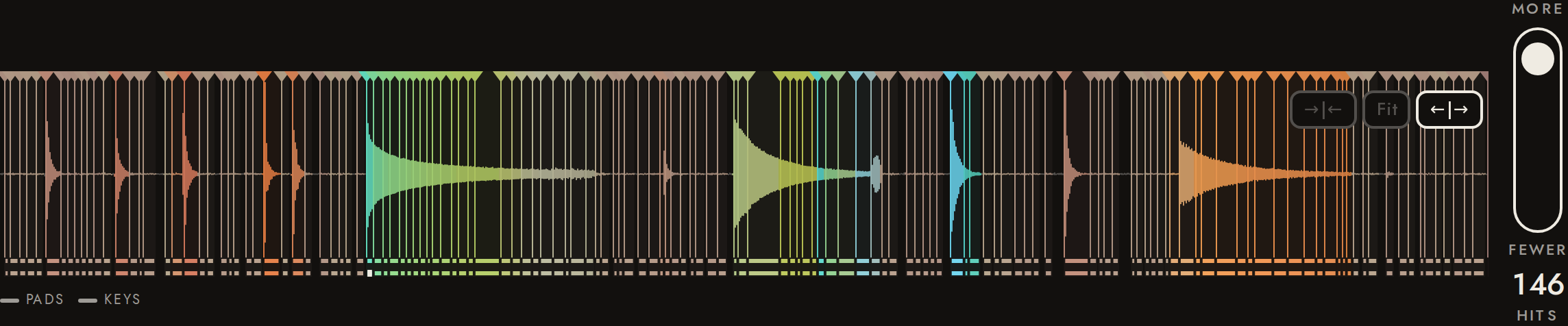
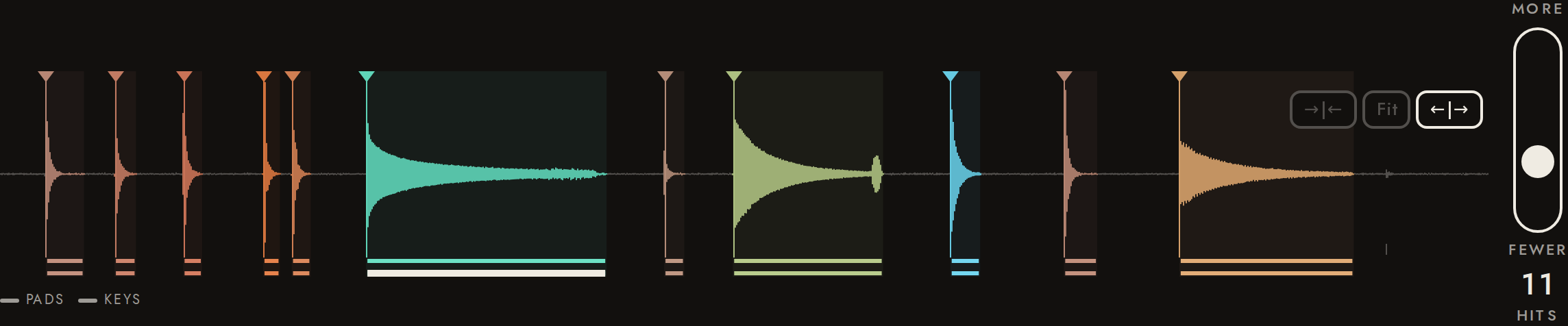
The slider beside the waveform filters precomputed candidates: instant, no re-analysis. Short ticks along the bottom show what the next stretch of the slider would add. The setting is saved with the take.
- ✓Higher sensitivity is saved, and the stored take has the hits on screen
server sensitivity 0.950: 146 hits; screen 146 - ✓Lower sensitivity drops the weakest hits
146 at 0.95 / 12 at 0.5 / 11 at 0.29 (weakest hit at the default has strength 0.44) - ✓Lower sensitivity is saved, and the stored take has the hits on screen
server sensitivity 0.294: 11 hits; screen 11 - ✓Back at the middle restores the count, on screen and on the server
12 on screen, 12 stored at sensitivity 0.500 (was 12)
22Name, history and link3.0 s
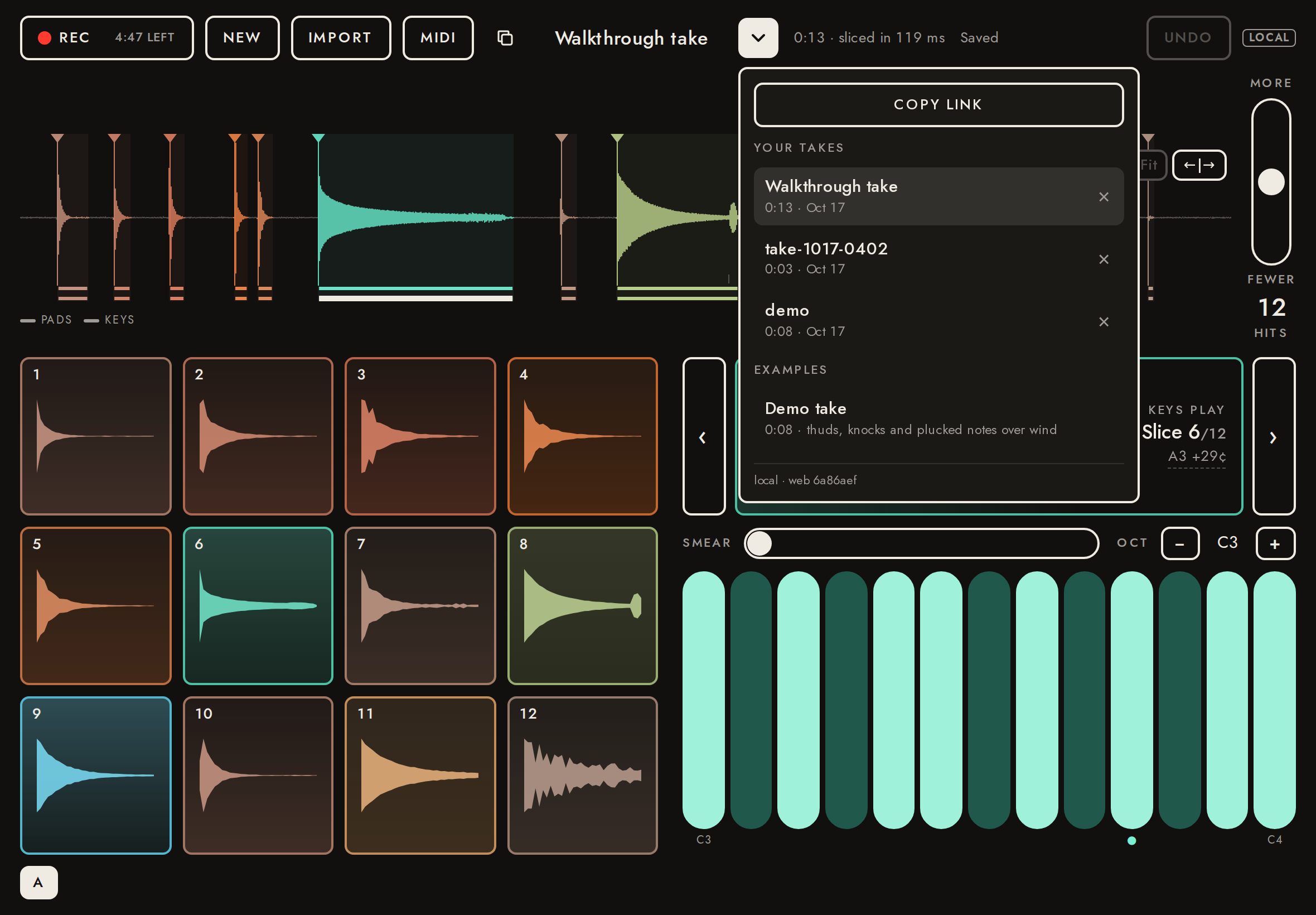
Tap the name to rename. The ▾ menu lists this browser's takes and copies the take's link. Edits autosave.
- ✓Rename saved to the server
server name: Walkthrough take - ✓History lists all three takes
Walkthrough take · take-1017-0402 · demo · Demo take - ✓Copy link copies the take URL
http://localhost:8788/t/4Vn0yG2VbWI9
23Shared link: view only, with a preview card11.2 s
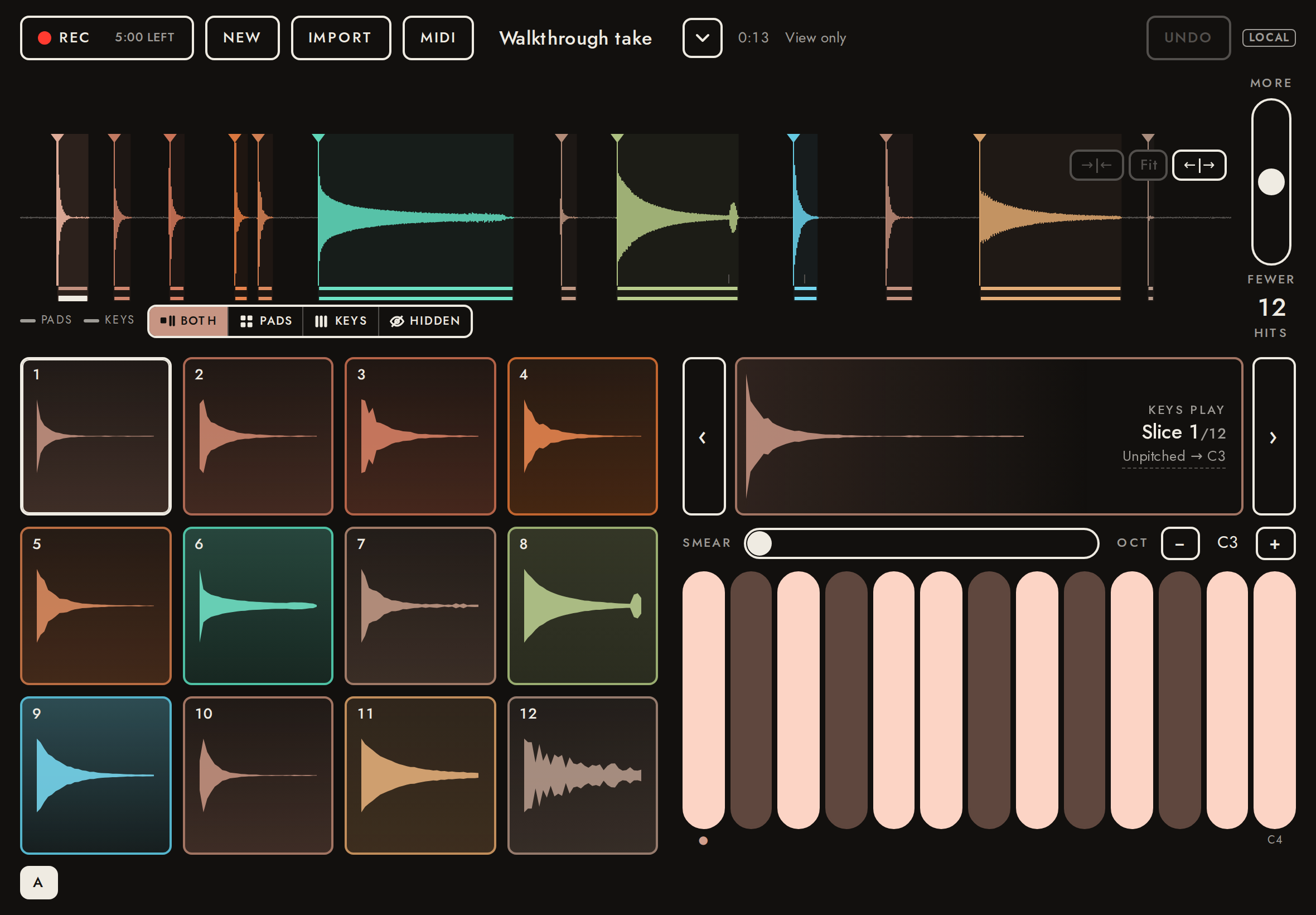
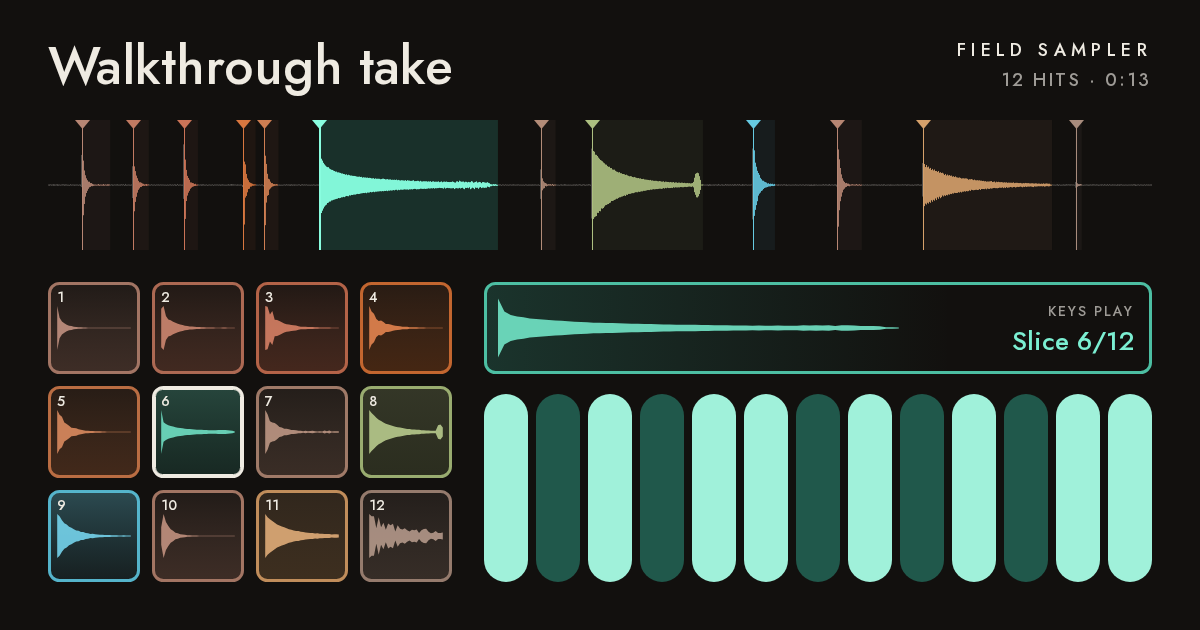
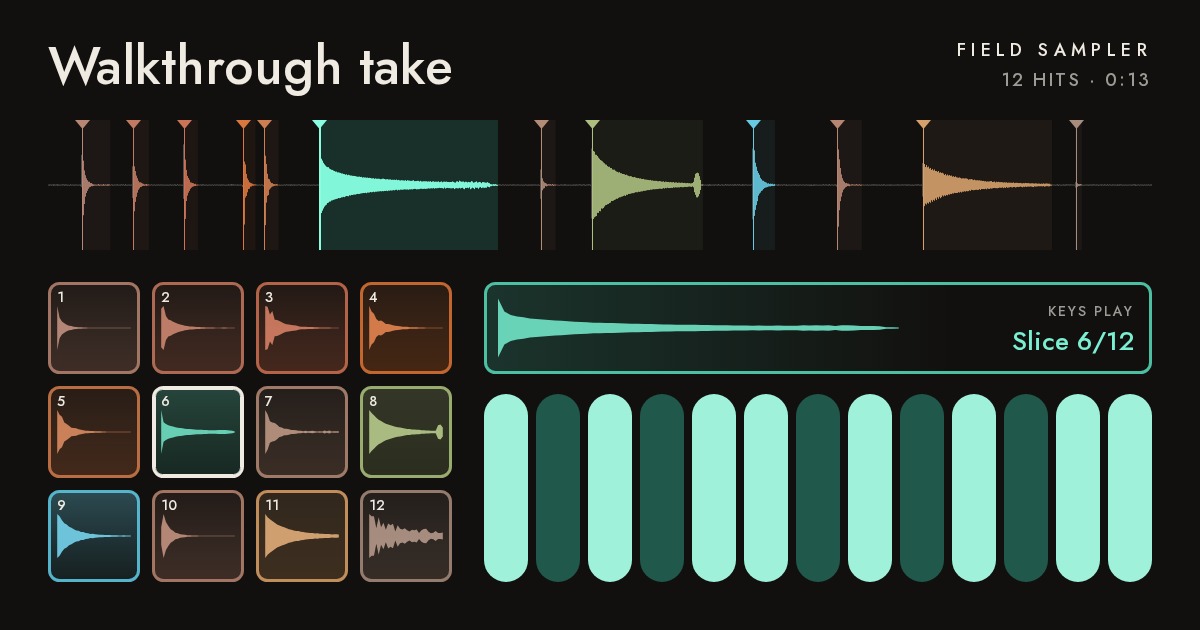
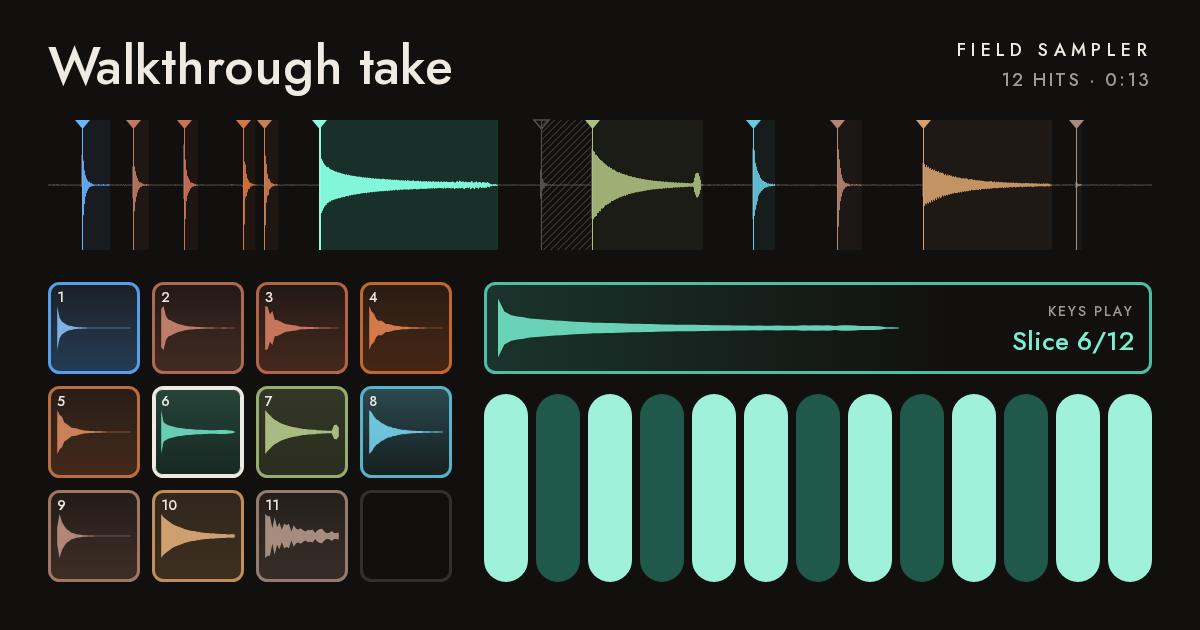
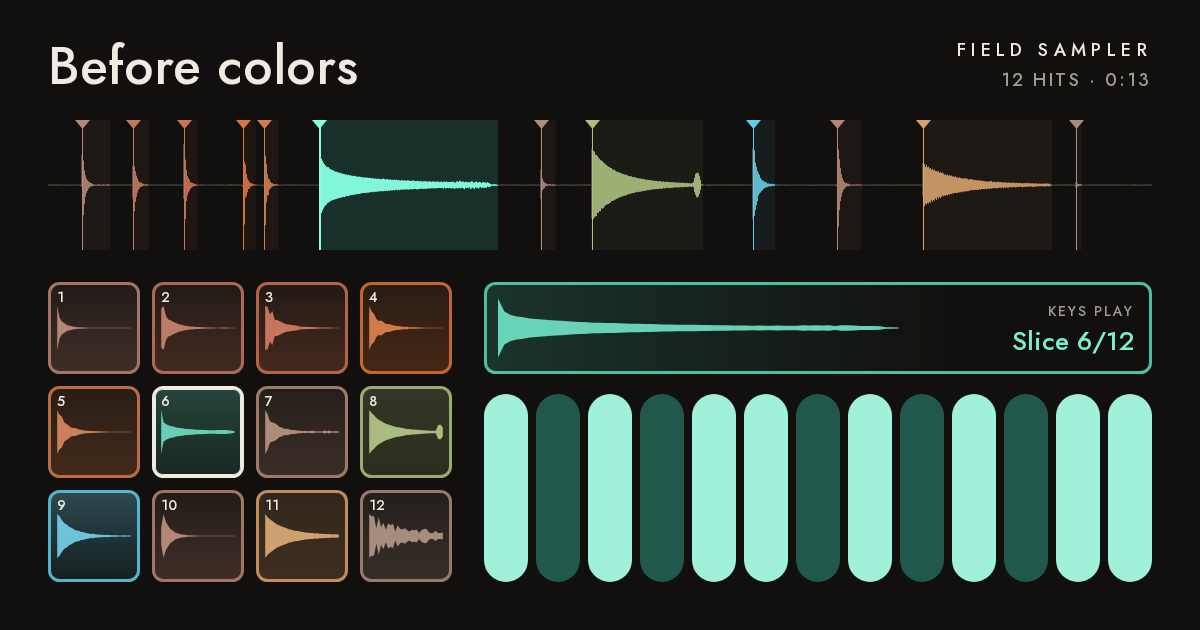
Someone opening the link (another browser) gets the same take and can play it, but not change it. Messages and Slack show a preview card with the name and waveform, in the take’s colors as the app shows them: each slice’s color on its pad, waveform and marker, the keys tinted, hidden slices muted. The card is drawn again when its colors change (a hue of its own, routing), after the edits settle. Read back as a PNG from the stack.
- ✓Opens as view only
- ✓Same name
- ✓Link preview has title and image
Walkthrough take · Field Sampler · 12 hits · 0:13. Open it to play on pads and keys. - ✓Preview image served
200 image/png - ✓The card’s pads are colored where the app’s are
app 12 of 12 pads colored; card: 63 91 109 149 120 103 56 61 120 64 103 41 (chroma) - ✓On the card a warm slice (the footstep) and a cool one (the pluck), on their pads and waveform
timbre: footstep pad rgb(164,118,101), waveform rgb(167,123,107); pluck pad rgb(103,206,180), waveform rgb(130,246,216) - ✓A hue of its own (blue) on the footstep: its pad and waveform on the card turn cool
footstep pad rgb(87,160,237), waveform rgb(99,163,233) (was rgb(164,118,101)) - ✓A hidden slice: no pad on the card (later pads move up) and its waveform muted
hidden slice's waveform rgb(82,78,75); pad 7 rgb(154,173,112), the next slice's was rgb(154,173,112) - ✓Undone: no settings stored
24Reopen a take from history1.4 s
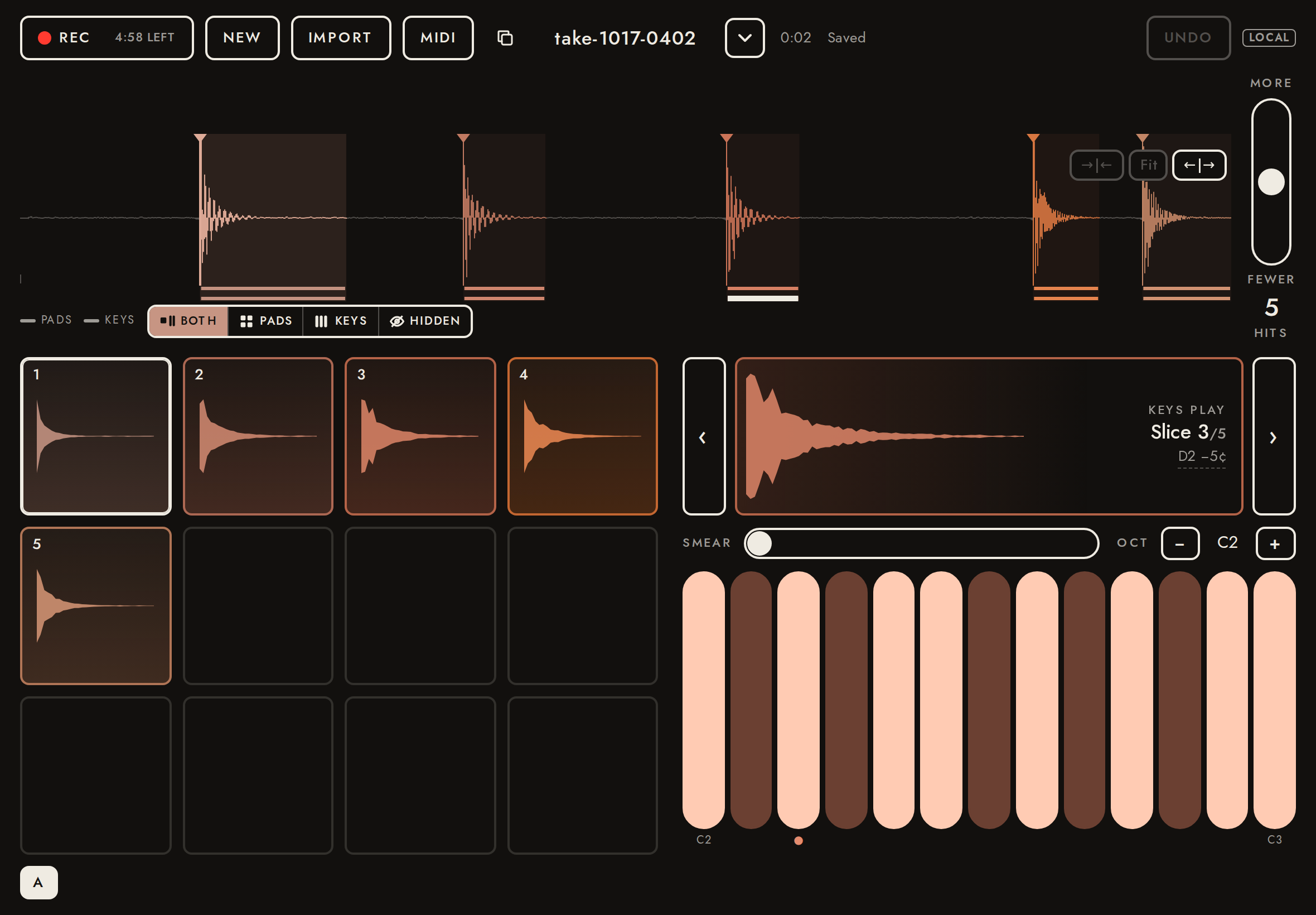
Choosing a take in the menu opens it (its URL becomes the address), with its own slicing and edits.
- ✓Switched to the recorded take
http://localhost:8788/t/oB8mW0eeR0FD
25Switching takes keeps each take whole10.4 s
Opening another take, or starting a new one, never writes one take's edits into another, never loses an edit made just before the switch, and never lets a slow upload take over the address of the take on screen.
- ✓Opening a take leaves its stored name alone
the reopened take is named "take-1017-0402" on the server (expected "take-1017-0402") - ✓Edits stay with their own take
opened take on the server: "Walkthrough take", sensitivity 0.5, 0 deleted (was "Walkthrough take", 0.5, 0) - ✓An edit made just before switching is saved
the take left behind is named "Recorded, renamed" on the server - ✓Import, Rec and the demo take wait while a take opens
disabled: Import true, Rec true, Demo take (menu) true - ✓A slow upload does not take over the open take
address /t/4Vn0yG2VbWI9, header "Walkthrough take" (expected /t/4Vn0yG2VbWI9, "Walkthrough take") - ✓The opened take is untouched by it
server name "Walkthrough take" - ✓The new take is still saved and listed
1 → 2 demo takes in the menu
26Zoom and scroll the timeline3.0 s
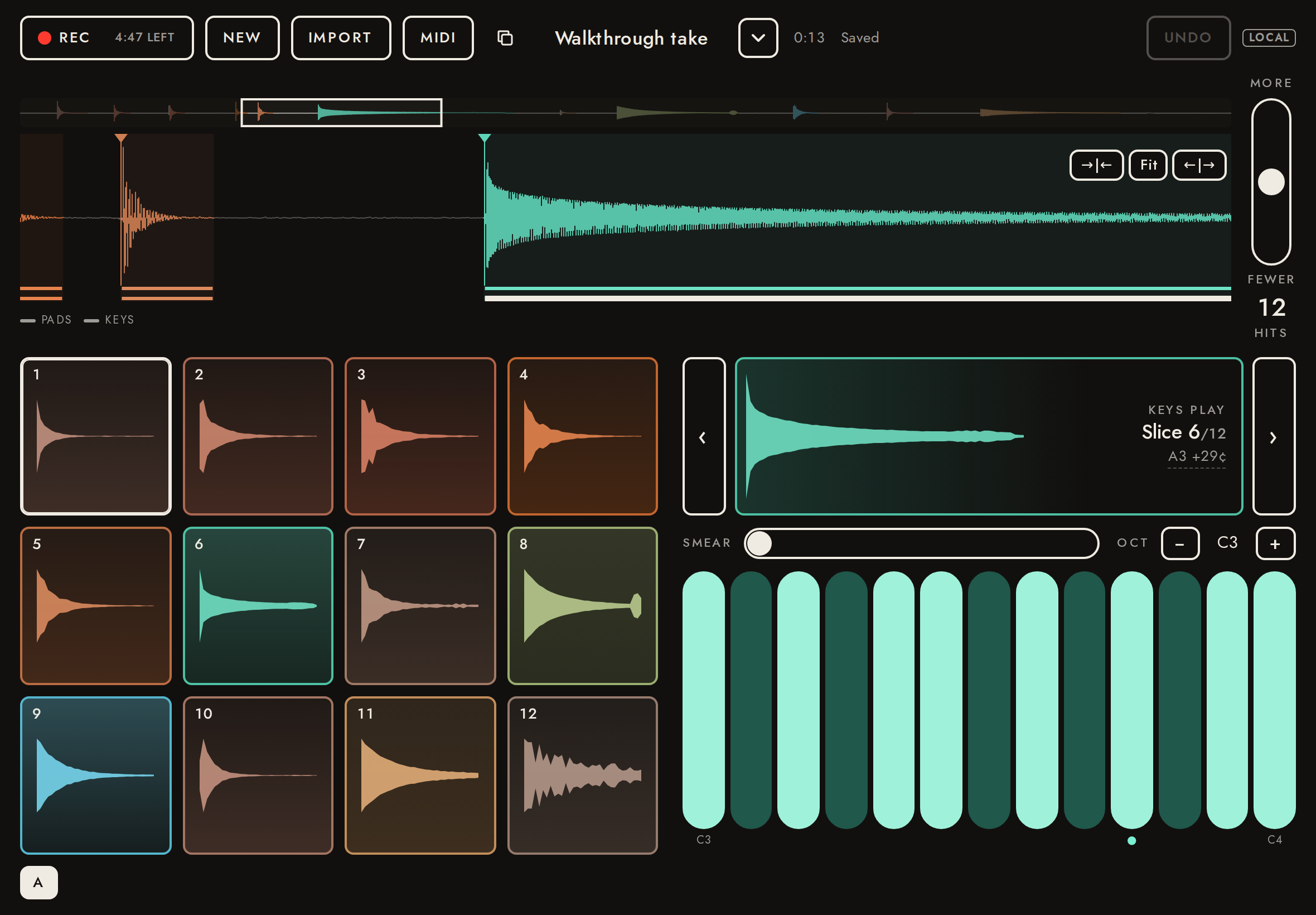
Zoom stretches and squeezes time only: the ←|→ and →|← buttons, a sideways pinch, or Ctrl/⌘ + scroll; the waveform keeps its height. Zoomed in, a sideways drag on the waveform (away from a marker) scrolls it, the overview strip above shows the whole take with the view boxed, and a tap there moves the view. Tap still selects and plays the slice under the finger, through the zoomed mapping. Fit (or opening another take) shows the whole take again. A take opened by its link opens without the takes menu.
- ✓A take link opens without the takes menu
- ✓Opens showing the whole take, no overview
view 0.00+13.00 s of 13.00 s, overview hidden - ✓Stretch (←|→) twice shows a quarter of the take; the height is unchanged
span 13.00 → 3.25 s, plot 149.59375 → 149.59375 px tall - ✓Zoomed: the overview shows
visible - ✓Squeeze (→|←) doubles the span
3.25 → 6.50 s - ✓A sideways pinch stretches time by the fingers’ spread, around the point between them
span 6.50 → 2.17 s (×0.333), time under the fingers 3.45 → 3.45 s - ✓The pinch leaves the height alone
plot 149.59375 → 149.59375 px, canvas 150 → 150 px - ✓A sideways drag on empty waveform scrolls it
start 2.37 → 2.73 s (expected 2.77) - ✓Tap selects the slice under the finger when zoomed
tapped the marker at 3.20 s; selected: 3.20 s - ✓A tap on the overview moves the view there
start 2.73 → 0.22 s (expected 0.22) - ✓Ctrl + scroll squeezes time around the pointer
span 2.17 → 2.92 s; time under the pointer 0.76 → 0.76 s - ✓Opening another take shows the whole of it
view 0.00+2.76 s of 2.76 s - ✓Fit shows the whole take again
span 2.76 s, overview hidden
27Move a transient13.8 s
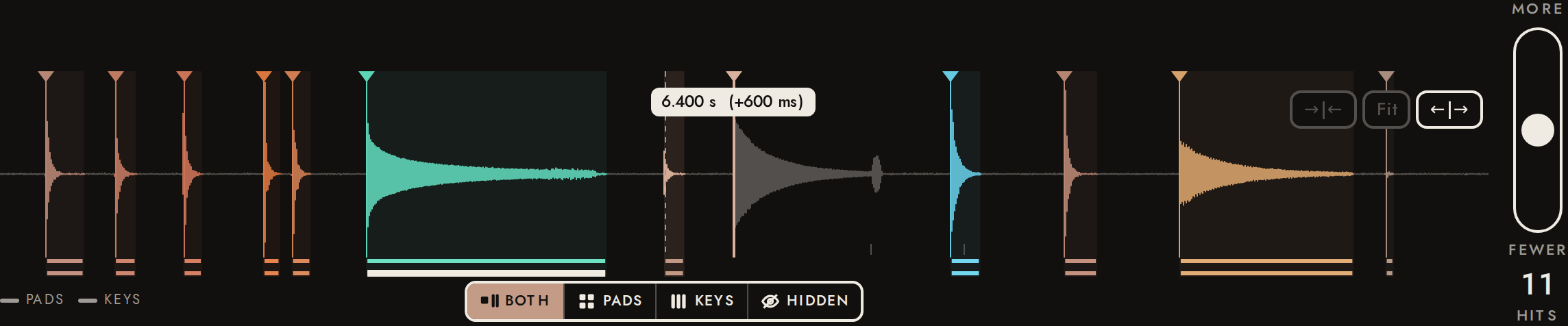
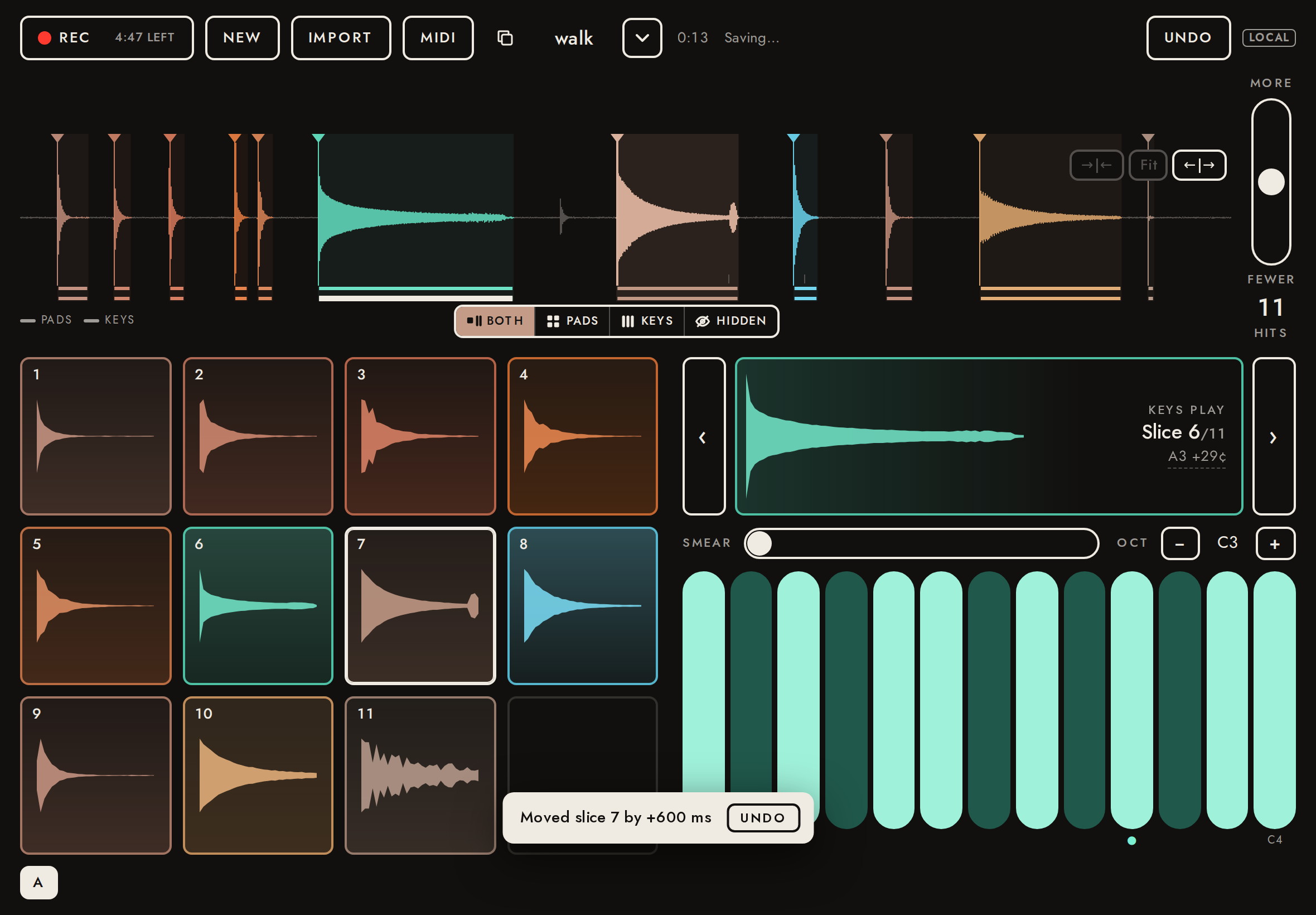
Drag a marker sideways to move it: it snaps to the nearest attack (found in Rust, from the onset detection function), a dashed ghost stays where it was, and a readout shows the time and how far it has come. On release it moves, as one undo step, with a toast to take it back; the slice then plays from there. Here the quiet knock’s marker (5.8 s) is dragged onto the glass (6.4 s, whose own marker was flicked away first): the slice plays the glass. The move is saved with the take (a moved row: the hit keeps its id, so its settings and color go with it), survives a reload, Undo takes it back, and dragging it back onto its own attack removes the row. Zoomed in, a drag on empty waveform still scrolls.
- ✓Before: the slice plays the quiet knock
sounds like slice 7 (r 0.997; next best slice 5, r 0.480) - ✓While dragging: the marker snaps to the attack, within 5 ms of the true onset
readout “6.400 s (+600 ms)”: at 6.4000 s (glass onset 6.4000 s, +0.0 ms), from 5.8000 s - ✓On release: a toast says how far it moved, with Undo
“Moved slice 7 by +600 ms” (expected +600 ms) - ✓Saved: a moved row for the quiet knock’s hit, at the glass’s detected start exactly
stored moved [[68,6.400022675736961,6.40421768707483]]; the glass was detected at 6.400022675736961 s - ✓After: the moved slice plays the glass
sounds like slice 8 (r 0.998; next best slice 11, r 0.267) - ✓Undo takes the move back, saved
stored moved [] - ✓After Undo: the slice plays the quiet knock again
sounds like slice 7 (r 0.997; next best slice 5, r 0.480) - ✓A reload keeps the move: on the server, on screen and in what plays
stored moved [[68,6.400022675736961,6.40421768707483]]; the slice selected by tapping there starts at 6.40 s; 11 hits on screen, 11 stored - ✓After a reload: the moved slice still plays the glass
sounds like slice 8 (r 1.000; next best slice 11, r 0.290) - ✓Dragged back onto its own attack: the moved row is removed
stored moved [] - ✓Zoomed: a drag on empty waveform still scrolls, and moves no marker
view start 4.35 → 4.89 s; stored moved []
Listen for: The quiet knock.
Listen for: The glass: the quiet knock’s marker was moved onto its attack.
Listen for: The quiet knock again, after Undo.
Listen for: The glass again: the move survived a reload.
28Edits survive reopening3.8 s
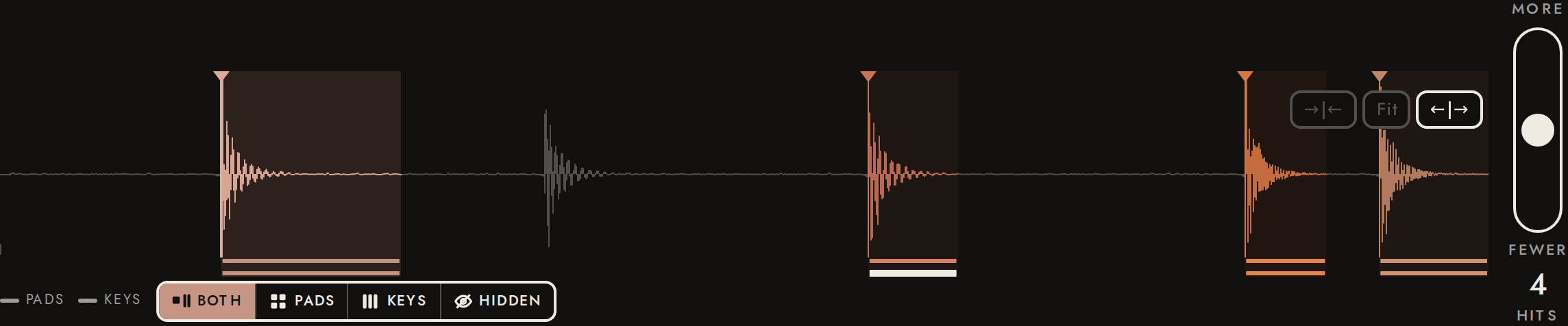
A deletion is part of the saved take: opened again later (here: the page reloaded), the take comes back without the deleted hit, on screen and on the server.
- ✓A flick down removes the hit
5 → 4 - ✓After reopening, the deleted hit is still gone (screen and server agree)
4 hits on screen after the reload (5 before the deletion); the stored take gives 4, without the hit at 1.010 s
29A take opens the same every time9.1 s
A take's analysis is stored with it, once: its candidates, their attack peaks, and one natural end per candidate. Opened again, it slices from what is stored and measures only the transients added by hand. A take stored before that (legacy) still opens: its peaks are measured on every open, as before, and never written back. Slices are read from instrument.set, through a stand-in for the iPad app's bridge; takes with a known, deliberately shifted analysis are made through the API to tell stored values from measured ones.
- ✓The imported take was stored with its analysis: the version and one end per candidate
analysis {"dsp":1}; 146 ends for 146 candidates - ✓Opened twice, every slice has the same start, peak and end, to the bit
12 slices, both times - ✓Each found slice ends where its stored end says (capped at the next onset), at its stored peak
12 found slices checked against the stored document - ✓A take with its analysis stored slices from it: the stored peaks and ends, not measured ones
12 slices at the shifted peaks and ends, the same on a second open - ✓A legacy take (no stored analysis) opens, with its peaks measured again
12 slices; every found peak back within 0.026 ms of the audio's own (stored 4.2 ms late) - ✓Nothing measured is written back to a legacy take
146 candidates as stored; ends null; analysis null
30A take link opens in the iPad app2.2 s
A take link (/t/:id) tapped on an iPad with the app opens in the app (Universal Links, docs/ios.md "Take links"). For a link to the site it shows, the app asks the page to open the take in place, through window.fieldSamplerOpenLink, rather than reloading it: the open take, edits on their way out and a capture being read are kept. A link that comes while a take is opening waits for it. Checked through a stand-in for the app's bridge: the page's answers, its address, and the take it sends to native.
- ✓Anything but a take path is refused, and nothing opens
["refused","refused","refused","refused"]; address / - ✓A link for this site opens the take in place: its address, and its instrument sent to the app
answer opening; address /t/4Vn0yG2VbWI9 - ✓A link that comes while another take opens waits, then opens: the last link wins
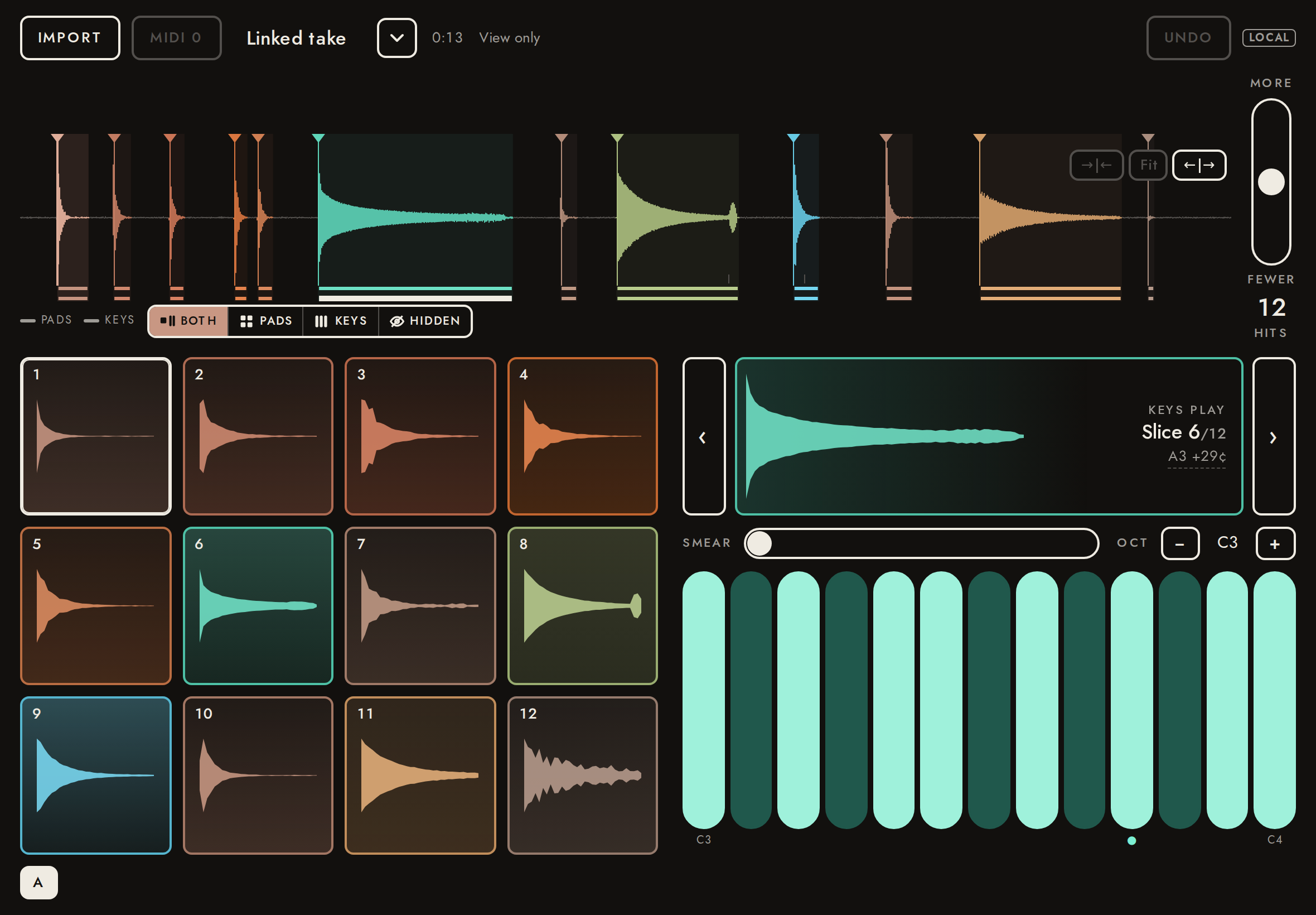
answers ["opening","queued"]; address /t/4Vn0yG2VbWI9 - ✓The linked take opens as in a browser: read-only without its edit key
answer opening; address /t/RnKG0dvFN6Sh; "Linked take", view only
31Color by sound13.0 s
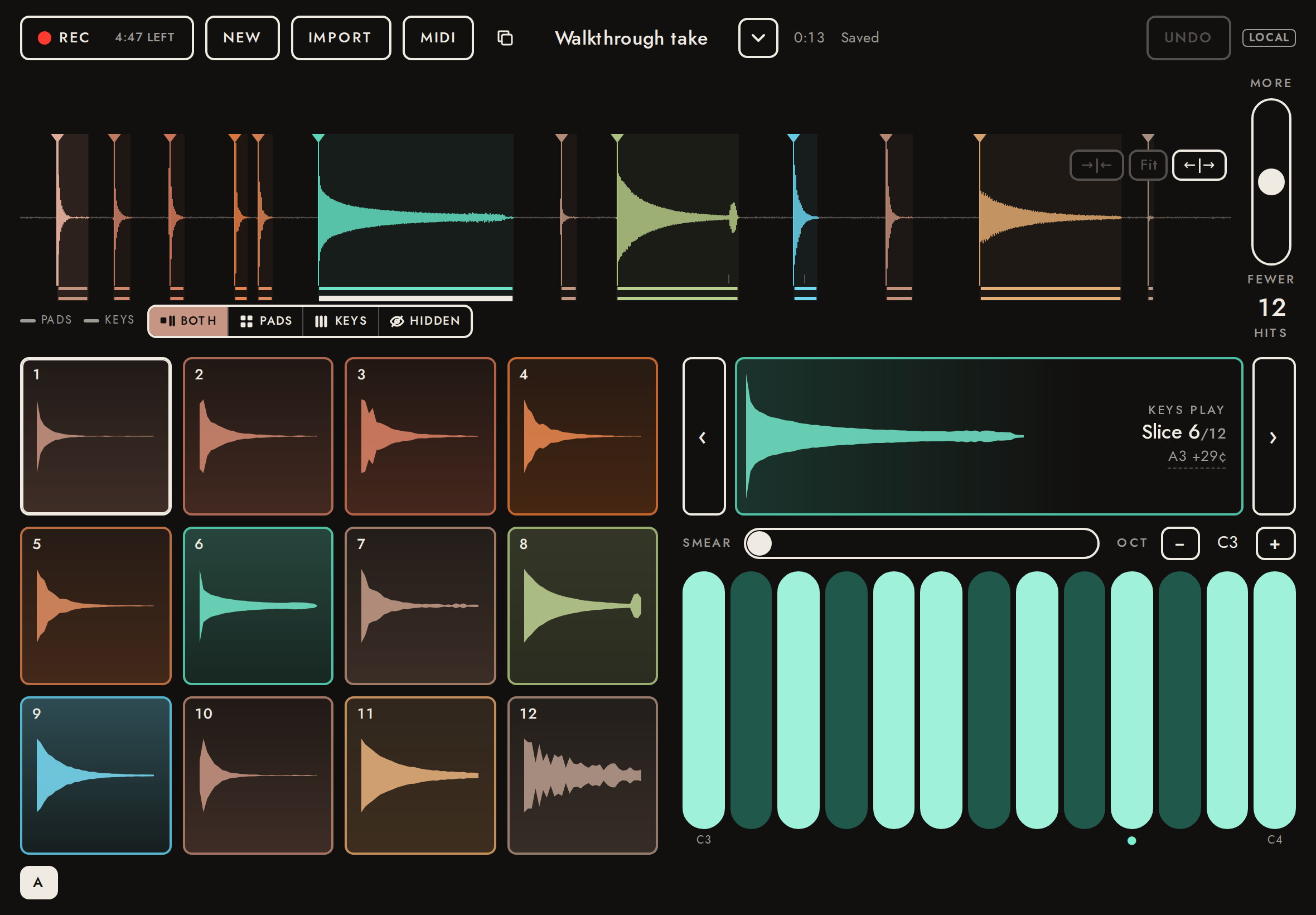
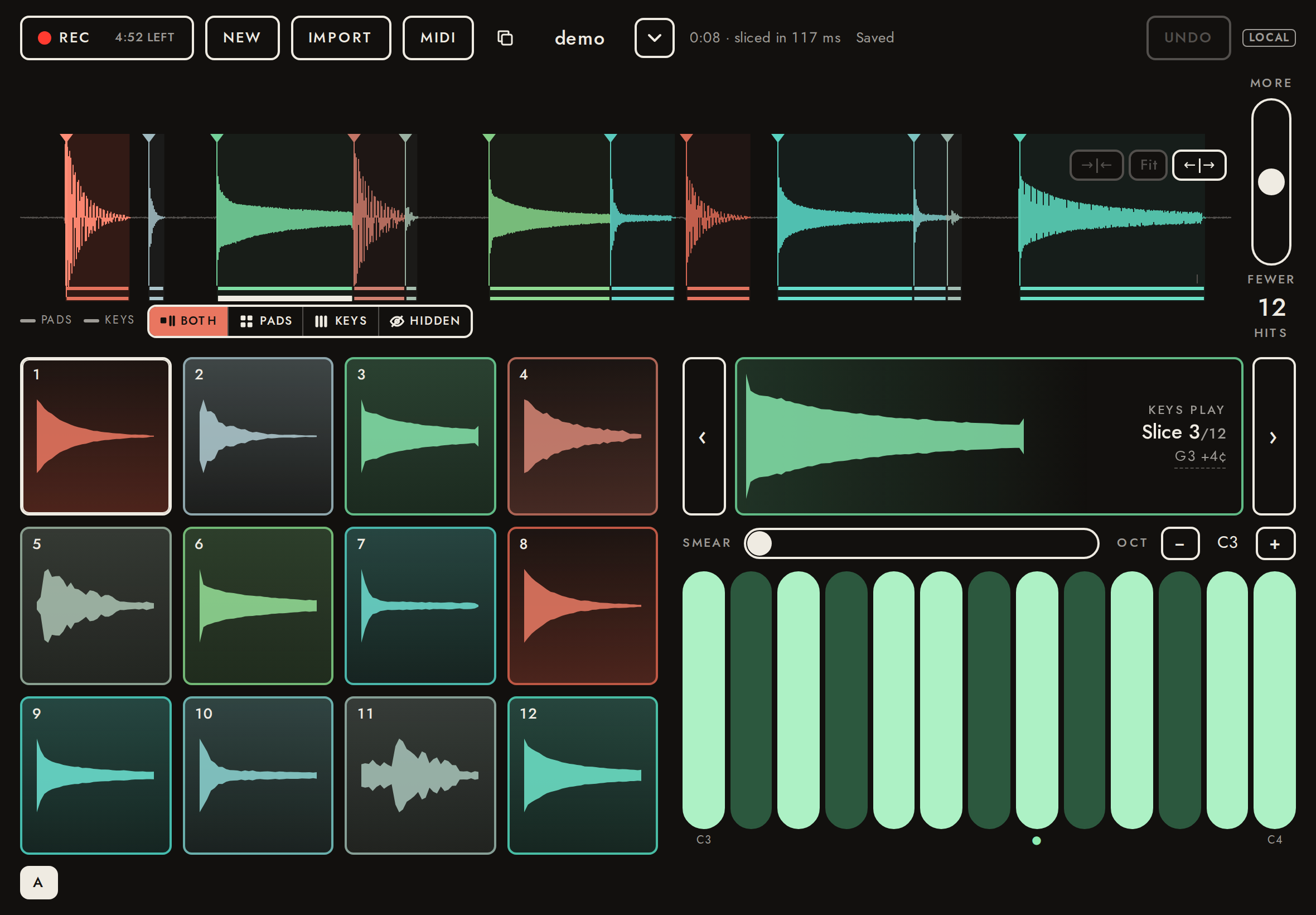
Every slice is colored by how it sounds (docs/features.md, stage B): five timbre traits per hit, measured in Rust once when the take is made and stored with it, drawn through the timbre map: dull and low warm, bright cool. The same for everyone who opens the take; always on (no Color switch, no map picker). Colors are read from the pads' styles and the waveform's pixels.
- ✓Timbre traits are stored with the take: 5 bytes per candidate
730 bytes for 146 candidates - ✓The pads are colored, in several colors
12 of 12 pads colored, 12 distinct colors - ✓A low thud (a footstep) is warm and the bright pluck cool, on the timbre map
footstep brightness 23/255, hue 41°; pluck brightness 183/255, hue 174.6° - ✓The waveform draws slices in their colors: the thud warm, the pluck cool
thud rgb(216,165,146), pluck rgb(95,213,184) - ✓Another browser opening the link sees the same colors
pluck hue 174.6° (owner 174.6°) - ✓No Color or Norm button and no Colors picker
{"color":0,"norm":0,"maps":0} - ✓A take stored before colors, with a pitch map, opens colored on the timbre map (measured live) as if stored, and nothing is written back
12 pads colored, the same as the stored take's; stored timbre null - ✓Its owner opening it: the card is drawn in its colors (once: not again on the next open)
12 card pads colored; not uploaded again
32Slice settings: hold a pad17.7 s
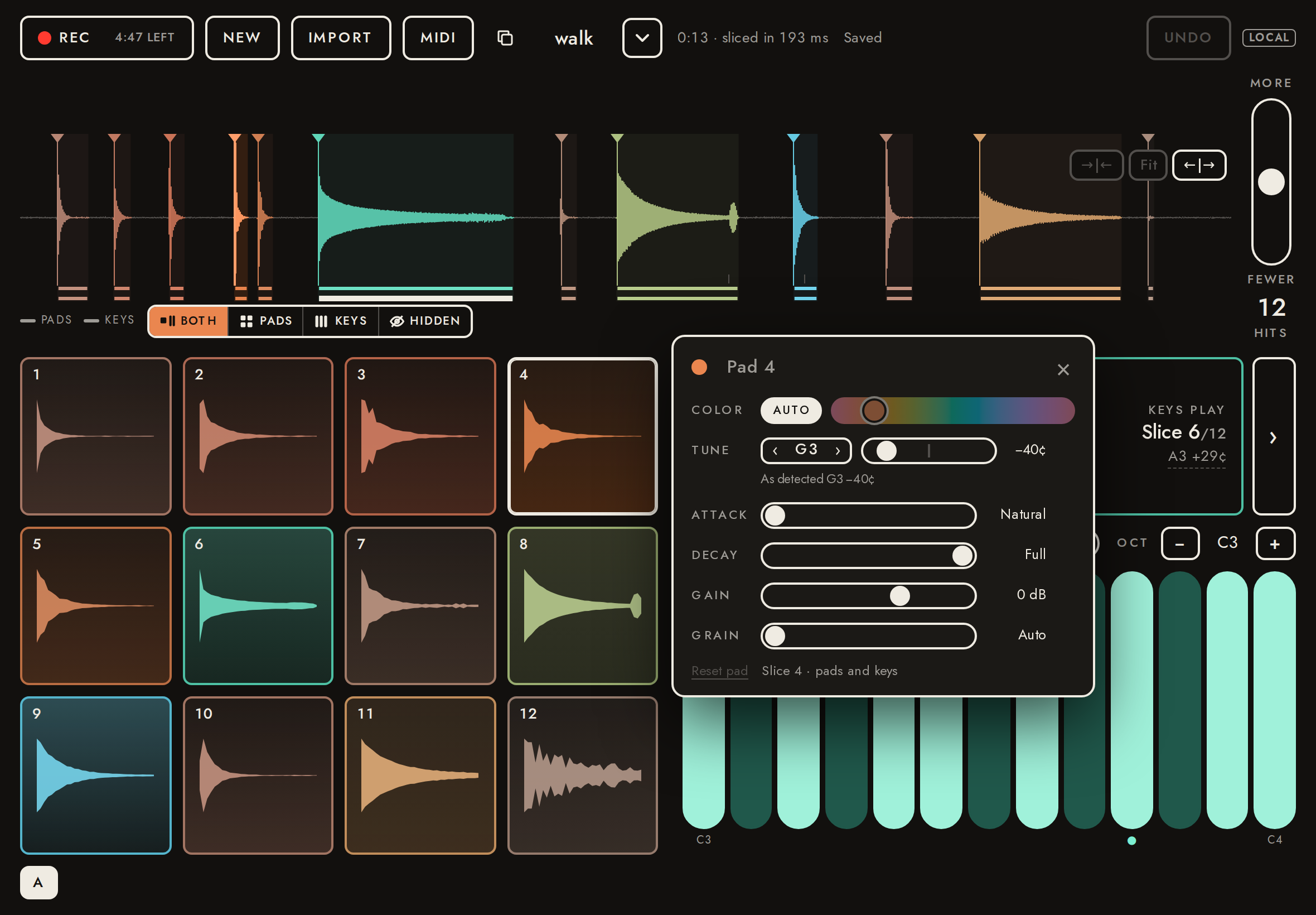
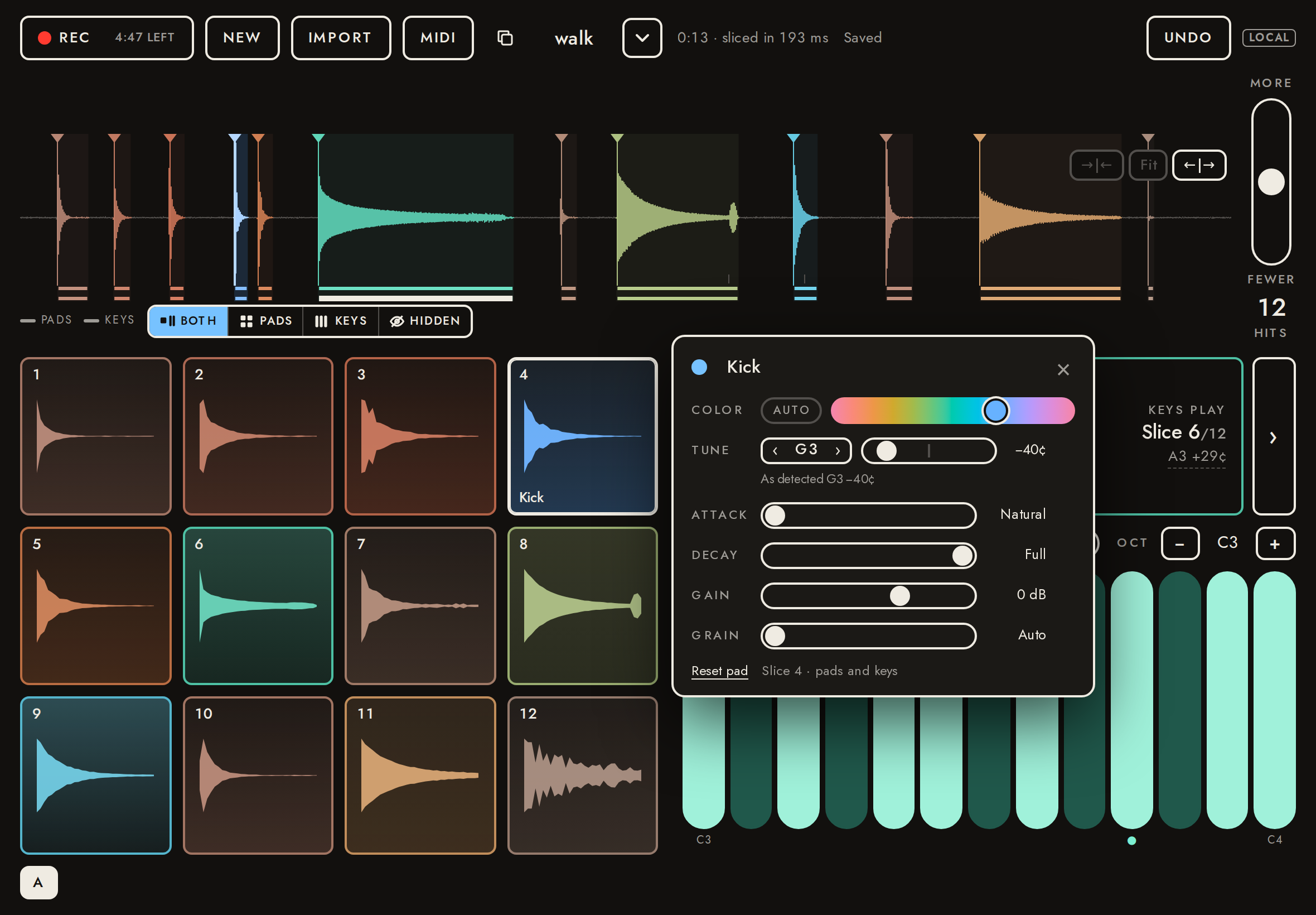
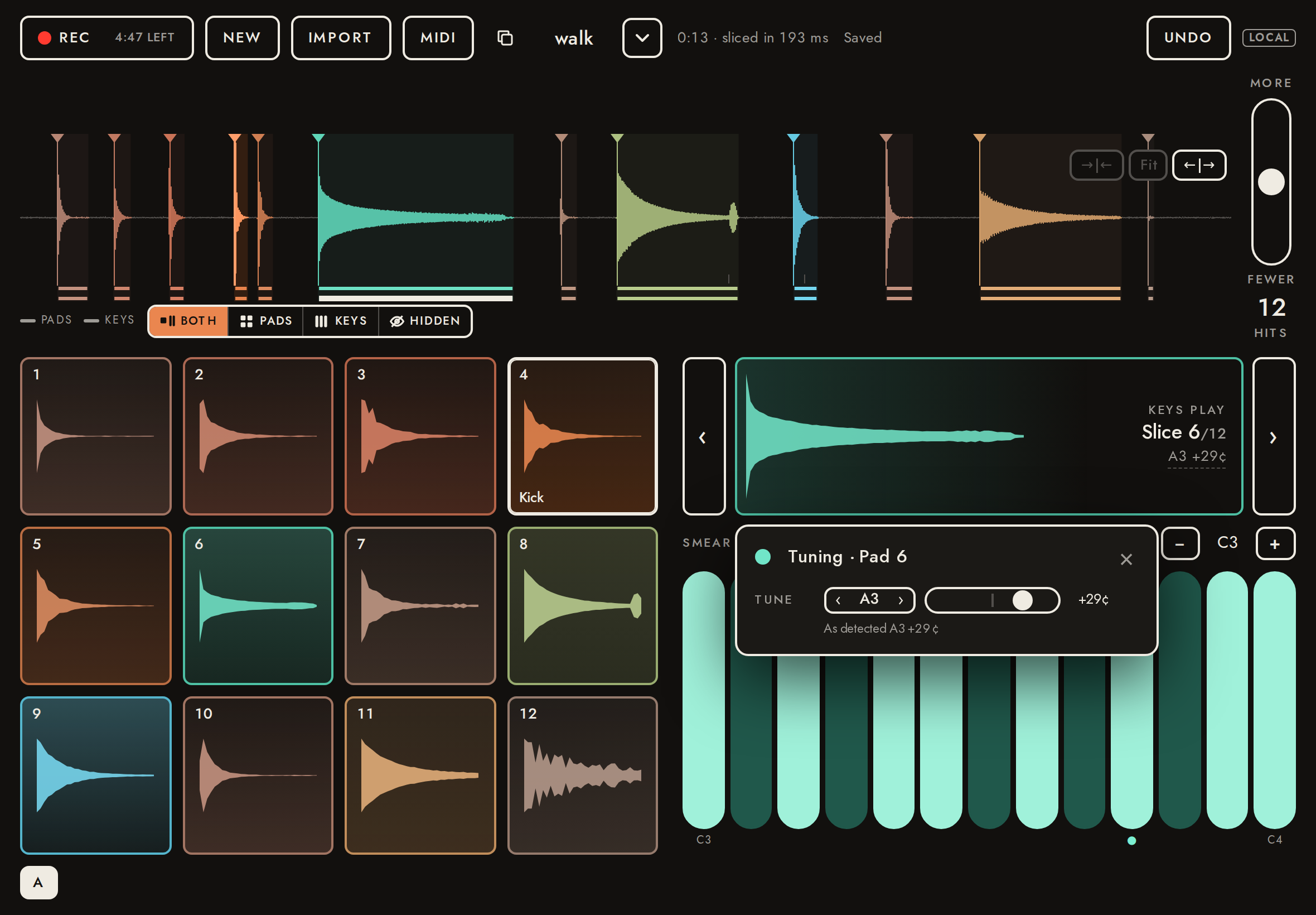
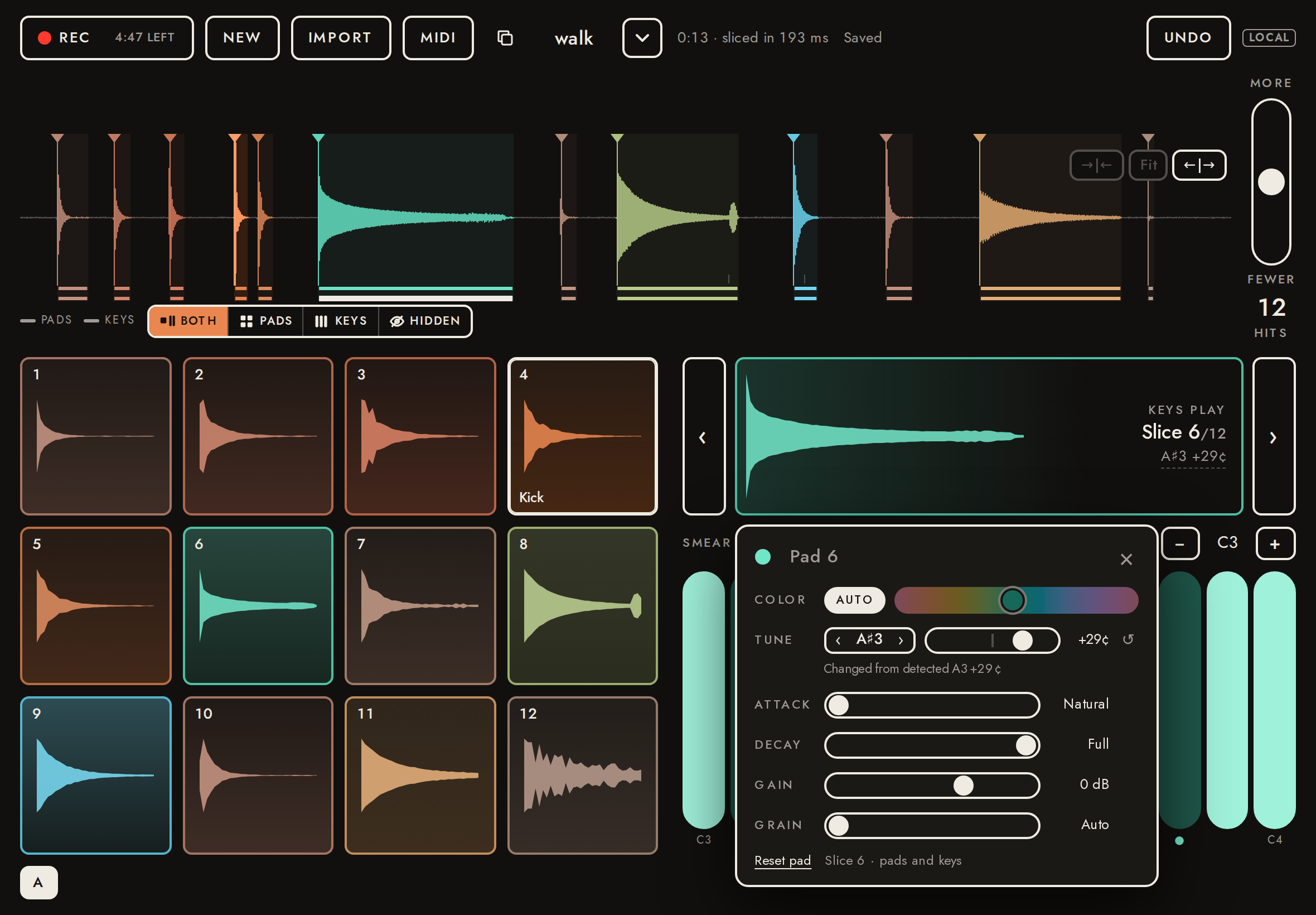
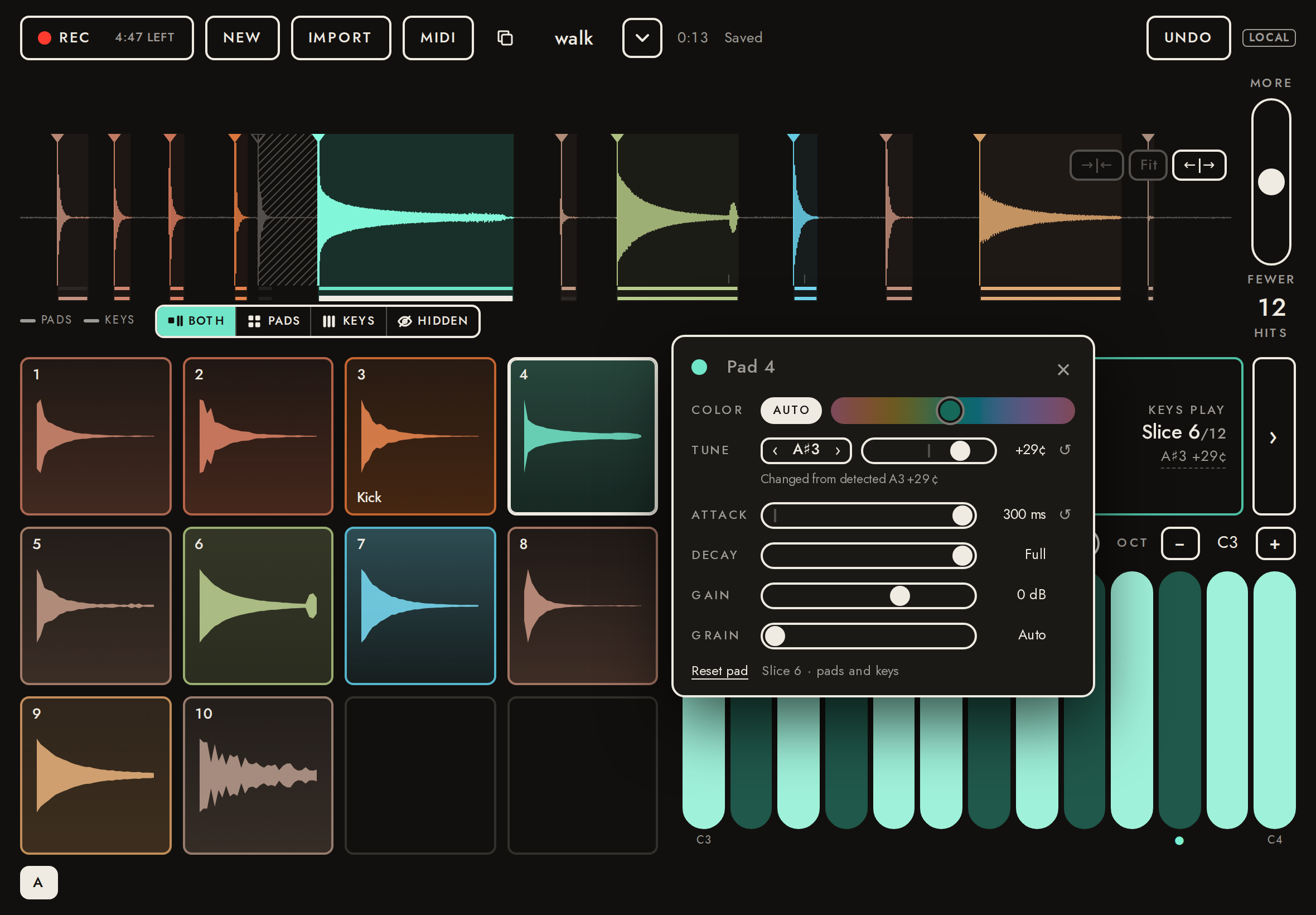
Holding a pad for ½ s plays it at once and then opens its settings beside it; a shorter tap is an ordinary hit, and a finger that moves first opens nothing (pads can still be swept and drummed). The panel: the name as its title, Color (Auto or one hue), Tune (the root stepper and cents), Gain and Reset. Each change is undoable in one step per gesture and saved with the take: a name shows on its pad, a hue colors the pad (Auto restores it), a gain is heard, and tuning moves which key plays the slice untransposed. Holding the Keys card opens the armed slice’s settings; tapping its root note opens the tuning alone.
- ✓A tap shorter than ½ s plays the pad and opens nothing
no panel - ✓A finger that moves first opens nothing
- ✓A ½ s hold plays the pad and opens its settings, named for the pad
panel open, title placeholder Pad 4 - ✓A name appears on its pad and is saved with the take
pad shows "Kick"; stored {"id":27,"label":"Kick"} - ✓Dragging the hue turns Auto off and colors the pad that hue, saved
Auto off; stored hue 252°, pad hue 252° (was 48.1°) - ✓Auto gives the pad its color from the sound back
pad hue 48.1° (Auto was 48.1°); stored {"id":27,"label":"Kick"} - ✓A gain of −12.0 dB is heard on the pad (±1 dB)
-1.0 dBFS → -13.0 dBFS (-12.0 dB) - ✓The gain is saved with the take
{"id":27,"label":"Kick","gain":-12} - ✓One Undo takes back the whole slider drag
stored after one Undo: {"id":27,"label":"Kick"} - ✓Tapping the root note opens the tuning alone
Tuning · Pad 6 - ✓The root moves up a semitone, the cents kept: “A♯3 +29¢”, changed from the detected A3
KEYS PLAY Slice 6/12 A♯3 +29¢; root key 58; “Changed from detected A3 +29¢” - ✓Retuned: the A♯3 key plays the pluck at A3 (±2¢)
heard 220.00 Hz, want 220.00 Hz (-0.01¢; 8 partials) - ✓The tuning is saved with the take (root only: the cents stay detected)
{"id":36,"root":58} - ✓Holding the Keys card opens the armed slice’s settings
panel for slice 36; the pluck is 36 - ✓Reopened: the name on its pad and the tuning on the keys
pad 4: "Kick"; keys: KEYS PLAY Slice 6/12 A♯3 +29¢
33Slice settings: where slices play (Pads / Keys / Hidden)10.3 s
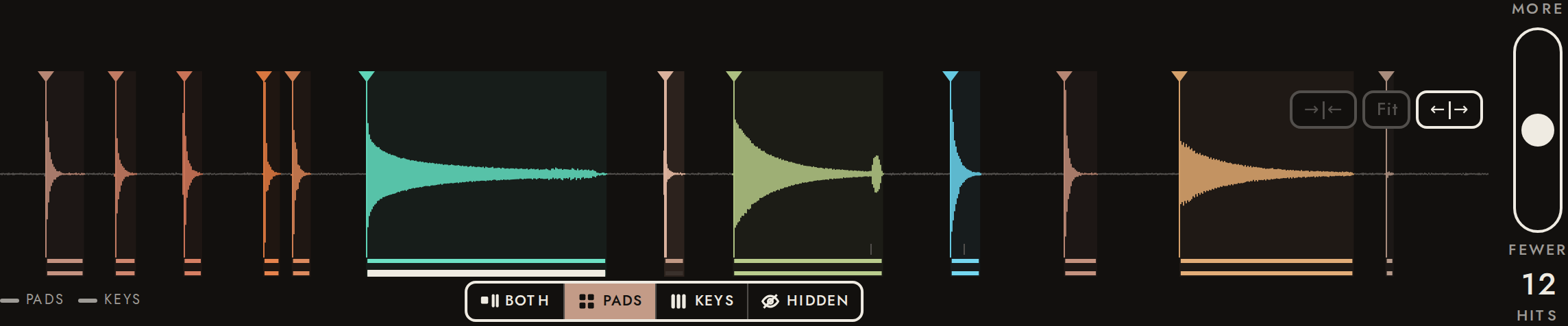
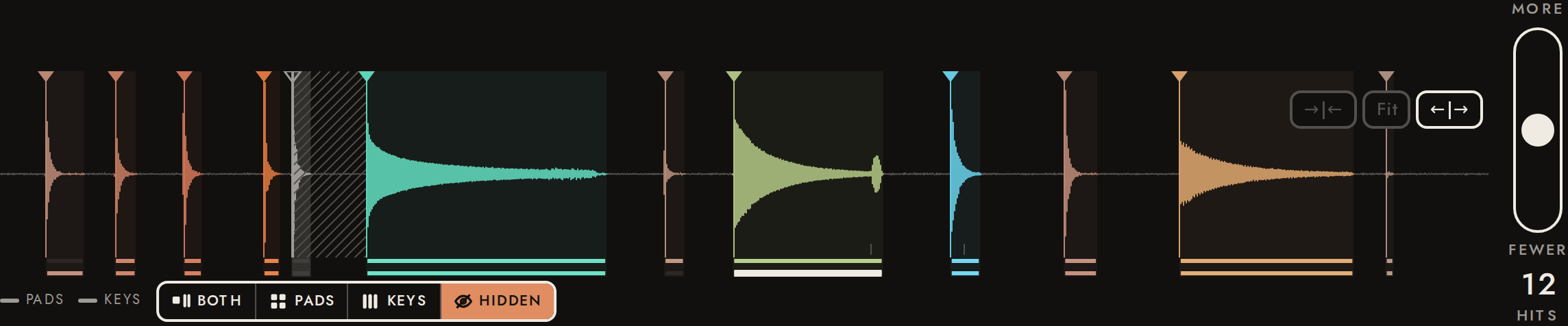
The control under the selected marker sets where a slice plays: Both, Pads only, Keys only or Hidden. Pads only: the keys’ ‹ › and a double-tap skip it. Keys only: it leaves the pads, and later pads move up. Hidden: muted on pads and keys, while its cut stays (the hits around it don’t change). Two thin lanes under the waveform show the mapping, upper pads and lower keys, the armed slice’s keys lane bold. Saved with the take; Undo puts it back.
- ✓› skips a pads-only slice
route pads; armed slice 8, the pluck is 6 - ✓A double-tap on it arms nothing and says so
REC 4:47 LEFT NEW IMPORT MIDI walk Slice 7 plays on the pads only 0:13 Saved UNDO LOCAL - ✓Keys only: it leaves the pads
12 → 11 pads - ✓…and later pads move up: pad 1 plays slice 2
sounds like slice 2 (r 0.990; next best slice 4, r 0.172) - ✓Hidden: no pad, and silent when tapped
11 → 10 pads; peak -180.0 dBFS - ✓Hidden: the keys can’t arm it
REC 4:47 LEFT NEW IMPORT MIDI walk Slice 5 is hidden 0:13 Saved UNDO LOCAL - ✓Its cut stays: the same hits
12 → 12 hits - ✓Undo puts the knock back: its pad, and it plays
10 → 11 pads; peak -1.0 dBFS - ✓The routes are saved with the take
{"5":"keys","29":"hidden","68":"pads"} - ✓Reopened: the same pads, and the knock still hidden
10 pads
34Slice settings: shape (attack, decay, grain)58.0 s
The settings panel’s Attack, Decay and Grain sliders shape a slice on its pad and on the keys: Attack fades it in from the very start over up to 300 ms (Natural: today’s 2 ms de-click fade); Decay fades it out after the attack, 30 dB down at the time set, and ends it 60 dB down (Full: it plays to the slice end, as before); Grain sets the keys’ grain length (Auto: smear sets it). Each slider says its value, shows ↺ once changed, and previews the sound on release. Measured on the captured audio against the same pad or key played without them; back at Natural and Full the pad is the same sound, sample for sample. Saved with the take; Reset pad clears them.
- ✓Attack, Decay and Grain in the panel, at Natural, Full and Auto, no ↺
Natural, Full, Auto - ✓Attack at the far right: 300 ms, shown with its ↺, saved
shows 300 ms; stored {"id":36,"root":58,"attack":0.3} - ✓A 300 ms attack measured on the pad: linear, half level at 150 ms, full at 300 ms (±15 ms)
ramp 297 ms (95 % at 280 ms); 0.510 of the natural level at 150 ms; 1.000 at 400 ms - ✓Attack ↺ is Natural again; Decay dragged to about 100 ms, shown and saved
shows 100 ms; stored {"id":36,"root":58,"decay":0.1} - ✓Decay 100 ms measured on the pad: −15 dB at half of it, −30 dB at it (±2 dB), silent after twice it
-15.8 dB at 50 ms, -30.9 dB at 100 ms; tail 183 ms (the natural pad is at -21 dBFS there) - ✓Natural and Full play as before shapes: today’s graph (the source through one gain; a shape adds its own), and back at them the same samples as the first hit (residual under −90 dB)
residual -251.5 dB against the first hit; gain nodes per hit: 1 natural, 2 with an attack, 1 natural again - ✓The 300 ms attack on a key: about a quarter at 75 ms, half at 150 ms, whole by 450 ms (±25 %)
0.28, 0.52, 0.98 of the natural key - ✓The decay on a held key: −30 dB at its length (±4 dB), silent after twice it though the key is held
-30.9 dB at 100 ms; tail 179 ms - ✓Grain at the far right: 500 ms, saved, and a key’s note carries it to the grain engine
shows 500 ms; stored {"id":36,"root":58,"grain":0.5}; note grain 22050 samples at 44100 Hz - ✓Reopened: the attack and grain as set, the decay Full
75 ms, Full, 500 ms - ✓Reset pad clears them: Natural, Full, Auto, and nothing stored
Natural, Full, Auto; stored null
35Inside the iPad app: the native engine plays8.1 s
The same page with a stand-in for the iPad app's bridge (window.fieldSamplerNative and a message handler that records what it is sent). The page must hand the take to the native engine (instrument.set: its id, slice table, roots and Norm gains, armed slice), send pads and keys as messages, and make no sound of its own. The real bridge is tested in the iPad simulator (ios/scripts/build.sh --self-test-web).
- ✓instrument.set names the take by id
4Vn0yG2VbWI9 - ✓Slice table: start < end, attack and Norm gain set, every slice
12 slices; armed 5; roots 48.0 38.1 38.0 54.6 54.5 57.3 48.0 81.0 90.9 48.0 57.0 48.0 - ✓The armed slice is pitched, with a period
root 57.29, period 4.47 ms - ✓Saved take: no PCM sent
- ✓Key 1 posts pad 1 (slice 0, with its id)
{"v":1,"type":"pad","slice":0,"id":5,"gain":1} - ✓Key A posts note.on on the armed slice (index and id), and note.off
{"v":1,"type":"note.on","key":1,"slice":5,"id":36,"note":48,"smear":0,"gain":0.8} - ✓No Rec button in an app without native recording (no "record" feature)
- ✓engine.status stopped shows in the header; midi.status on the MIDI button
IMPORT MIDI 1 Walkthrough take Audio engine stopped: interrupted 0:13 View only UNDO LOCAL - ✓midi.notes pad: pad 1 flashes and is selected
["Pad 1"] - ✓midi.notes on/off: the key is held down, then released (a note on and off in one batch still shows, briefly)
held [50], released [], brief [53] → [] - ✓midi.notes: slices found by id; all notes off per channel; lost events or a reset let every key go
by id [55], channel off [], dropped [], reset [] - ✓MIDI feedback sends nothing back to native (no echo, no second sound)
[] - ✓The takes menu names the app's build: version, build number, develop build, site, web commit
App 0.1.0 (202610151840) · develop build · local · web 6a86aef - ✓No Web Audio at all
no AudioContext created - ✓Unsaved take: PCM sent once, then the id under the same ref
{"pcm":[{"ref":"mvbvl570-2","frames":352800,"bytes":1411200}],"first":{"id":null,"local":null,"ref":"mvbvl570-2","api":"http://localhost:8788","duration":8,"sampleRate":44100,"channels":2},"last":{"id":"81Mn5HQwFDWP","local":null,"ref":"mvbvl570-2","api":"http://localhost:8788","duration":8,"sampleRate":44100,"channels":2},"history":2} - ✓The take list goes to native (takes.history)
2 entries - ✓Plugin: the first instrument.set is the restored one, complete
1 sent; first: 12 slices, armed 36 (saved 36) - ✓Plugin: the project's restored edits play, but aren't saved over the take until edited here
0 PATCH; take still "Walkthrough take"
36Inside the iPad app: native recording and import4.8 s
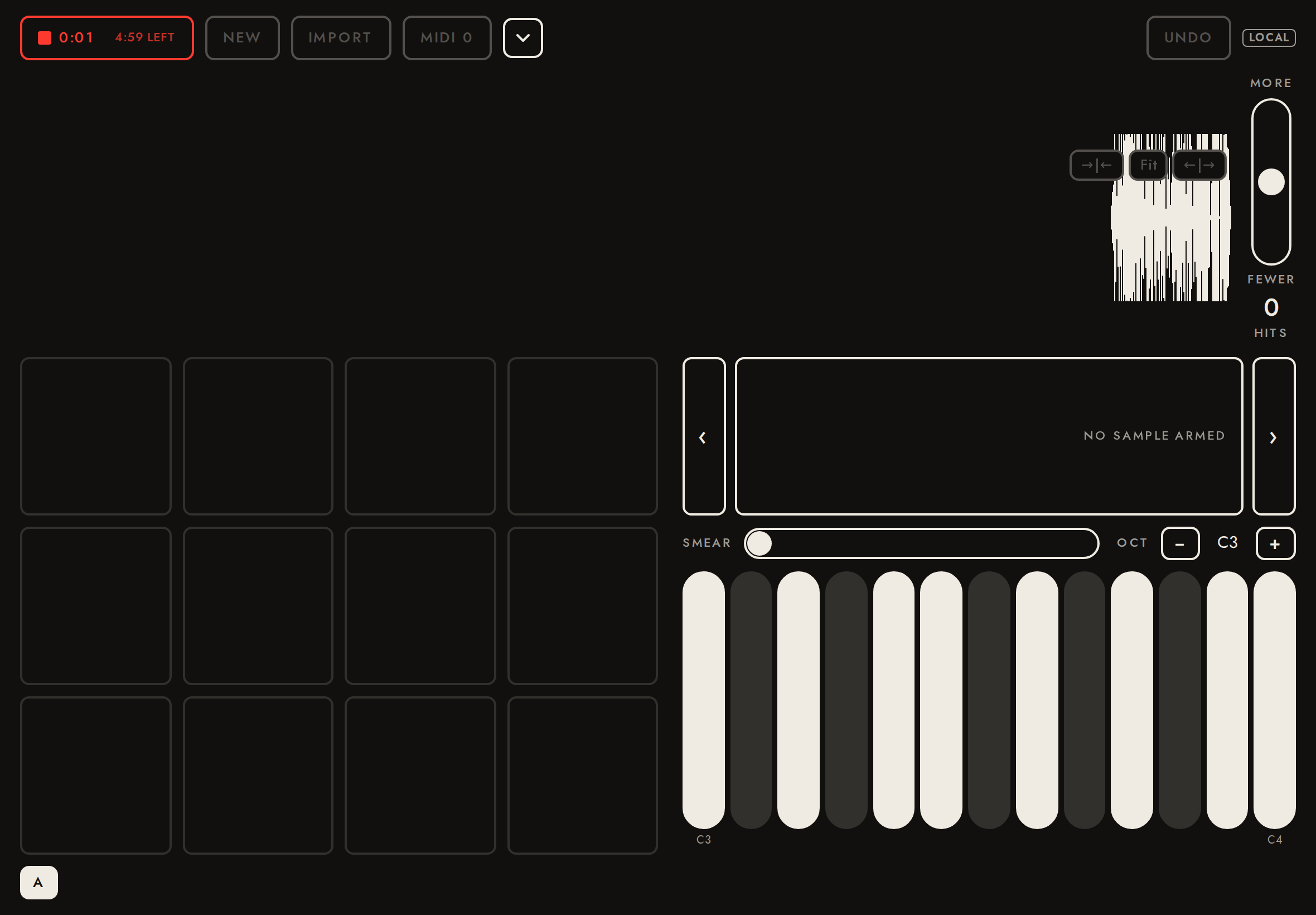
The app records and imports natively (features record and import): Rec is back in the app, the recording's live peaks come from native, and on stop the page reads the file through the bridge (capture.read, in slices) and saves it as a take on the server, exactly like an import. Import opens the app's document picker instead of the web file input. A refused microphone shows a message. Nothing uses getUserMedia or Web Audio output. Stand-in bridge here; the real one is tested in the simulator (ios/scripts/build.sh --self-test-record).
- ✓Rec is shown in the app
- ✓A refused microphone says how to fix it
REC 5:00 LEFT NEW IMPORT MIDI 0 Microphone access is off for Field Sampler. UNDO LOCAL - ✓Recording shows the time from native
{"on":true,"text":"0:01 4:59 left"} - ✓The recording is read in slices and saved as a take on the server
/t/1IDejSc1anwf: audio/wav, 13.00 s (fixture 13.00 s), 10 capture.read calls - ✓The recording is sliced
12 hits - ✓Import uses the app's document picker and saves the file as a take
"Field import", audio/wav - ✓No WebKit capture, no web file input, no Web Audio output
getUserMedia 0, file input 0, AudioContext 0
37Takes are at most 5:0011.1 s
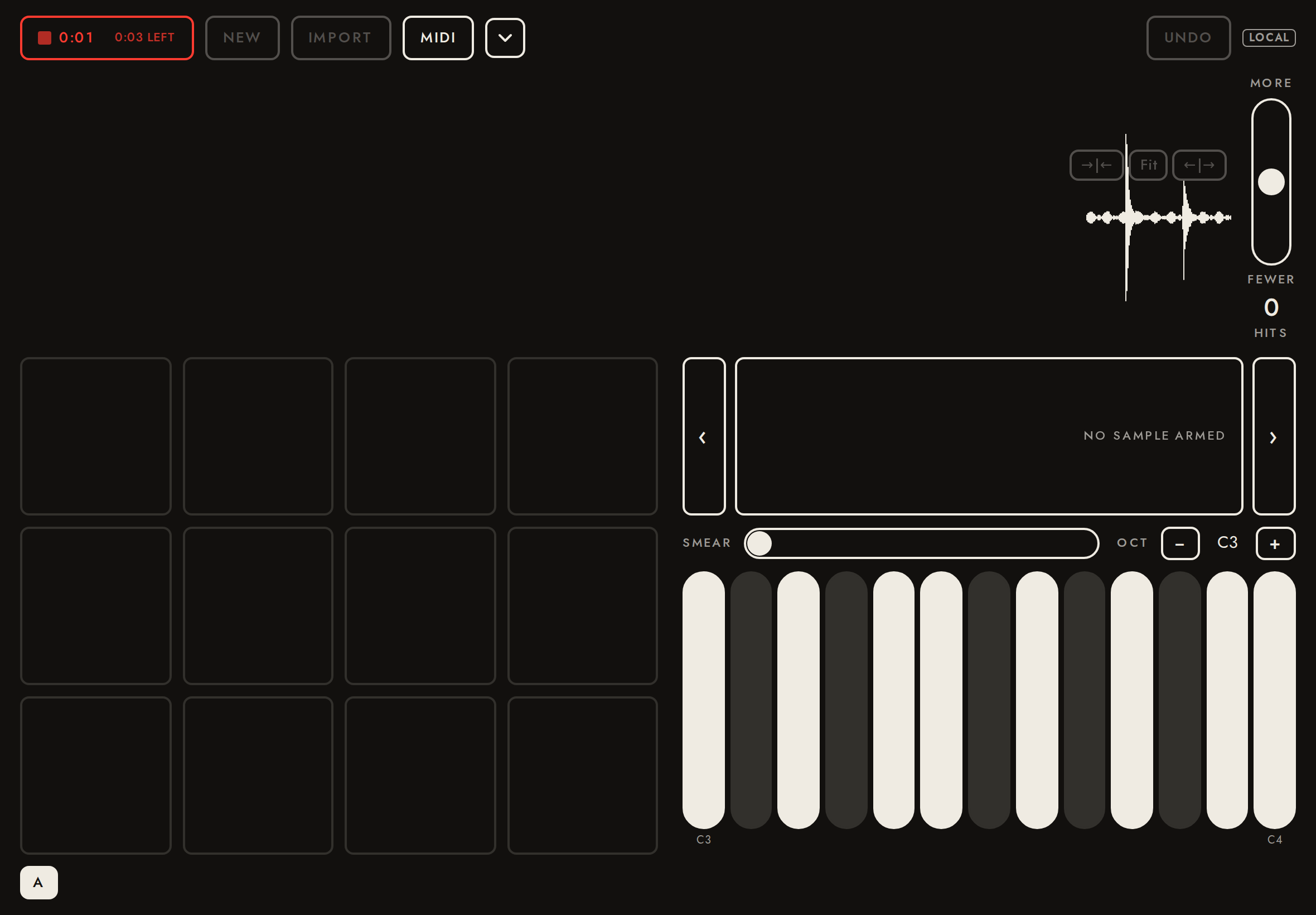
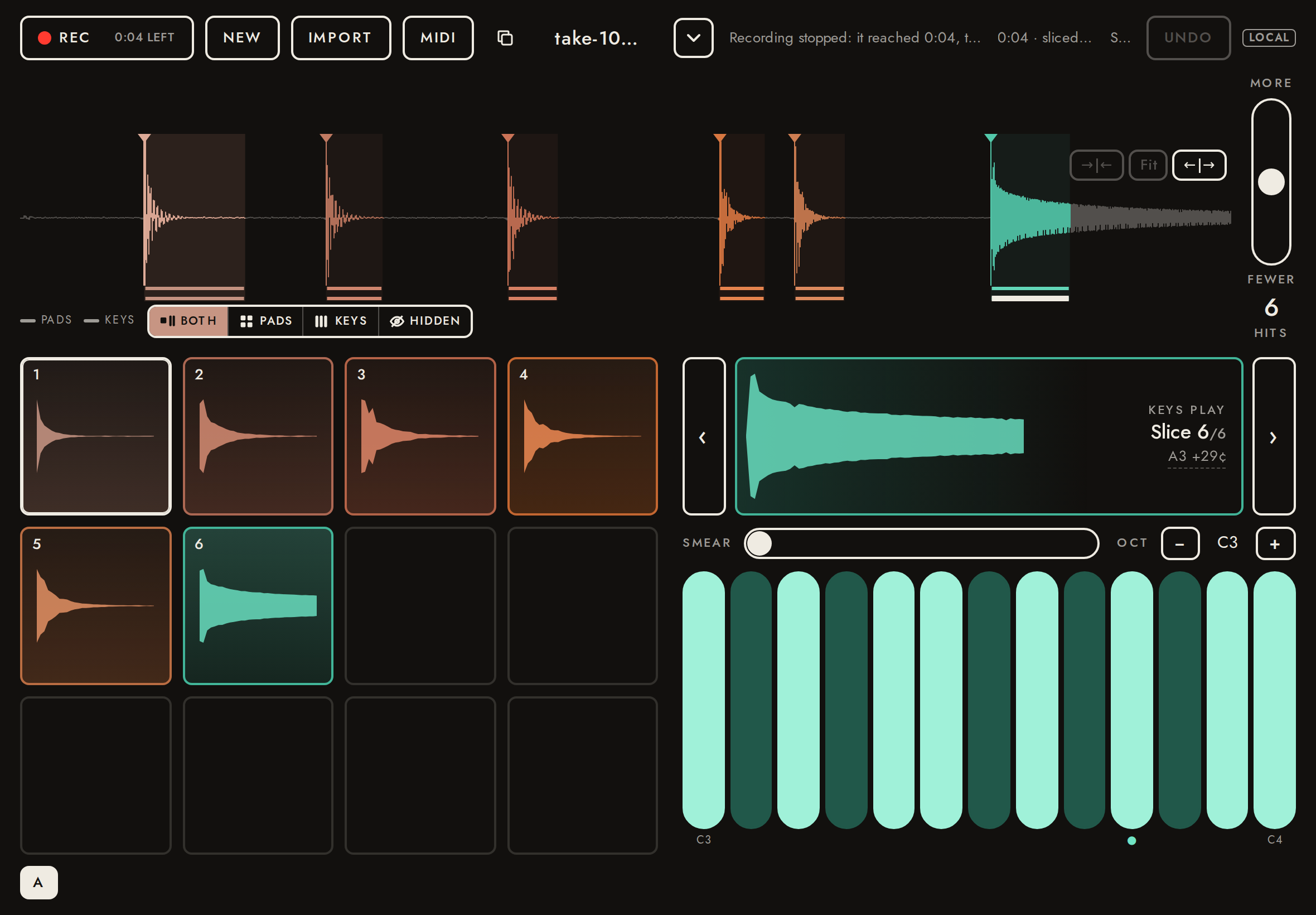
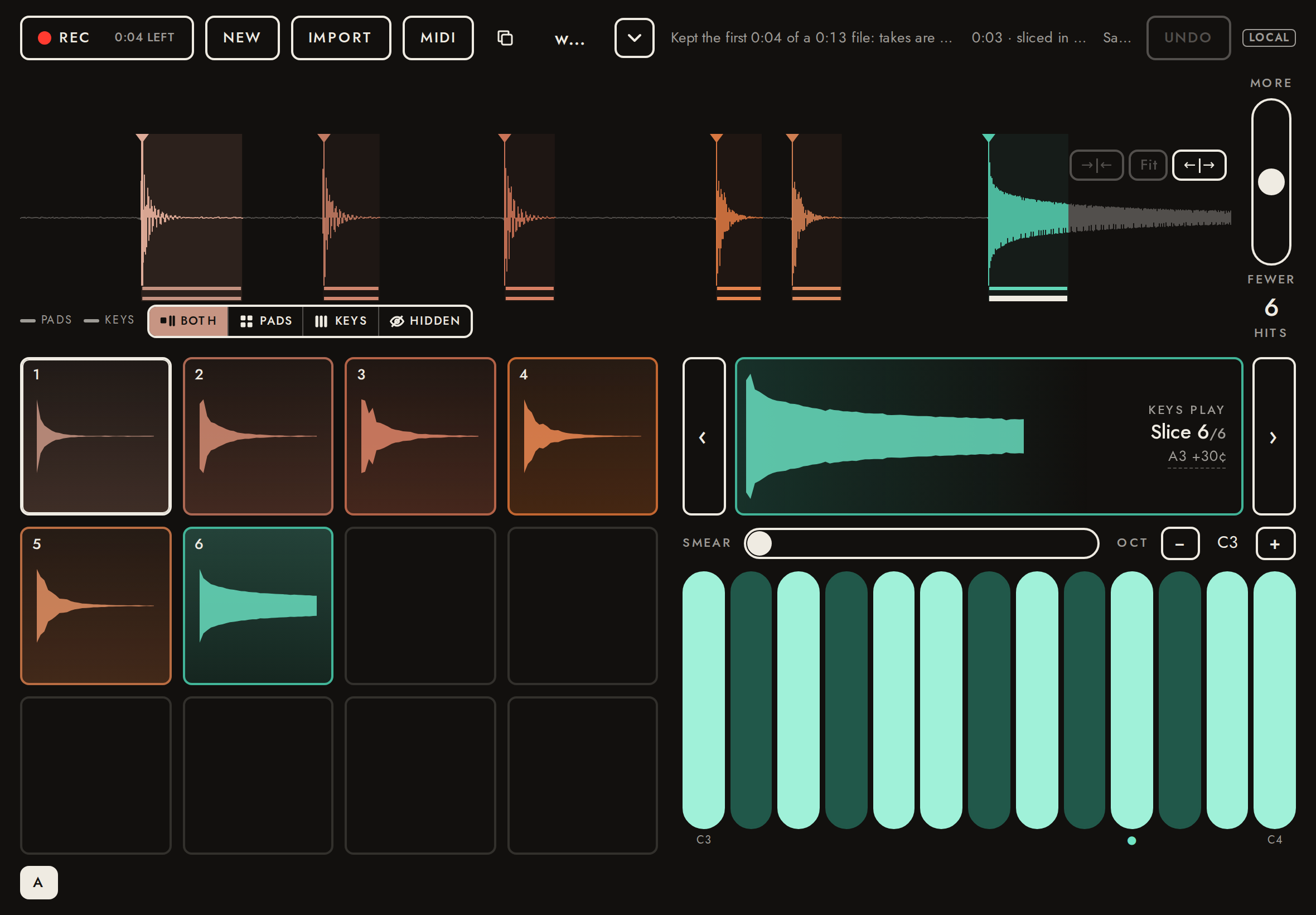
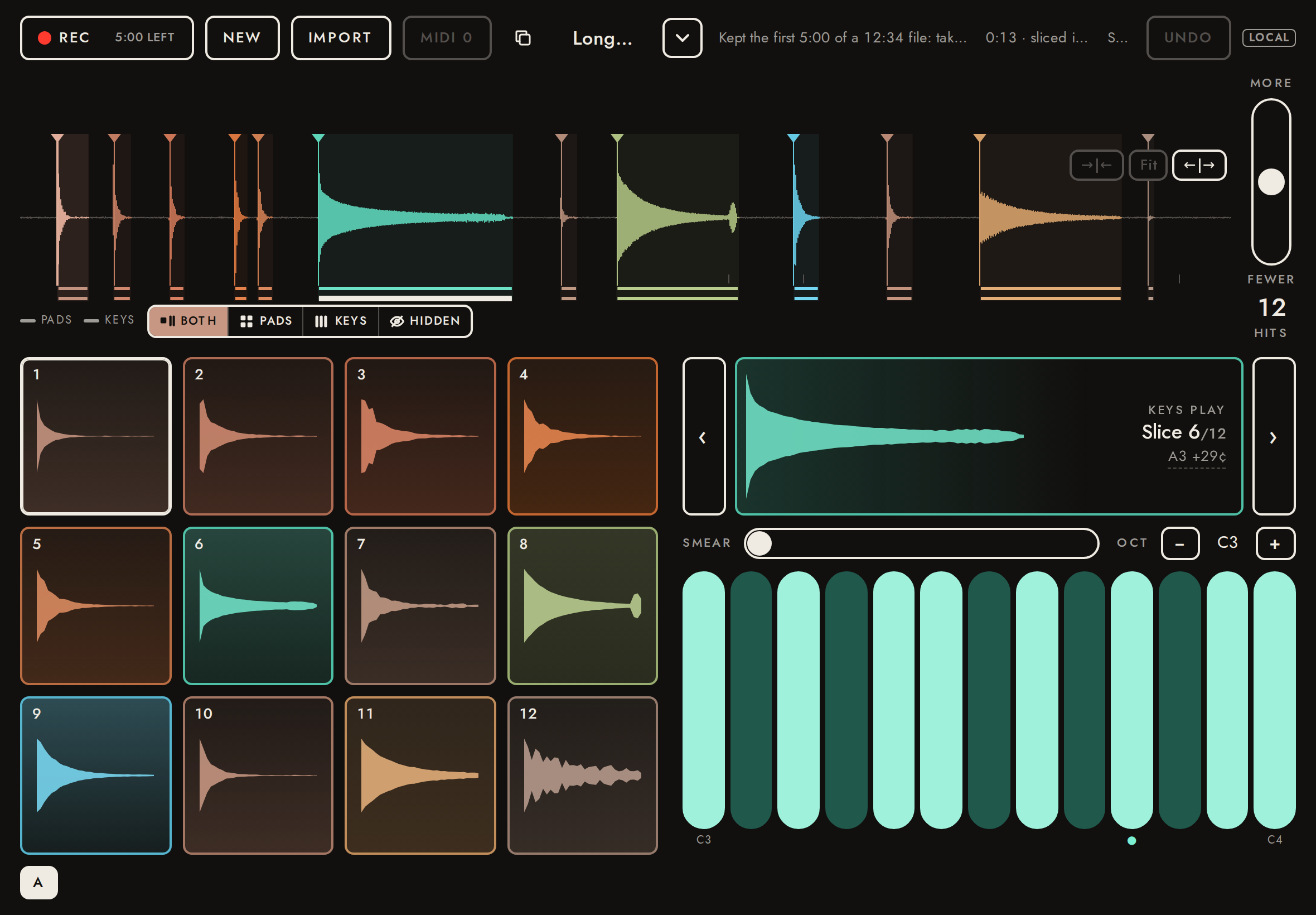
A take is at most 5:00 long (the length whose 16-bit WAV fits the 64 MiB upload limit, with headroom). Recording stops by itself at the cap and the take is kept exactly as if Rec had been pressed; in its last 30 s the Rec button counts down. An import longer than the cap keeps its first part and the header says so. Here the cap is shortened to 4 s for the test (window.__fieldSamplerMaxTakeSeconds), and the 13 s walkthrough take is imported twice: as a WAV, which is cut before decoding, and with a 1.5 MB chunk before its audio, which is decoded whole and then cut. In the app (stand-in bridge), a recording the app ends at the cap is stopped and saved, and the app's own cut of a long import is announced.
- ✓While recording the Rec button shows the time left
"0:03 left" - ✓The recording stopped by itself at the cap and was saved, as with Rec
4.000 s saved, cap 4 s - ✓The header says why it stopped
REC 0:04 LEFT NEW IMPORT MIDI take-1017-0407 Recording stopped: it reached 0:04, the longest a take can be 0:04 · sliced in 134 ms Saved UNDO LOCAL - ✓A longer WAV keeps its first part, in its own format
4.000 s, 768044 bytes (16-bit stereo 48000 Hz: 768044) of a 2496044-byte file - ✓The header says what was kept
REC 0:04 LEFT NEW IMPORT MIDI walk Kept the first 0:04 of a 0:13 file: takes are at most 0:04 0:03 · sliced in 62 ms Saved UNDO LOCAL - ✓No slice past the cap
6 slices - ✓A file decoded whole is cut after decoding, and saved as the part kept
4.000 s, 705644 bytes of a 3996052-byte file - ✓and says so
REC 0:04 LEFT NEW IMPORT MIDI Long header Kept the first 0:04 of a 0:13 file: takes are at most 0:04 0:04 · sliced in 58 ms Saved UNDO LOCAL - ✓A recording the app ends at the cap is stopped and saved, and the header says why
REC 5:00 LEFT NEW IMPORT MIDI 0 take-1017-0407 Recording stopped: it reached 5:00, the longest a take can be 0:13 · sliced in 265 ms Saved UNDO LOCAL - ✓The app's cut of a long import is announced
REC 5:00 LEFT NEW IMPORT MIDI 0 Long walk Kept the first 5:00 of a 12:34 file: takes are at most 5:00 0:13 · sliced in 303 ms Saved UNDO LOCAL
38Inside the iPad app: recordings are never lost5.4 s
The app keeps every recording and import until the page confirms it saved as a take (feature recover). A page that loads while the app is still recording (it reloaded, or its process ended) picks the recording up and stops it. Opening another take while a recording is being read leaves the recording on the list of recovered recordings, from which it opens and saves; one can be discarded. While a capture is being read, Import and the takes menu (the demo take too) wait. Stand-in bridge here; the real one is tested in the simulator (ios/scripts/build.sh --self-test-recover).
- ✓A page that loads while the app records picks the recording up (time running)
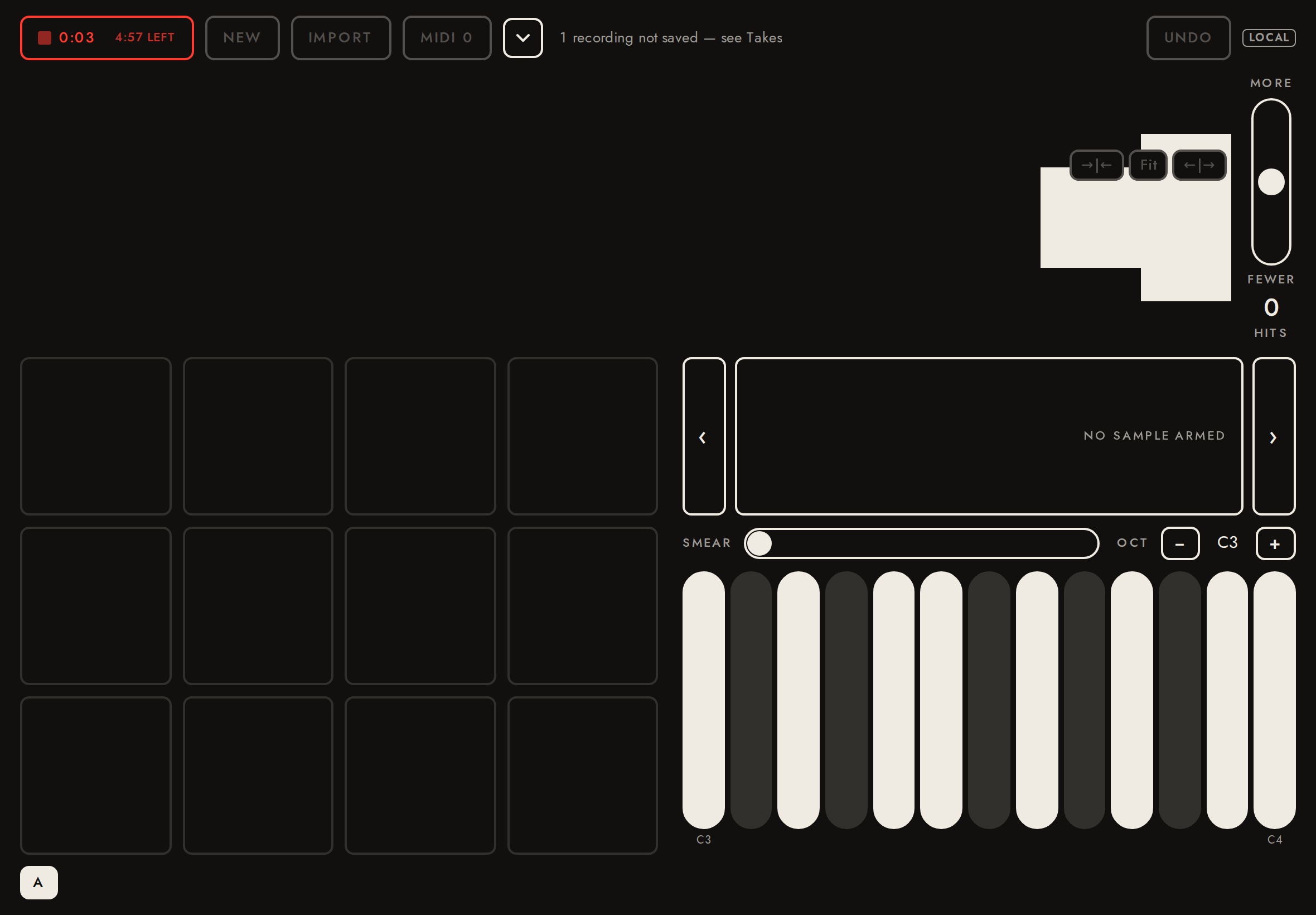
{"on":true,"text":"0:03 4:57 left"} - ✓An unsaved import from before is announced in the header
0:04 4:56 LEFT NEW IMPORT MIDI 0 1 recording not saved — see Takes UNDO LOCAL - ✓While the recording is read, Import, the demo take and the takes menu wait
{"imp":true,"demo":true,"rowsDisabled":true} - ✓Opening another take while a recording is read keeps the recording (offered back, not saved)
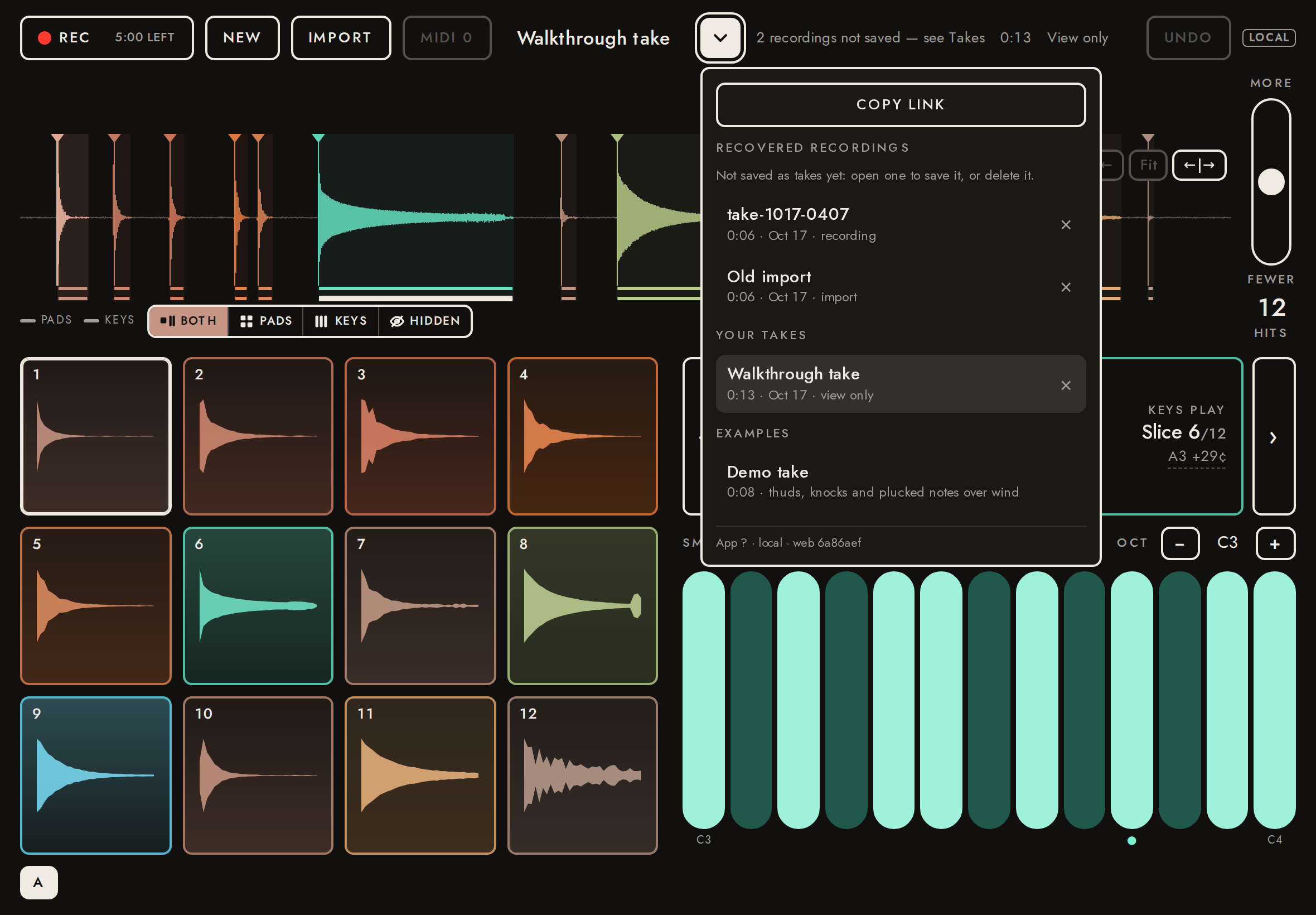
REC 5:00 LEFT NEW IMPORT MIDI 0 Walkthrough take 2 recordings not saved — see Takes 0:13 View only UNDO LOCAL; saved [] - ✓The takes menu lists the recovered recordings
COPY LINK RECOVERED RECORDINGS Not saved as takes yet: open one to save it, or delete it. take-1017-0407 0:06 · Oct 17 · recording × Old import 0:06 · Oct 17 · import × YOUR TAKES Walkthrough take 0:13 · Oct 17 · view only × EXAMPLES Demo take 0:08 · thuds, knocks and plucked notes over wind App ? · local · web 6a86aef - ✓A recovered recording opens, saves as a take, and the app is told it is saved
/t/VZQ8aZcOsNO9 "take-1017-0407"; capture.saved ["BBBBBBBB-0000-4000-8000-000000000002"] - ✓A recovered import can be discarded; then nothing is left to recover
["BBBBBBBB-0000-4000-8000-000000000001"]
39Inside the iPad app: with the library, a recording is a take before the page reads it5.9 s
With the take library, the app makes a recording (or an import) a take in iCloud Drive as soon as it stops, before the page reads a byte of it; the page then opens that take and analyses it, storing the analysis. Analysis failing (here, a recording the page can't read at first) loses nothing: the take is listed and opens later. Stand-in bridge here; the real one in the simulator (ios/scripts/build.sh --self-test-library).
- ✓The app makes the recording a take at stop; analysis failing loses nothing
{"takes":["take-1017-0407"],"stop":{"v":1,"type":"record.stop","library":{"name":"take-1017-0407"}},"reads":0,"header":"REC 5:00 LEFT NEW IMPORT MIDI 0 Couldn't open that take: not downloaded yet UNDO LOCAL"} - ✓Opened later, the take is analysed and its analysis stored once: candidates, one end each, the version
{"candidates":160,"ends":160,"analysis":{"dsp":1}} - ✓Analysed elsewhere first: this page's analysis is refused, and the take opens with the stored one
{"writes":1,"refused":1,"opens":4,"header":"REC 5:00 LEFT NEW IMPORT MIDI 0 take-1017-0407 “take-1017-0407” was analysed on another device first: opened with that analysis Recording a new take: this app can’t add to a take: update it Opening take… UNDO LOCAL"}
40Inside the iPad app: Rec records onto a take the app just made4.8 s
With the take library and passes, a recording is a take as soon as it stops; the page opens it, analyses it and stores the analysis, and from then Rec records onto its end (stage H), as onto any take opened later. A take that can't be added to (here one saved before its analysis version was stored) says so on the Rec button, and in the header when Rec starts a new take instead. Stand-in bridge here; the real one in the simulator (ios/scripts/build.sh --self-test-record-into).
- ✓Once its first analysis is stored, Rec records onto the end of the take the app just made
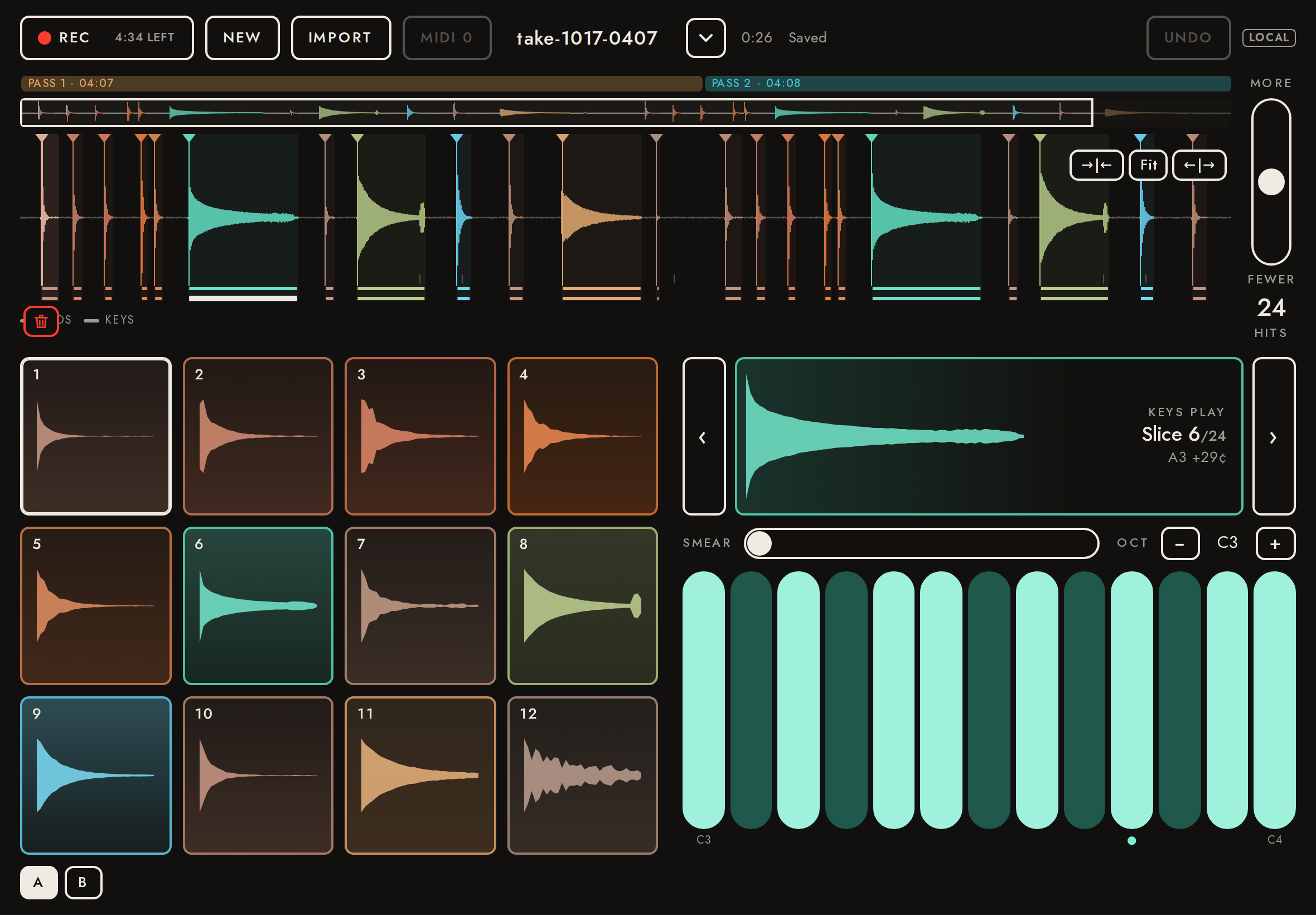
Rec's title: "Record onto the end of this take (4:47 left)" - ✓Rec adds the recording to that take as pass 2, from the capture the app holds
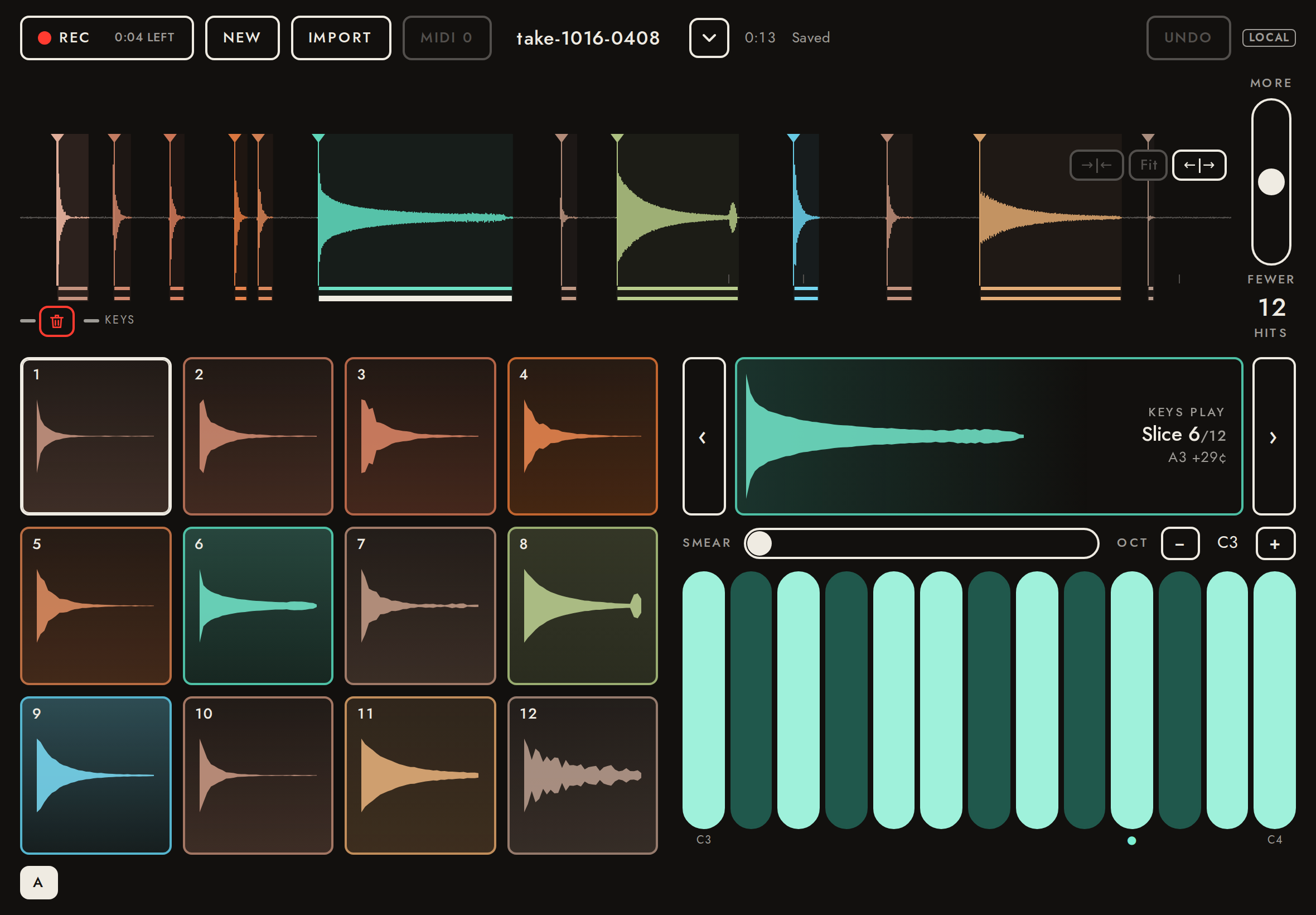
{"takes":1,"appends":[{"id":"8D05B887-B335-493E-96ED-448C19CCC74F","n":2,"capture":"DDDDDDDD-0000-4000-8000-000000000001"}],"stop":{"v":1,"type":"record.stop"},"header":"REC 4:34 LEFT NEW IMPORT MIDI 0 take-1017-0407 0:26 Saved UNDO LOCAL"} - ✓A take that can't be added to says so: on Rec, and in the header as Rec starts a new take
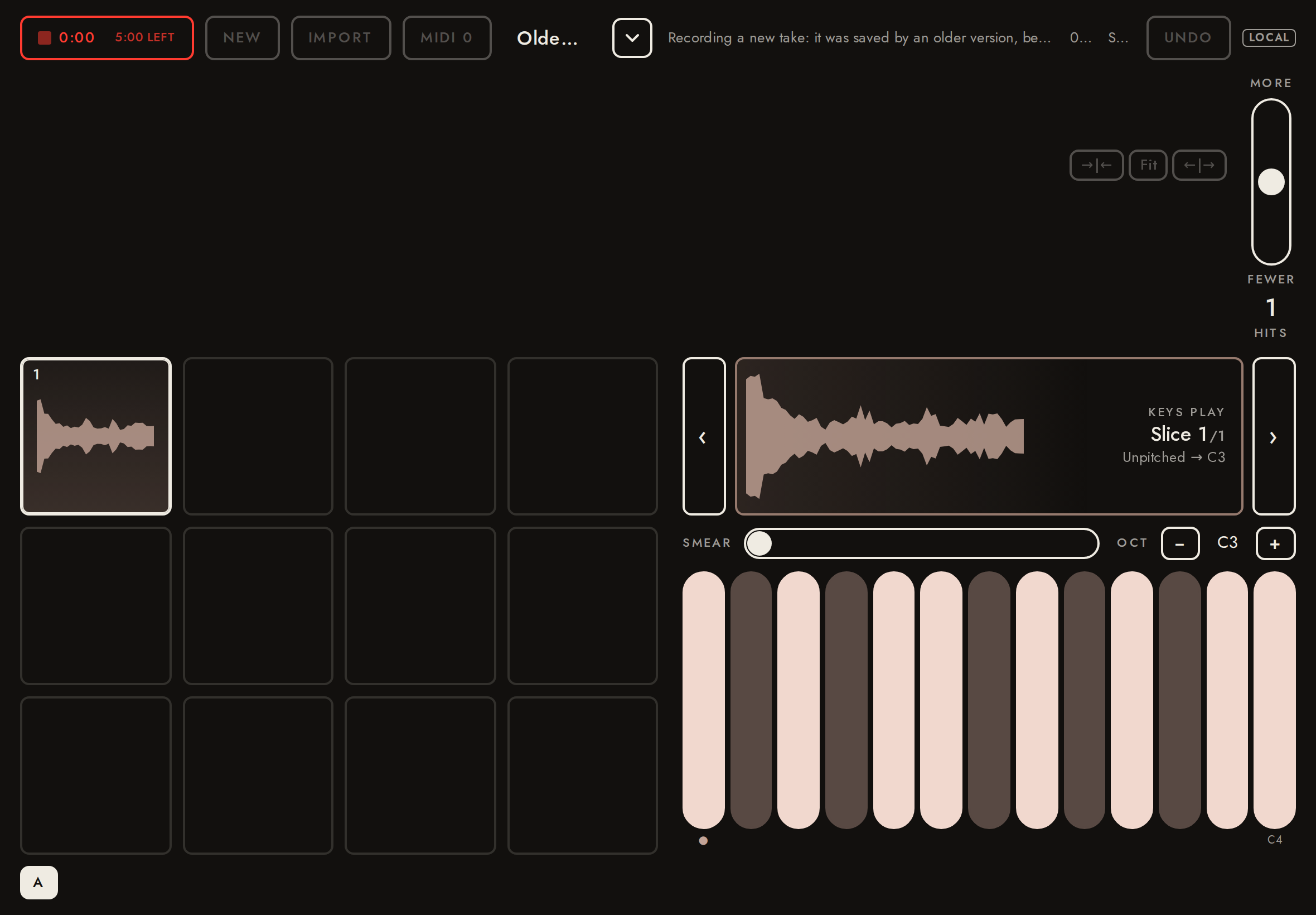
{"title":"Record a new take: it was saved by an older version, before takes could be added to","header":"0:00 5:00 LEFT NEW IMPORT MIDI 0 Older take Recording a new take: it was saved by an older version, before takes could be added to 0:13 Saved UNDO LOCAL","stop":{"v":1,"type":"record.stop","library":{"name":"take-1017-0408"}},"appends":1,"takes":3}
41Inside the iPad app: a recovered recording longer than a take can be is kept whole4.3 s
A recording left unsaved by an app build from before the take length cap can be longer than a take may now be. Opening it never cuts it: with the take library it is saved whole to the library first (as "Save to library" does; the app deletes the capture only once the library has its copy) and opens like any older take over the cap; without the library its first part opens and the capture is not confirmed saved, so the whole file stays under "Recovered recordings". Here the cap is shortened to 4 s (window.__fieldSamplerMaxTakeSeconds) and the recovered capture is the 13 s walkthrough take. Stand-in bridge.
- ✓With the library, an over-cap recovered recording is saved to the library whole, not cut
{"created":["DDDDDDDD-0000-4000-8000-000000000001"],"reads":0,"saved":[],"bytes":2496044,"last":12.992729166666667,"header":"REC 0:04 LEFT NEW IMPORT MIDI 0 take-1016-0408 0:13 Saved UNDO LOCAL"} - ✓and the page opens all of it (slices past the cap), with nothing left to recover
last candidate at 12.99 s; REC 0:04 LEFT NEW IMPORT MIDI 0 take-1016-0408 0:13 Saved UNDO LOCAL - ✓Without the library it opens cut, but the capture is not confirmed saved: it is offered back whole
4.000 s take; {"saved":[],"library":[],"header":"REC 0:04 LEFT NEW IMPORT MIDI 0 take-1016-0408 1 recording not saved — see Takes Kept the first 0:04 of a 0:13 file: takes are at most 0:04. The whole file stays under Recovered recordings 0:04 · sliced in 120 ms Saved UNDO LOCAL"}
42Inside the iPad app: takes in iCloud Drive16.4 s
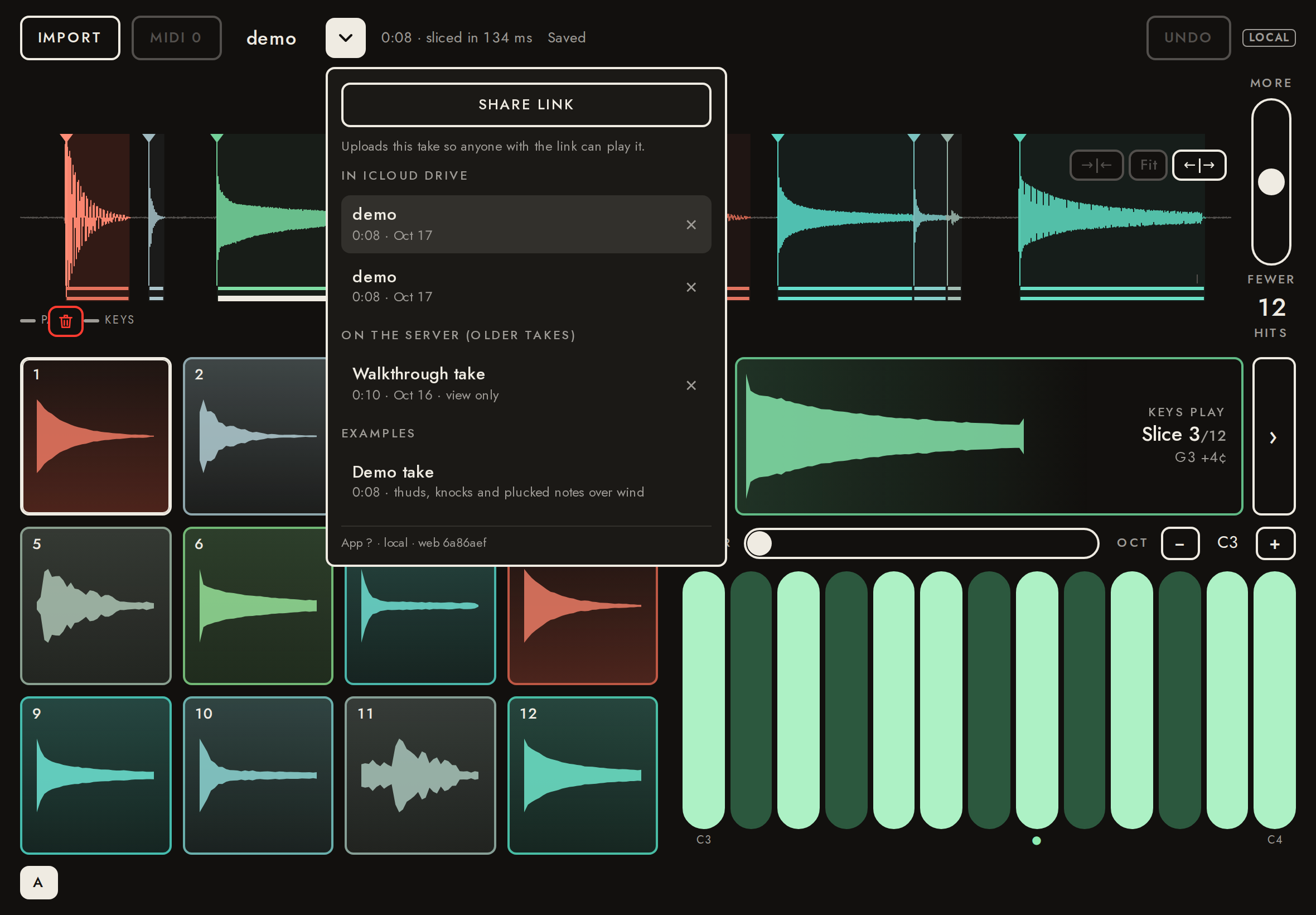
With the take library (feature library), new takes go to the person's iCloud Drive through the bridge, never to the server; the menu lists them, then the older server takes, marked by where they live. Switching takes keeps each take whole here too. Sharing uploads that one take on demand and keeps its link current. Stand-in library here; the real one is tested in the simulator (ios/scripts/build.sh --self-test-library).
- ✓New takes go to the library, not the server
2 library takes with their analysis (candidates, one end each, the version); 0 server creates; address / - ✓instrument.set names the library take (take.local; the demo went as PCM before it was saved)
{"id":null,"local":"9CDF52EC-34E2-4EF4-9A1A-FCEB241F4D15","ref":"mvbvm20i-2","api":"http://localhost:8788","duration":8,"sampleRate":44100,"channels":2} - ✓The menu lists the iCloud takes, then the server takes
SHARE LINK Uploads this take so anyone with the link can play it. IN ICLOUD DRIVE demo 0:08 · Oct 17 × demo 0:08 · Oct 17 × ON THE SERVER (OLDER TAKES) Walkthrough take 0:10 · Oct 16 · view only × EXAMPLES Demo take 0:08 · thuds, knocks and plucked notes over wind App ? · local · web 6a86aef - ✓Library: an edit made just before switching is saved to its own take
renamed take "Library renamed", other "demo"; updates [["9CDF","Library renamed"]] - ✓Library: the opened take shows its own name
demo - ✓Library: an older server take still opens
http://localhost:8788/t/4Vn0yG2VbWI9 - ✓Library: back to the library take, off the server address
http://localhost:8788/ - ✓Sharing uploads the take and stores its link in the library
http://localhost:8788/t/1gN1H4sgzleI; 1 server create - ✓A shared take's edits reach its link
server name "Renamed after sharing" - ✓Sharing writes the server take's key to take.json (pending) before uploading the audio
pending, complete - ✓A failed link update shows in the header
IMPORT MIDI 0 Link is down 0:08 Saved Link not updated: down UNDO LOCAL - ✓Edits are saved as soon as the page is hidden
1 saves within 150 ms - ✓A failed save is retried until it goes through
IMPORT MIDI 0 Saved on retry 0:08 Saved UNDO LOCAL - ✓An edit made elsewhere meanwhile is not overwritten: the take reopens as it is, and the header says so
{"name":"Edited on the other iPad","conflicts":1,"header":"IMPORT MIDI 0 Edited on the other iPad “Edited on the other iPad” was changed on another device: opened its latest version (your last change here wasn’t applied) Opening take… UNDO LOCAL"} - ✓Library take in an app without library.duplicate: no ⧉ (and no Duplicate in ▾)
{"button":0,"menu":0,"copyLink":1} - ✓Deleting removes the take from the library
1 left
43Duplicate a take6.9 s
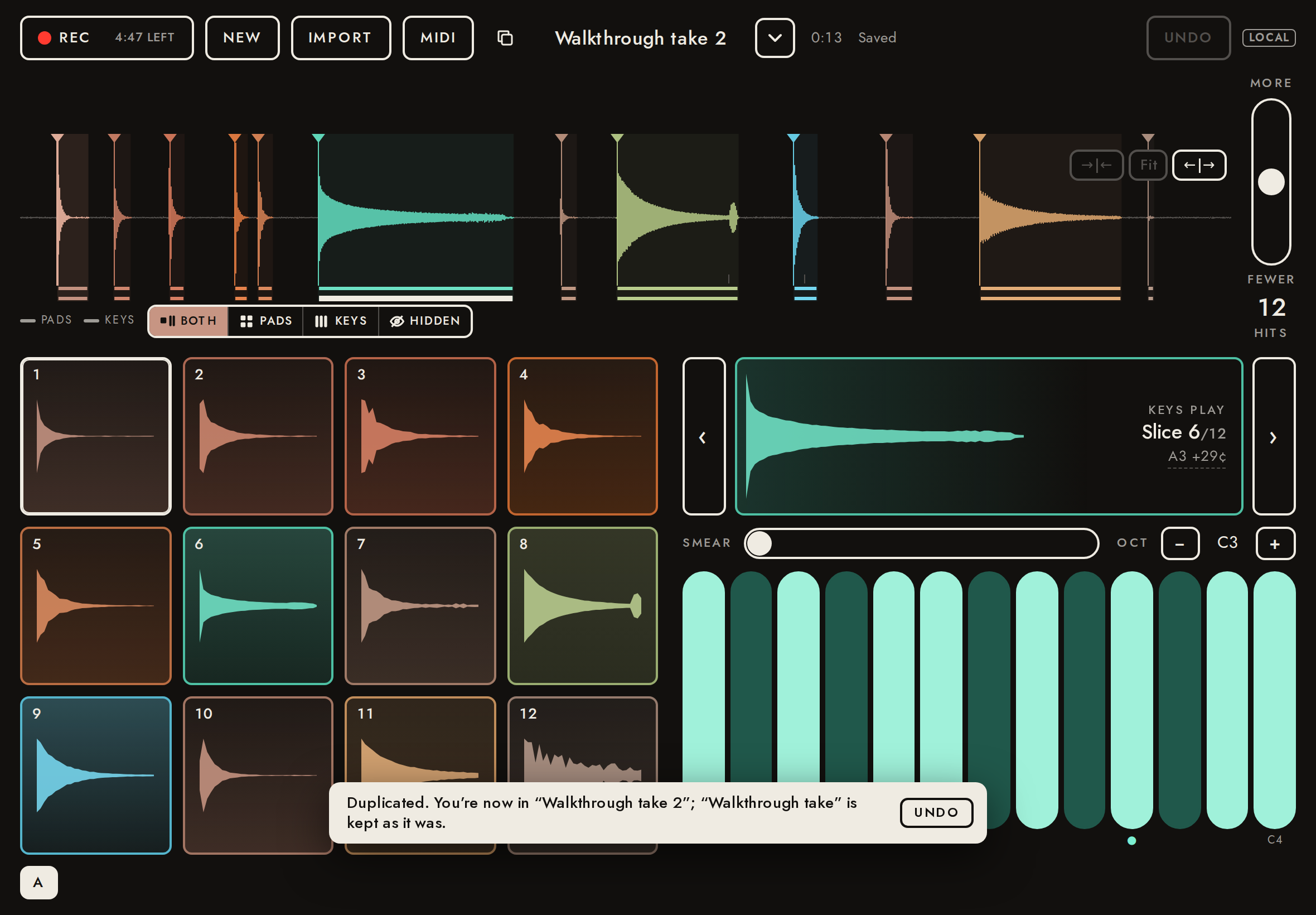
The ⧉ button, left of the take name, copies the open take with its edits as a new take, which opens at once; a toast says so, with Undo. The copy is made on the server (audio, analysis and preview copied there, nothing re-uploaded) and has its own link and key. Editing the copy leaves the original as it was; Undo deletes the copy and goes back to the original.
- ✓⧉ shows beside the name of a take this browser owns
- ✓The copy opens at once, named "<name> N"
/t/bpphPTrwEfxp "Walkthrough take 2" (original /t/4Vn0yG2VbWI9 "Walkthrough take") - ✓The toast says where you are and that the original is kept, with Undo
Duplicated. You’re now in “Walkthrough take 2”; “Walkthrough take” is kept as it was. UNDO - ✓The copy holds the same analysis and edits (stored on the server)
candidates 146/146, ends true, analysis {"dsp":1}, deleted [], sensitivity 0.5 - ✓The copy shows the same hits
12 (original 12) - ✓The copy has the same audio bytes
2496044 bytes (original 2496044) - ✓An edit to the copy is saved to the copy
copy: 1 deleted (original 0); 11 hits on screen - ✓The original, reopened from ▾, is unchanged (screen and server)
"Walkthrough take", 0 deleted (was 0), updatedAt unchanged, 12 hits (was 12) - ✓▾ has no Duplicate; ⧉ is left of the take name
menu items named Duplicate: 0; ⧉ ends at 471, name starts at 485 - ✓A second copy takes the next free number
"Walkthrough take 3" - ✓Undo deletes the copy (server and list) and returns to the original
copy 200 before Undo, 404 after; listed: Walkthrough take | Walkthrough take 2 | walk | demo | Before colors | Recorded, renamed | walk | demo | demo | Demo take; on /t/4Vn0yG2VbWI9 - ✓The original is still unchanged after Undo
"Walkthrough take", 0 deleted

44Portrait1.9 s
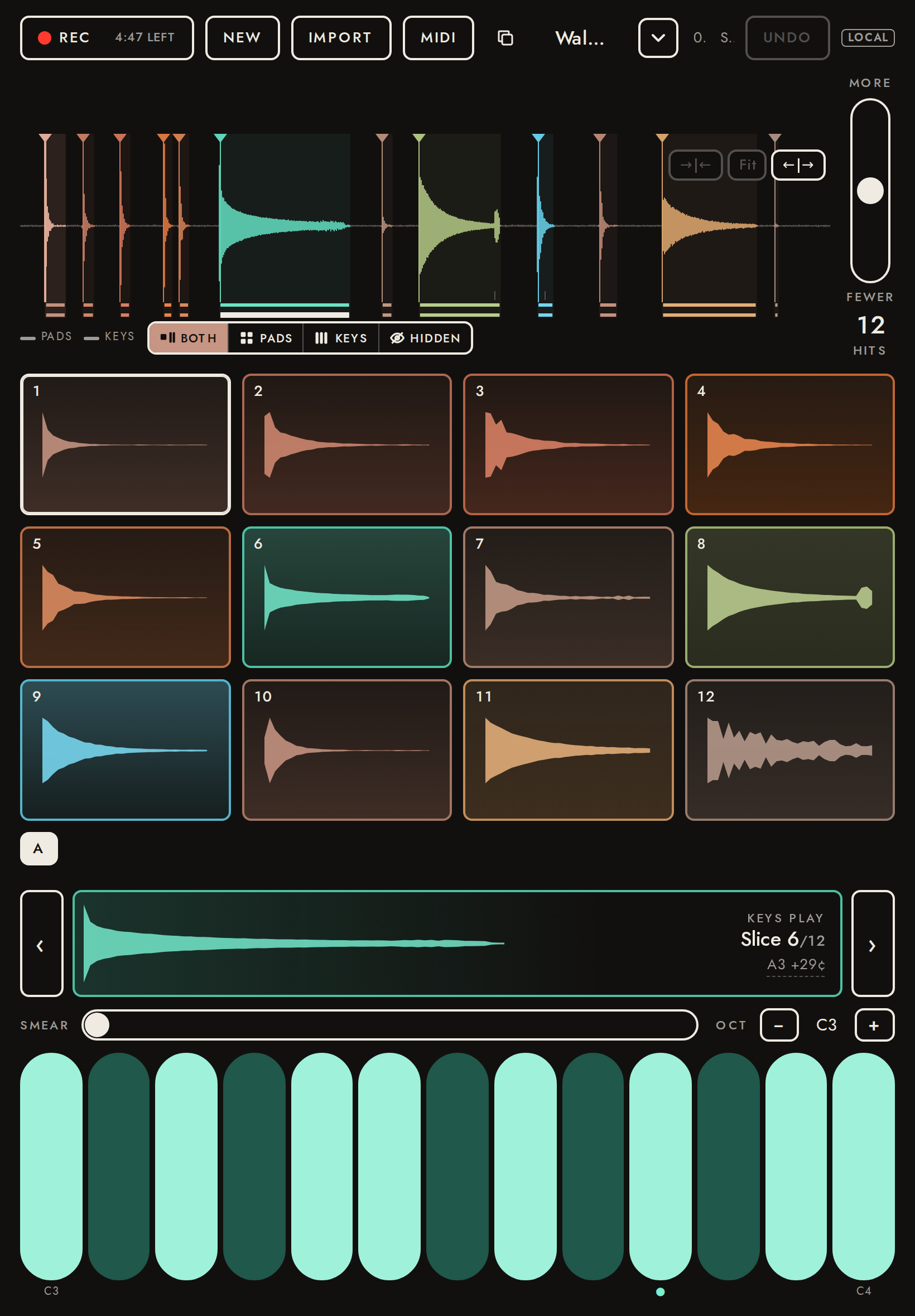
Portrait works too (secondary): the same single screen, stacked.
- ✓Fits the screen: no scrolling, keys fully visible
overflow 0 px wide, 0 px tall; keys end 14 px above the bottom
45Console0.0 s
Errors the page logged during the whole walkthrough.
- ✓No page errors
none
About the demo take
13 s, stereo, 48 kHz, built by e2e/fixture.mjs. Room tone ~−50 dBFS with a +0.01 DC offset and 6 Hz rumble; a wind gust 4.5–5.4 s.
Hits: footstep 0.4 s · footstep 1 s · footstep 1.6 s · knock 2.3 s · knock 2.55 s · pluck 3.2 s (223.78 Hz) · quiet knock 5.8 s · glass 6.4 s (880.00 Hz) · bird chirp 7.6 s · keys 8.3 s · footstep 9.3 s · bell 10.3 s (440.00 Hz) · faint knock 12.1 s.